
UI for Blazor
Blazor DockManager
- Recreate desktop-like experiences in your Blazor web app with the DockManager UI component.
- Part of the Telerik UI for Blazor library along with 120+ professionally-designed UI components.
- Includes support, documentation, demos, virtual classrooms, Visual Studio Code Extensions and more!
-
Smooth Desktop to Web Migration
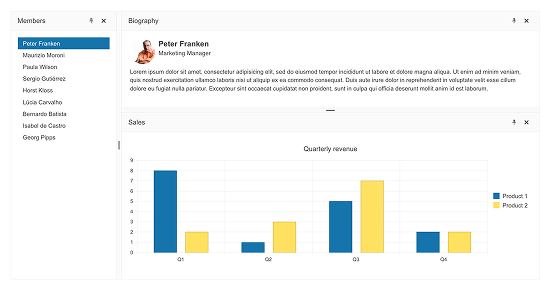
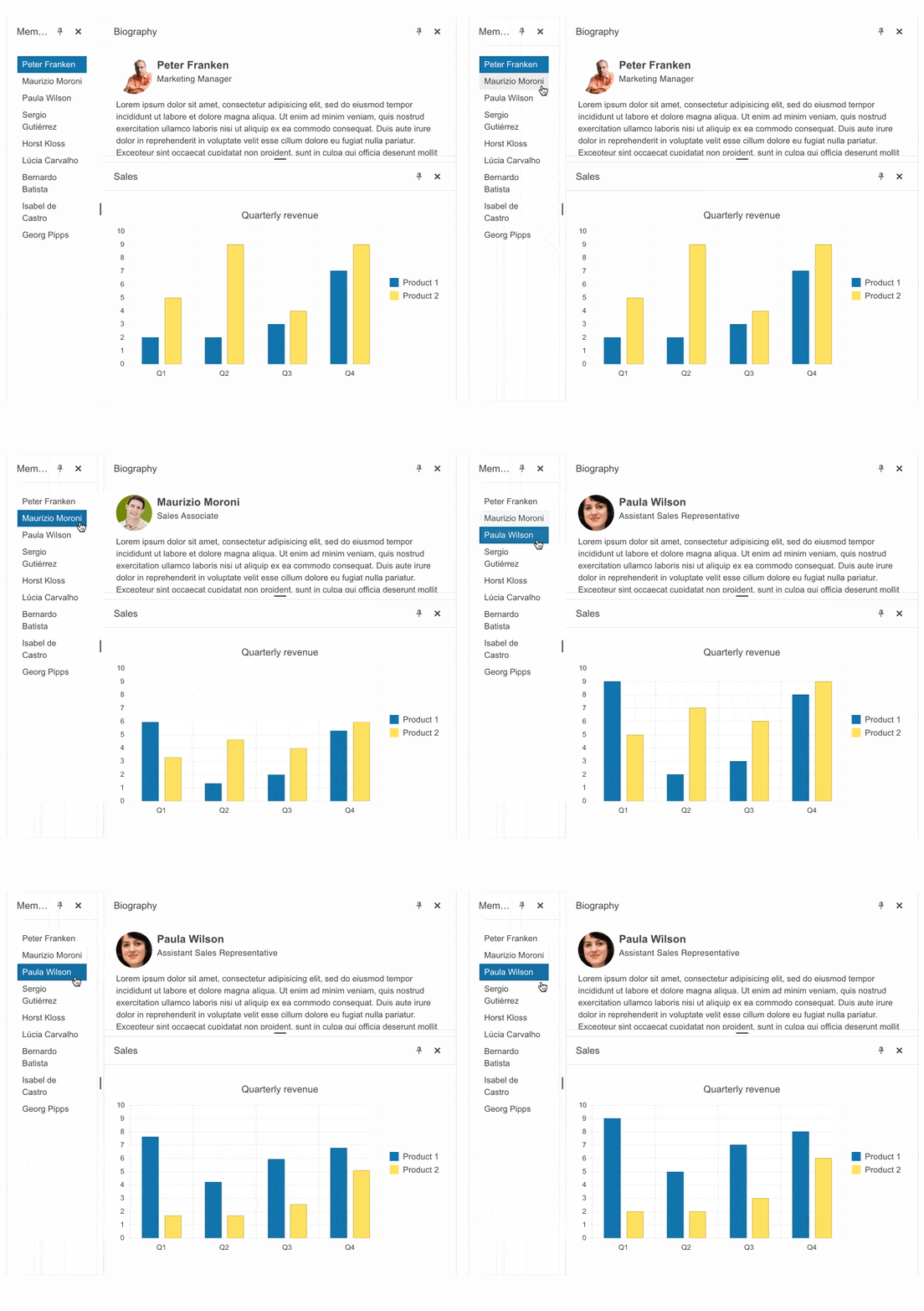
Easily recreate desktop-like experiences in your Blazor web apps with the DockManager UI control. It allows you to replicate the docks along with their respective behavior in desktop applications, such as Visual Studio, which are typically designed for larger screens. Empower users to manage and organize multiple panes within a single container with features like docking, undocking, resizing, and repositioning, offering a flexible and customizable layout.
Designed to support migration from a desktop framework, the Telerik UI for Blazor DockManager control ensures a smooth transition without disrupting the user experience.
-
Docking Types
Telerik UI for Blazor DockManager allows you to dock elements globally or within other panes for a fully customizable layout experience.
- Global docking: Upon dragging a pane a global docking navigator is always shown. The user has the option to dock the dragged pane to one of the component's edges, thus the dragged pane will become one of the root panes.
- Inner docking: Upon dragging a pane and hovering over another pane a dock navigator is shown. The user can choose to drop a pane on any of the parent's outer edges, thus splitting the parent pane or drop it in the center of the navigator as a tab of the parent pane.
See the Telerik UI for Blazor DockManager docking types documentation
-
Pane Types
Configure different pane types with ease:
- Content pane: Provides full control over explicitly defining custom content to be rendered for a given pane based on specific requirements.
- TabGroup pane: Refers to a group of panes allocated in a tab strip way, like the TabStrip component. Users can navigate through panes via tabs in the header.
- Split pane: Organizes panes in a Splitter-like manner, allowing the container pane to be split either horizontally or vertically.
See the Telerik UI for Blazor DockManager pane types documentation
-
DockManager State
The Telerik UI for Blazor DockManager empowers you to read, save, load and change its state through code. The state includes the DockManager features that are controlled by the user, such as the pane resizing, orientation, pinning, docking, etc.
See the Telerik UI for Blazor DockManager state documentation
-
DockManager Events
To ensure smooth interactions, the Telerik UI for Blazor DockManager component includes the following set of events:
- OnDock is fired when any pane is docked.
- OnUndock is fired when any pane is undocked.
- VisibleChanged is fired when the user tries to hide a given pane. If needed you can cancel the event, thus keeping the pane visible.
- SizeChanged is fired when the size parameter of the corresponding pane is changed.
- OnPaneResize is fired when any pane is resized.
- State Events:
- OnStateInit which fires when the DockManager initializes so you can provide a stored version of the grid.
- OnStateChanged which fires when the user performs an action so you can see what area was changed and, if needed, alter the component state.
- OnPin is fired when any pane is pinned.
- OnUnpin is fired when any pane is unpinned.
See the Telerik UI for Blazor DockManager events documentation

-
Persistence
Persist and restore layouts in the Telerik UI for Blazor DockManager using the built-in state management APIs. The GetState and SetState methods, along with the OnStateInit and OnStateChanged events, allow you to capture and reapply the full pane configuration, including positions, sizes, visibility, and tab selection. This enables scenarios such as saving user-specific layouts, switching between predefined configurations, and restoring default arrangements when needed.
-
Dynamic Panes
Control pane visibility at runtime in the Telerik UI for Blazor DockManager using the Visible parameter. Panes can be shown or hidden dynamically, with the layout automatically adjusting to occupy or release space as needed. The AllowEmpty setting determines whether empty split panes collapse or remain as placeholders, while the component state can be captured and restored, enabling scenarios such as layout reset with the OnStateInit event and SetState method.
See the Telerik UI for Blazor DockManager dynamic panes demo
.gif?sfvrsn=de80632d_2)
-
Keyboard Navigation
Improve accessibility and usability in the Telerik UI for Blazor DockManager with built-in keyboard navigation. Users can move focus between panes, interact with tabs, and manage layout elements using standard keyboard shortcuts.
See the Telerik UI for Blazor DockManager keyboard navigation demo
