UI for Blazor
Blazor LLM Kit
- Build transparent, governed AI experiences with ready-to-use agent UI components, called the Telerik UI for Blazor LLM Kit.
- Part of the Telerik UI for Blazor library along with 120+ professionally-designed UI components.
- Includes support, documentation, demos, virtual classrooms, Visual Studio Code Extensions and more!
-
Ready-to-Use Agent UI Components
The Telerik UI for Blazor LLM Kit provides a complete set of AI-focused UI components for building agentic applications. Enable users to follow AI reasoning, inspect decision paths, approve sensitive actions, restore conversation state, and verify generated content through citations, all with production-ready Blazor components.
Whether you're building copilots, AI assistants, workflow automation tools, or enterprise agent applications, the Telerik UI for Blazor LLM Kit helps you deliver trust, transparency, and human oversight throughout the AI interaction lifecycle.
-
Reasoning
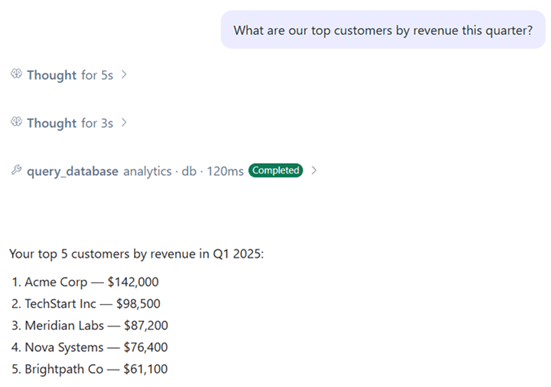
Display an AI agent's reasoning process as it works through a task. The Telerik UI for Blazor Reasoning component streams thought progress in real time and can collapse into a completed summary once processing finishes. It helps users understand that work is happening without exposing implementation complexity.

-
Chain of Thought
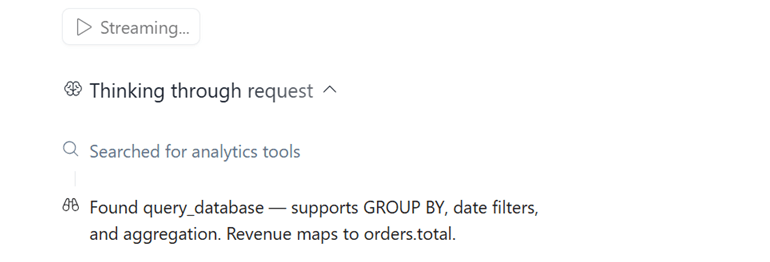
Present an AI workflow as a structured sequence of steps. The Telerik UI for Blazor Chain of Thought component makes agent activity easier to follow by displaying discoveries, decisions, searches, and completed actions in a clear, auditable format.
-
Tool Call
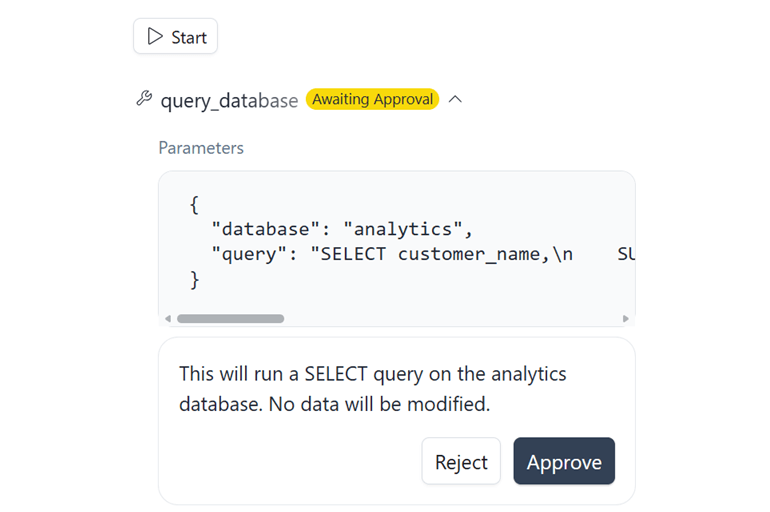
Visualize interactions between AI agents and external tools, services, APIs, or business systems. The Telerik UI for Blazor Tool Call component provides visibility into the actions an agent performs as part of task execution. This includes normal execution, approval requests, and error states.

-
Approval Workflows
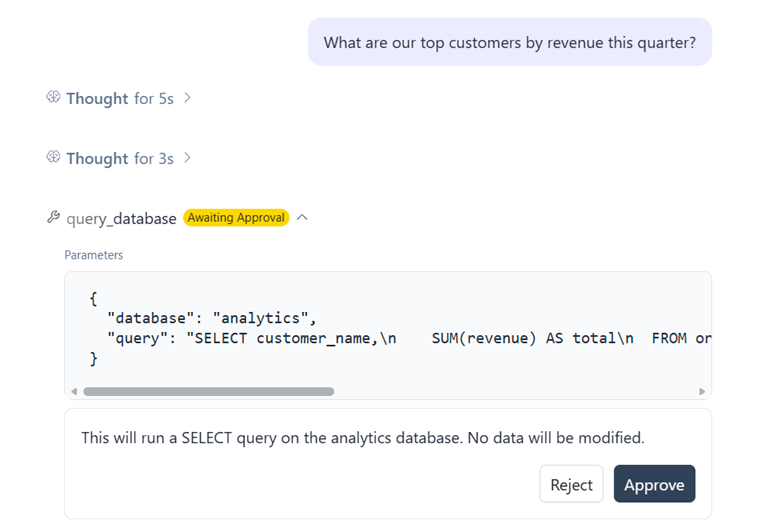
When an action requires human review, the Telerik UI for Blazor Tool Call Approval experience allows agents to pause execution and request user consent before proceeding. This pattern is ideal for actions involving external systems, business processes, databases, or sensitive operations.
See the Telerik UI for Blazor LLM Kit Tool Call Awaiting Approval demo
-
Tool Call Error Handling
Help users understand when tool execution cannot be completed. Error states provide clear feedback and visibility into failed operations, enabling users to take corrective action while preserving transparency in AI workflows.

-
Inline Citation
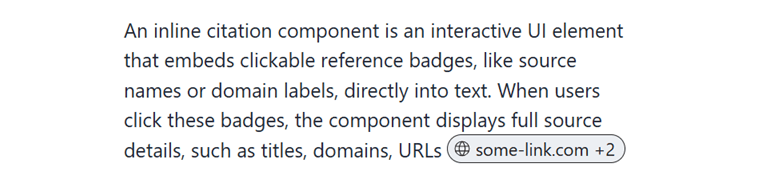
Increase trust in AI-generated content by embedding source references directly into generated responses. Users can interact with citations to view source information, descriptions, and URLs without disrupting the conversation flow.
-
Checkpoint
Allow users to restore conversations to known-good states and recover from unwanted agent actions or conversation paths. The Telerik UI for Blazor Checkpoint component acts as a visual restore marker within AI conversations and workflows.