Kendo UI for Vue
Vue SmartPasteButton
- Instantly convert copied text into complete form or other entries with the Kendo UI for Vue SmartPasteButton.
- Part of the Kendo UI for Vue library along with 110+ professionally-designed components.
- Includes support, documentation, demos, virtual classrooms, learning resources and more!
-
Streamlined Data Entry
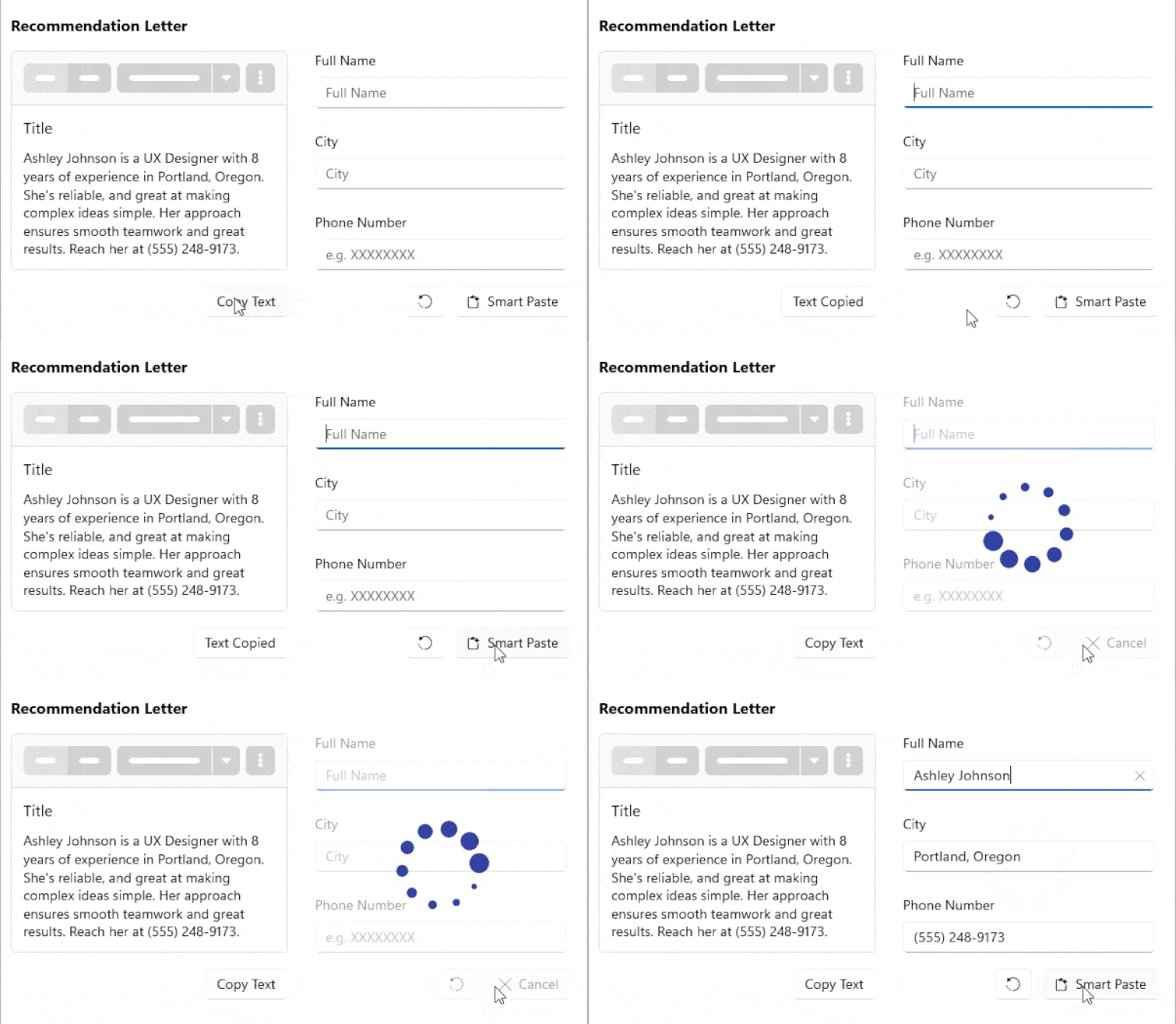
The Kendo UI for Vue Smart Paste Button is an AI-powered component that automatically fills input fields using content from the clipboard. Instead of manually copying and pasting values into multiple inputs, users can paste unstructured text such as emails, documents, or notes, and let the component extract and map the relevant data to the correct fields.
-
Error Handling and Validation
The SmartPaste Button includes built-in error handling. If the pasted data is incomplete, invalid, or does not meet form validation requirements, the Vue component displays validation messages as part of the normal form workflow. This ensures that AI-processed data respects your existing validation rules.
-
Appearance
The SmartPasteButton follows the Kendo UI for Vue buttons styling system. You can configure the fill mode, size, theme color, and other visual properties to match your application's design.
-
Events
The SmartPasteButton for Kendo UI for Vue fires a click event when the user clicks the button and is used to trigger the AI-powered paste operation.
-
Accessibility and Keyboard Support
The SmartPasteButton in Kendo UI for Vue supports keyboard navigation and follows WAI-ARIA accessibility guidelines, ensuring it integrates naturally into accessible input workflows.
See the Kendo UI for Vue SmartPaste keyboard navigation demo

Get Started with Kendo UI for Vue