
UI for ASP.NET Core
ASP.NET Core SmartPasteButton
- Turn raw text into ready‑to‑use input fields with the Telerik UI for ASP.NET Core SmartPasteButton.
- Part of the Telerik UI for ASP.NET Core library along with 120+ professionally designed UI components.
- Includes support, documentation, demos, virtual classrooms, Visual Studio Code Extensions and more!
-
Smart Paste for Faster Form Completion
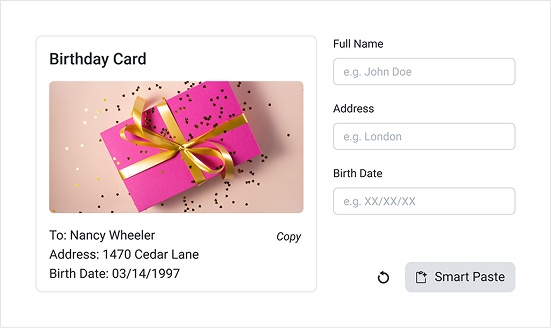
The Telerik UI for ASP.NET Core SmartPasteButton lets users paste unstructured text such as an email signature, message, or copied content, and automatically converts it into structured data for your form or other input field. The component sends the pasted text to an AI service, extracts the relevant fields, and populates the input immediately, removing the need for manual copy-and-paste work.
See the Telerik UI for ASP.NET Core SmartPasteButton overview demo
-
Appearance
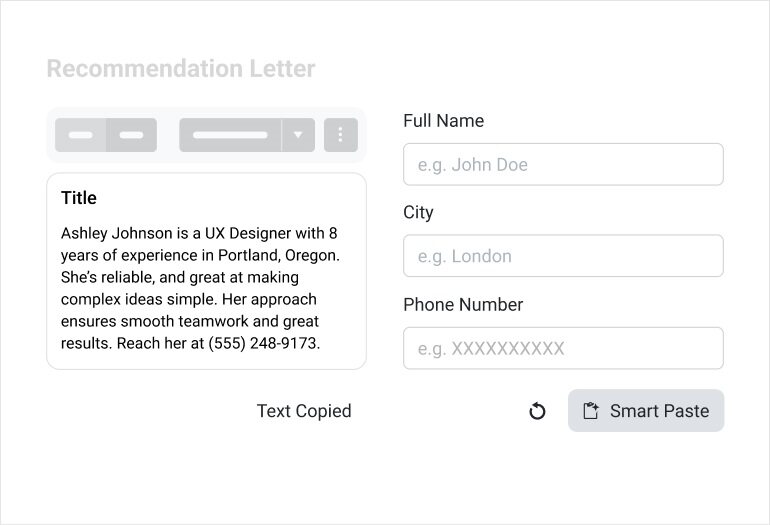
The Telerik UI for ASP.NET Core SmartPasteButton offers flexible styling options that let you tailor its look to match the rest of your app. You can adjust its overall visual style, shapes, colors, and size so it blends seamlessly into any UI design.
See the Telerik UI for ASP.NET Core SmartPasteButton appearance demo

-
Validation
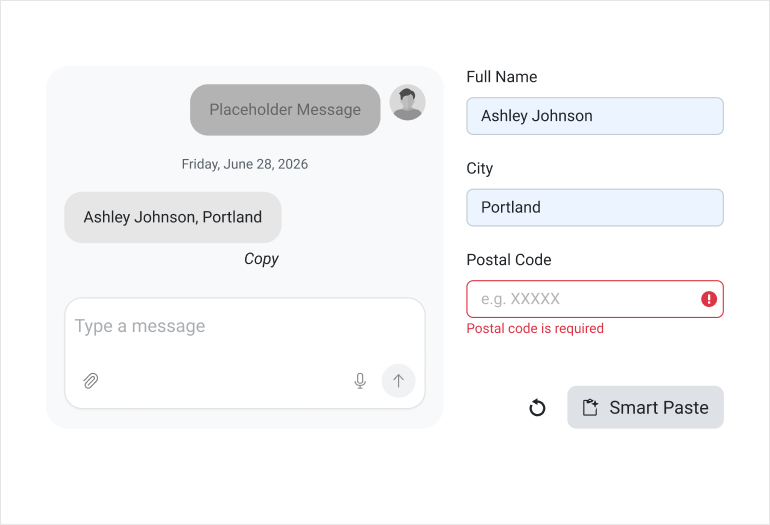
The SmartPaste Button includes built‑in error handling. If the AI‑copied data is incomplete, invalid, or fails your form’s requirements, the component automatically surfaces the appropriate validation messages, just as if the user had typed incorrect information manually.
See the Telerik UI for ASP.NET Core SmartPasteButton validation demo
-
Events
The SmartPasteButton provides several events that let you monitor its lifecycle and customize how your app responds as users paste and process text.
- RequestStart: Fires when the component starts processing a paste operation.
- RequestEnd: Fires when the component completes processing a paste operation.
- Error: Fires when an error occurs during processing.
See the Telerik UI for ASP.NET Core SmartPasteButton events demo
-
Keyboard Navigation
The component supports full keyboard navigation, letting users trigger the smart‑paste action, move focus, and interact with the button entirely from the keyboard. This ensures fast, accessible operation for users who prefer or require keyboard‑only workflows.
See the Telerik UI for ASP.NET Core SmartPasteButton keyboard navigation demo
