
KendoReact
React SmartPasteButton
- Instantly convert copied text into complete form or other entries with the KendoReact SmartPasteButton.
- Part of the KendoReact library along with 120+ free and paid enterprise-grade UI components.
- Includes legendary technical support, design resources, comprehensive documentation, demos, and more!
-
Turn Unstructured Text Into Structured Form Data
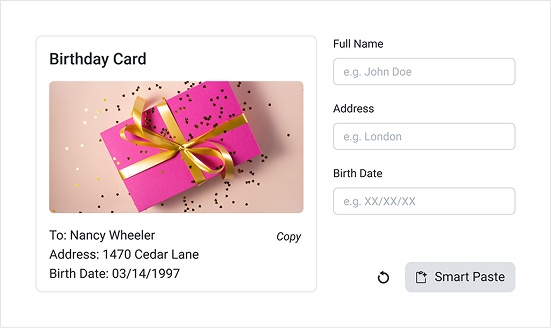
The KendoReact SmartPasteButton enables intelligent form autofill by using AI to transform unstructured pasted content into structured field values. Instead of copying information into individual inputs, users can paste once and let the component analyze and map the content to the appropriate form fields automatically. SmartPasteButton integrates seamlessly with KendoReact Form and standard HTML forms, making it easy to enhance existing data-entry workflows with AI-powered processing.
-
Intelligent Field Mapping
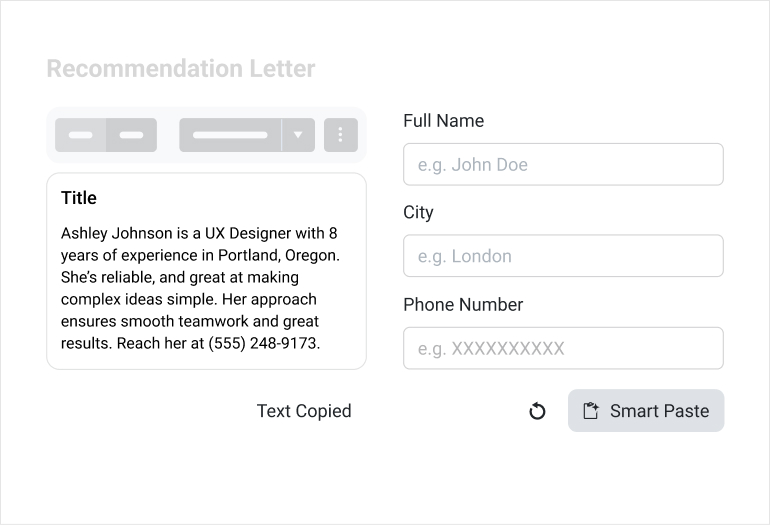
SmartPaste analyzes clipboard content and matches detected values to form fields based on configuration and context. This reduces repetitive typing and improves data entry accuracy in applications that rely on external information sources such as emails, documents or CRM records. Field matching behavior can be configured to align with domain-specific requirements.
-
Events and Processing Control
SmartPaste exposes events that allow you to manage request lifecycles and processing behavior. You can intercept requests before processing begins, handle cancellations or respond to completion events to maintain control over data quality and application state.
-
Error Handling and Validation
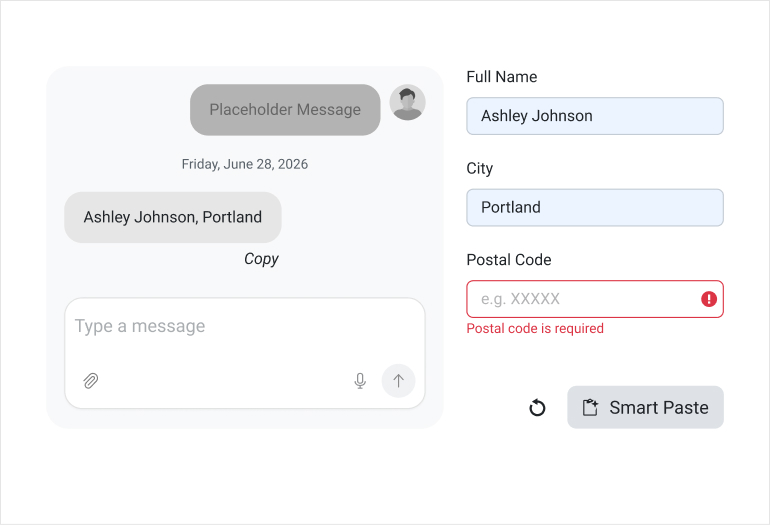
The SmartPaste Button includes built-in error handling. If pasted data is incomplete, invalid or does not meet form validation requirements, the component surfaces validation messages as part of the normal form workflow. This ensures that AI-processed data respects your existing validation rules.
-
Appearance and Customization
The SmartPaste Button follows the KendoReact Button styling system. You can configure fill mode, size, theme color and other visual properties to match your application design.
-
Accessibility and Keyboard Support
The SmartPaste Button supports keyboard navigation and follows WAI-ARIA accessibility guidelines, ensuring it integrates naturally into accessible form workflows.
