
background cover
background cover

KendoReact

Roadmap

What's Coming in 2026

Discover what’s ahead for KendoReact in 2026. Our upcoming roadmap brings new AI-powered agents and assistants, React UI components & feature enhancements, and performance improvements designed to help you build modern, AI-powered, high-performing web applications with ease.  

 We remain committed to delivering updates on a regular cadence and incorporating your feedback to shape the future of our KendoReact library. Explore what’s planned, share your ideas, and stay ahead with the latest innovations in React development. 
KendoReact

New Grid Grouping Modes

New feature

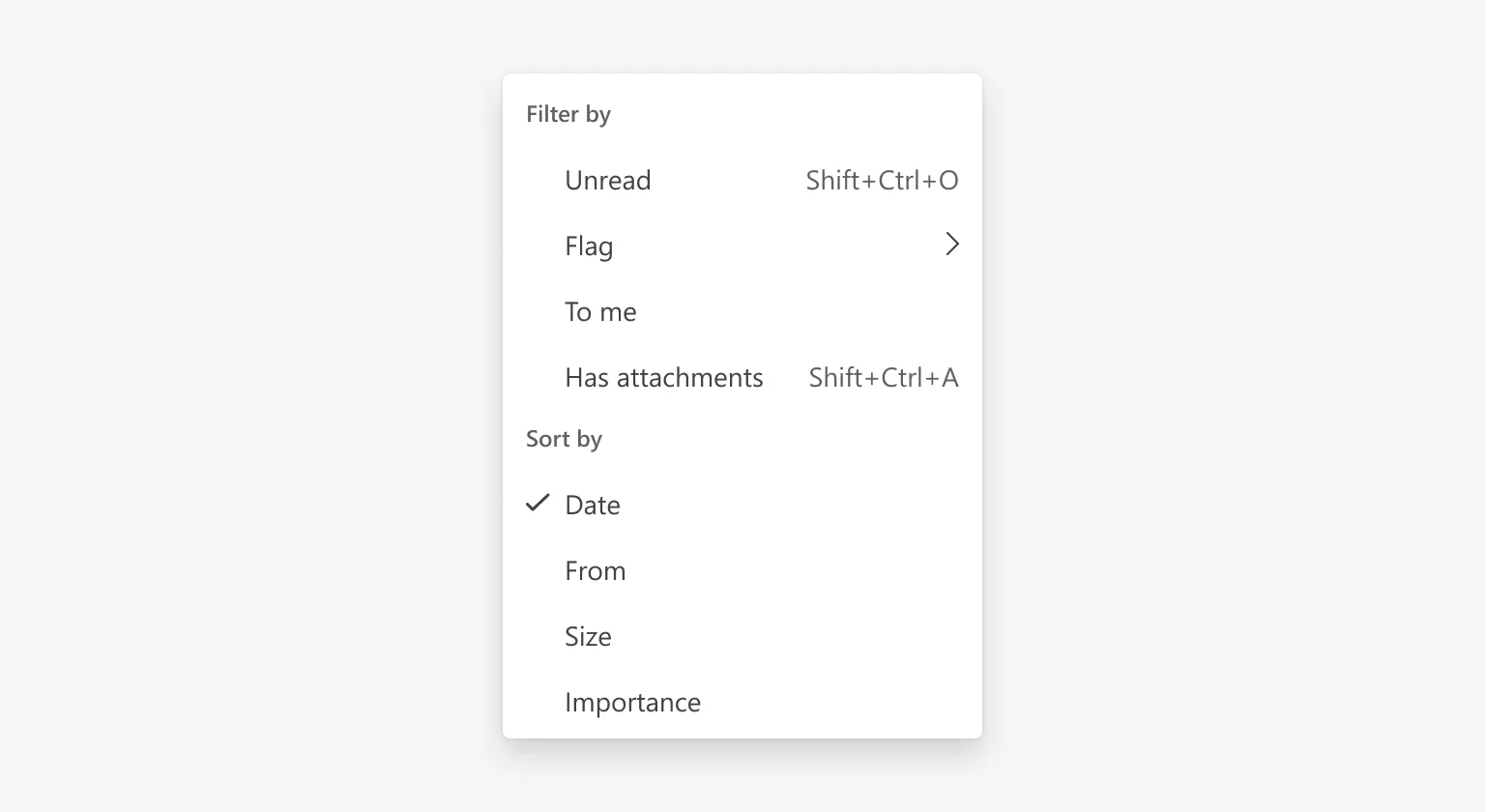
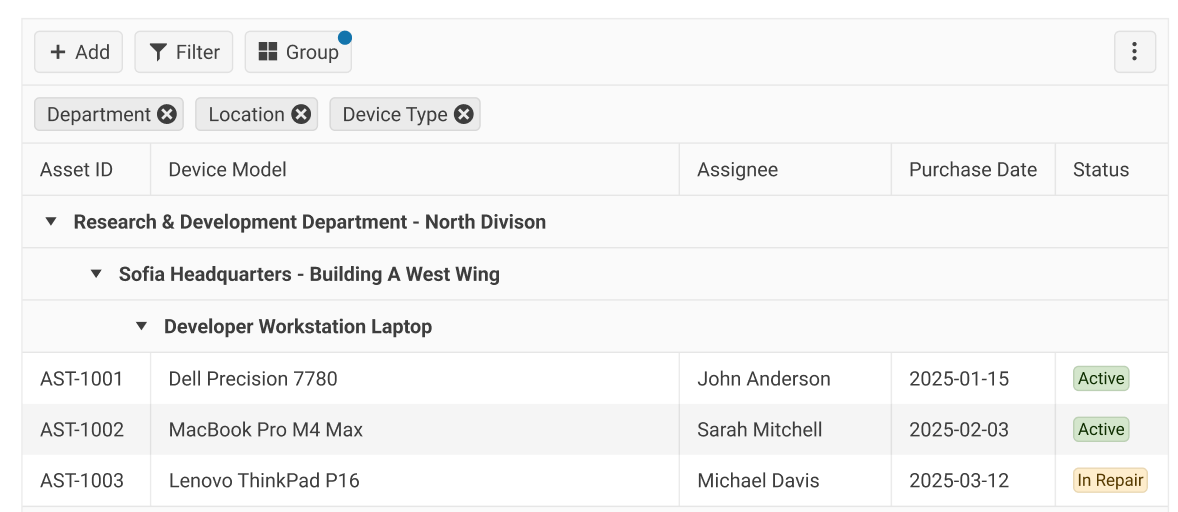
We are expanding the Grid grouping experience with additional visualization modes that improve space utilization and data readability. Developers will be able to choose the grouping presentation that best fits their application, from compact grouped views to layouts better suited for responsive and data-dense scenarios. These enhancements provide greater flexibility while preserving compatibility with existing grouping implementations. 

thumbnail

Select All Support for MultiSelect

New feature
We are adding built-in Select All functionality to the MultiSelect component to simplify bulk selection scenarios. Developers will be able to enable a dedicated Select All option that helps users work more efficiently with large datasets while reducing the need for custom implementations. 


Workflow Acceleration Skill

New feature
A free, AIconsumable knowledge skill that helps agents guide developers from a new project to a successfully running and licensed KendoReact app. It encodes productspecific setup and licensing guidance - explaining trials, common pitfalls, and next steps - so developers can get to their first successful build without confusion or dead ends. 


thumbnail

Redesign Scheduler Experience

Improvement
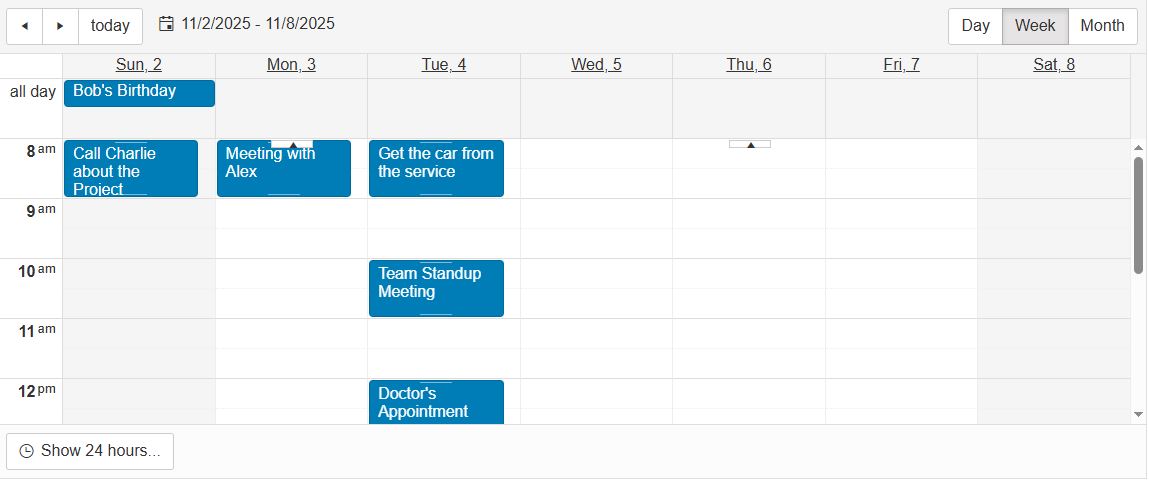
We are redesigning the Scheduler component to deliver a more intuitive and modern scheduling experience. The refreshed architecture and user interface will improve usability for complex scheduling workflows while establishing a foundation for future innovations such as SmartBox- and SmartPaste-powered experiences. This redesign ensures the Scheduler remains flexible, scalable, and aligned with evolving user expectations. 


Floating Contextual Toolbar for Editor

New feature
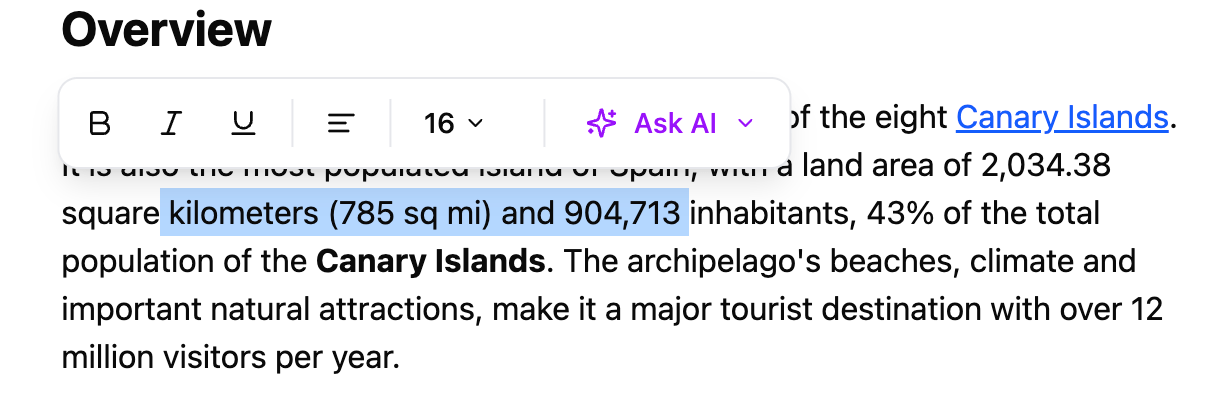
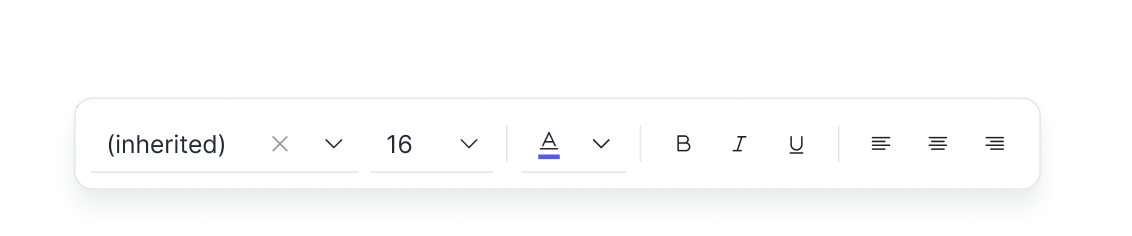
We are introducing a floating, in-context toolbar that provides quick access to common formatting and editing actionsdirectly next to selected content. This lightweight, non-intrusive experience reduces workflow interruptions and helps users stay focused while editing. The toolbar will also support AI-powered actions such as rewriting, summarization, translation, and tone adjustments directly within the editing workflow. 


thumbnail

React Migration Assistant

New feature

An AIassisted migration toolthat helps you upgrade Kendo UI for React projects between major versions with confidence. It combines automated codemods with intelligent code analysis to handle breaking changes, apply fixes where possible, and guide you through any remaining manual steps - reducing risk and migration effort across your codebase. 

We are introducing an AI-assisted migration experience designed to simplify upgrades between major KendoReact releases. The Migration Assistant will combine automated code transformations with intelligent analysis to identify breaking changes, apply fixes where possible, and guide developers through any required manual updates. This will help teams modernize applications faster, reduce upgrade risk, and adopt new capabilities with greater confidence. 


Chat Improvements

Improvement

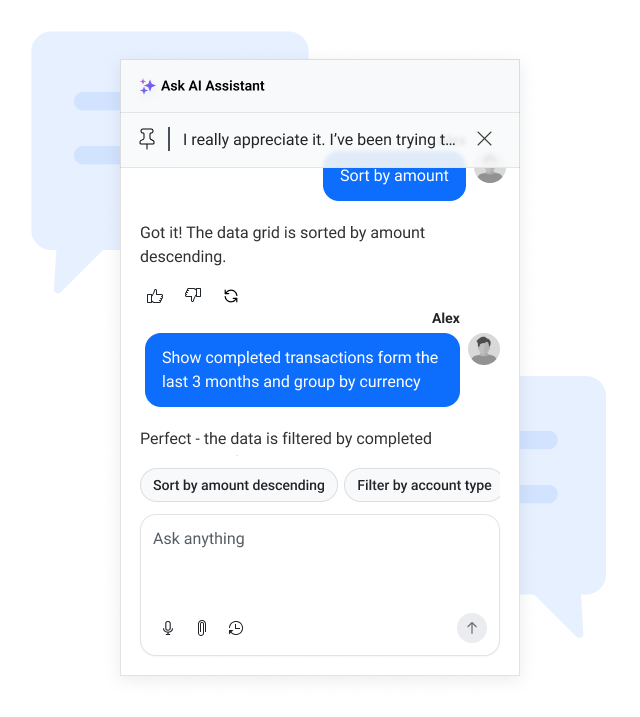
We’re bringing several upgrades to the Chat component, making conversations faster, smoother, and more intuitive. 

We’re adding message virtualization to keep long chat histories responsive and lag free. Chat will also support real-time response streaming, creating a more natural, modern AI interaction. 

We’re ensuring feature parity across products and introducing a new fixed scroll mode, which keeps the view anchored at the start of long messages for better readability. 


thumbnail

Default Telerik and Kendo UI Theme Modernization

Improvement

We are evolving the Kendo UI Default theme to deliver a more modern and refined visual design language while preserving full backward compatibility. This initiative focuses on refreshing the overall aesthetic, improving design system modularity for greater flexibility and scalability, and enhancing AI/LLM friendliness to better support emerging intelligent experiences. The result will be a cleaner, more adaptable, and future-ready theme that builds on the strengths of the existing Default design.


thumbnail

Diagram

New component

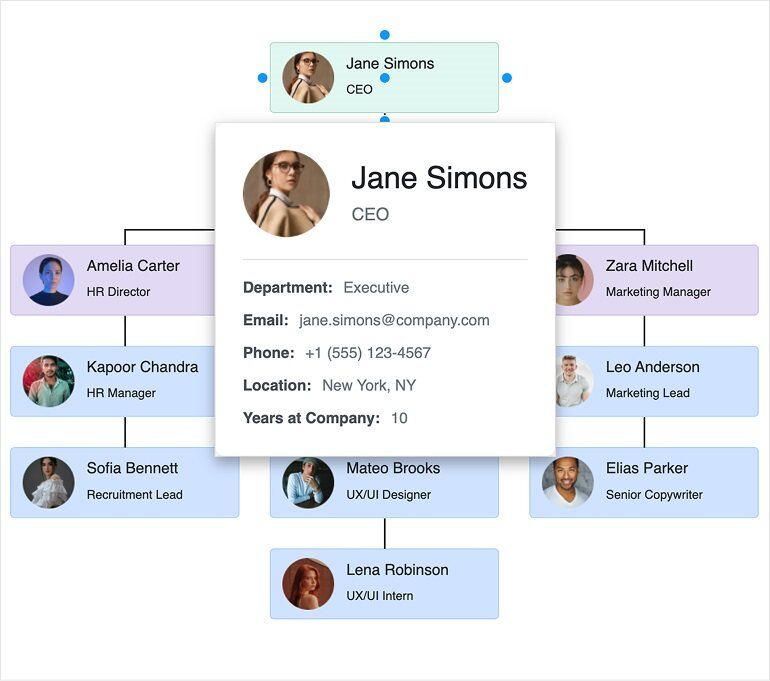
We’re bringing the Diagram component to Kendo React, extending the suite with a powerful, enterprise-ready visual modeling tool. 

The Diagram includes core capabilities like data binding, connector text, tooltips, and improved alignment for precise diagram construction. Users will benefit from draggable and resizable connectors, large interaction points for easier editing, and dynamically appearing scrollbars for smoother navigation. We’re also adding text box management and support for swimlanes, enabling clearer process mapping and more structured diagram layouts. 


thumbnail

Segmented Control

New component

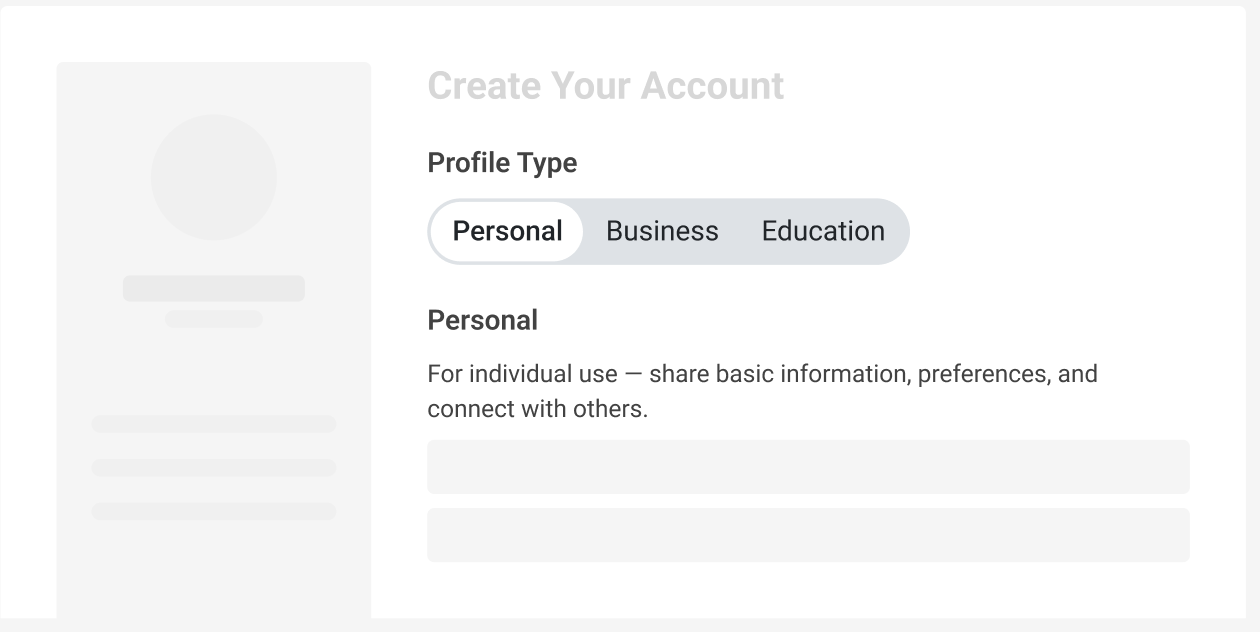
We’re introducing a new Segmented Control component, giving developers a modern, intuitive way to present small sets of mutually exclusive options. 

This component delivers a clean, native interaction pattern that keeps apps consistent and easier to navigate. It supports both equal-width and content-based sizing, allowing you to choose between perfectly balanced layouts or flexible, content-driven designs. With builtin visual states, accessibility, and smooth selection behavior, the new Segmented Control provides a polished, reliable experience while reducing the need for custom implementations - making your UI simpler, faster, and more delightful to use. 


thumbnail

Enhanced Charts Interactivity and Motions

New feature

We’re making KendoReact data visualization components more engaging and visually appealing. Upcoming updates include improved chart animations for smoother transitions, category highlighting for better data focus and readability, and theme-driven animation tokens to ensure consistent motion design across all themes. These enhancements will help you create charts that deliver a polished, modern user experience aligned with your application’s design. 


Export Data Grid to CSV

New feature

We’re adding the ability to export DataGrid content to CSV files in KendoReact. This feature will make it easy to extract, download and share tabular data for reporting, analysis, or integration with other tools.  


Server-Side Validation for Forms

New feature
We’re enhancing the KendoReact Form component to support server-side validation in addition to existing client-side checks. This feature addresses scenarios where validation rules cannot be fully enforced on the client and ensures data integrity across complex applications. 


Sticky Group Headers in Data Grid

New feature

We’re adding support for sticky group headers in the KendoReact DataGrid component. This enhancement ensures that group headers remain visible while scrolling through large datasets, making it easier to understand the context of grouped data without losing track of which group you’re viewing. This improvement enhances usability for complex grids and delivers a smoother, more intuitive data exploration experience. 


Deprecation of React 16 and 17 Support

Improvement

Starting in Q1 2026, KendoReact will drop support for React versions 16 and 17, which have been out of active support for several years (React 17 ended support in March 2022, React 16 in October 2020). Moving forward, we will focus on React 18 and React 19, ensuring compatibility with the latest features and performance improvements. 

Why are we doing this? 

  • Security and stability: Older versions no longer receive active updates, making them less secure and harder to maintain. 
  • Access to modern React features: By aligning with React 18 and 19, you can leverage concurrent Rendering, automatic batching, and other optimizations for better app performance. 
  • Improved developer experience: Dropping legacy code paths reduces complexity and allows us to deliver faster updates and new capabilities. 


thumbnail

Input OTP Component for Seamless Two-Factor Authentication

New component

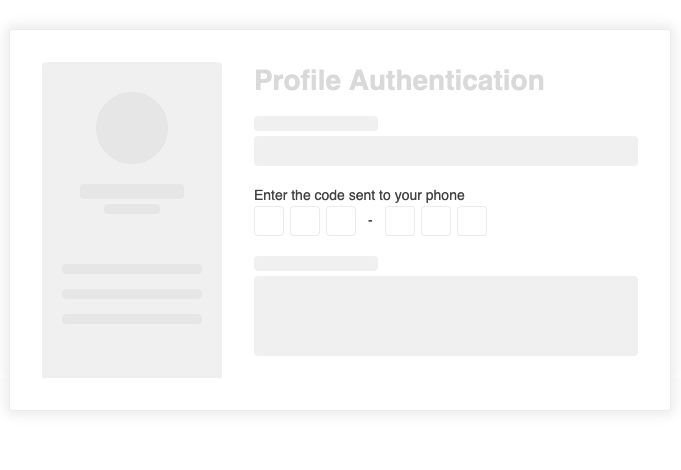
In an era where digital security is paramount, our new Input OTP component is designed to simplify and enhance two-factor authentication (2FA) workflows. This dedicated component addresses the growing need for a secure, user-friendly solution to OTP input, combining advanced customization, intuitive interactions, and rigorous security measures. With features like configurable input lengths, automatic focus shift, built-in validation, and accessibility support, the Input OTP component ensures a smooth and secure user experience. Fully customizable to fit any design system, it supports theming, localization, and integration with form validation libraries. Whether you're building login flows or verification steps, this component empowers developers to deliver robust, secure applications with ease.

thumbnail

No items found.