TreeList Overview
The TreeList component organizes hierarchical data in a tabular format, allowing users to navigate and interact with nested information efficiently. It represents parent-child relationships through expandable nodes that reveal or hide subordinate items. With features such as sorting, filtering, resizing, and pagination, TreeLists provide a user-friendly way to manage and visualize hierarchical data sets.
Live Demo
Modifiers
Variant
Anatomy
The anatomy of the TreeList summarizes the elements of the component:
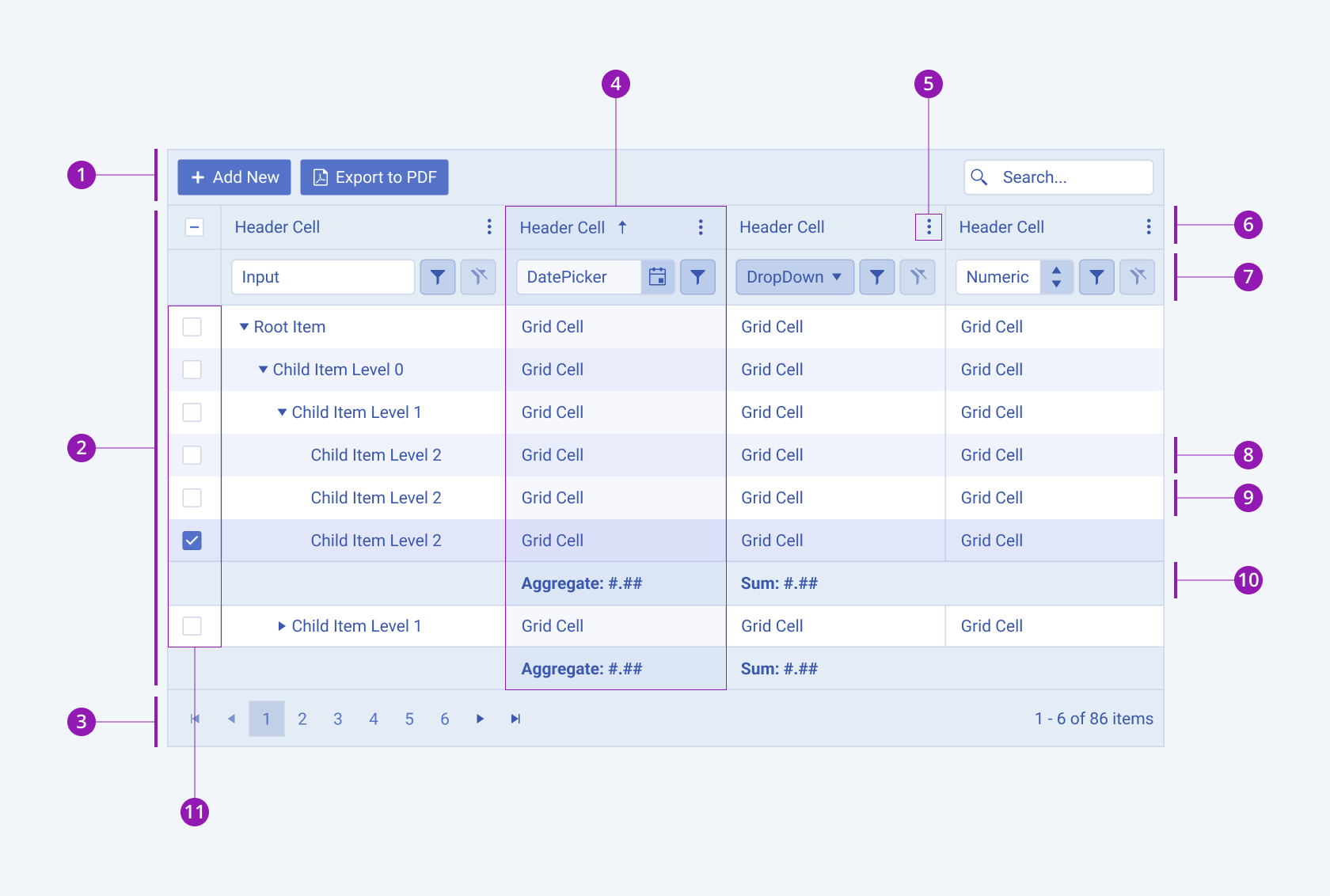
- Toolbar
- TreeList
- Pager
- Sorted column
- Column menu
- Grid header
- Filter row
- TreeList alternate row
- TreeList row
- Group aggregate footer
- Checkbox row selection
Framework-Specific Documentation
For specific information about the component, refer to its official product documentation:

Kendo UI for Angular TreeListFind more information about the Kendo UI for Angular TreeList in the official product documentation of the component.

Telerik UI for Blazor TreeListFind more information about the Telerik UI for Blazor TreeList in the official product documentation of the component.

Kendo UI for jQuery TreeListFind more information about the Kendo UI for jQuery TreeList in the official product documentation of the component.

KendoReact TreeListFind more information about the KendoReact TreeList in the official product documentation of the component.

Kendo UI for Vue TreeListFind more information about the Kendo UI for Vue TreeList in the official product documentation of the component.

Telerik UI for ASP.NET Core TreeListFind more information about the Telerik UI for ASP.NET Core TreeList component.

Telerik UI for ASP.NET MVC TreeListFind more information about the Telerik UI for ASP.NET MVC TreeList component.