Citation Overview
The Citation component embeds a compact source reference directly in generated text. It helps users trace a statement to its supporting evidence without interrupting the reading flow.
Hovering (or clicking) the citation displays a source preview popover containing the source title, URL, and description. When a citation contains multiple sources, users can move between source previews without closing the popover.
Appearance
The Citation component uses an inline chip to remain visually connected to the claim it supports. The source preview appears in a popover so users can inspect evidence while remaining in the current context.
Types
Single-source citation—References one source and does not display an additional source count.Multi-source citation—References multiple sources and displays the number of additional sources after the primary source label.
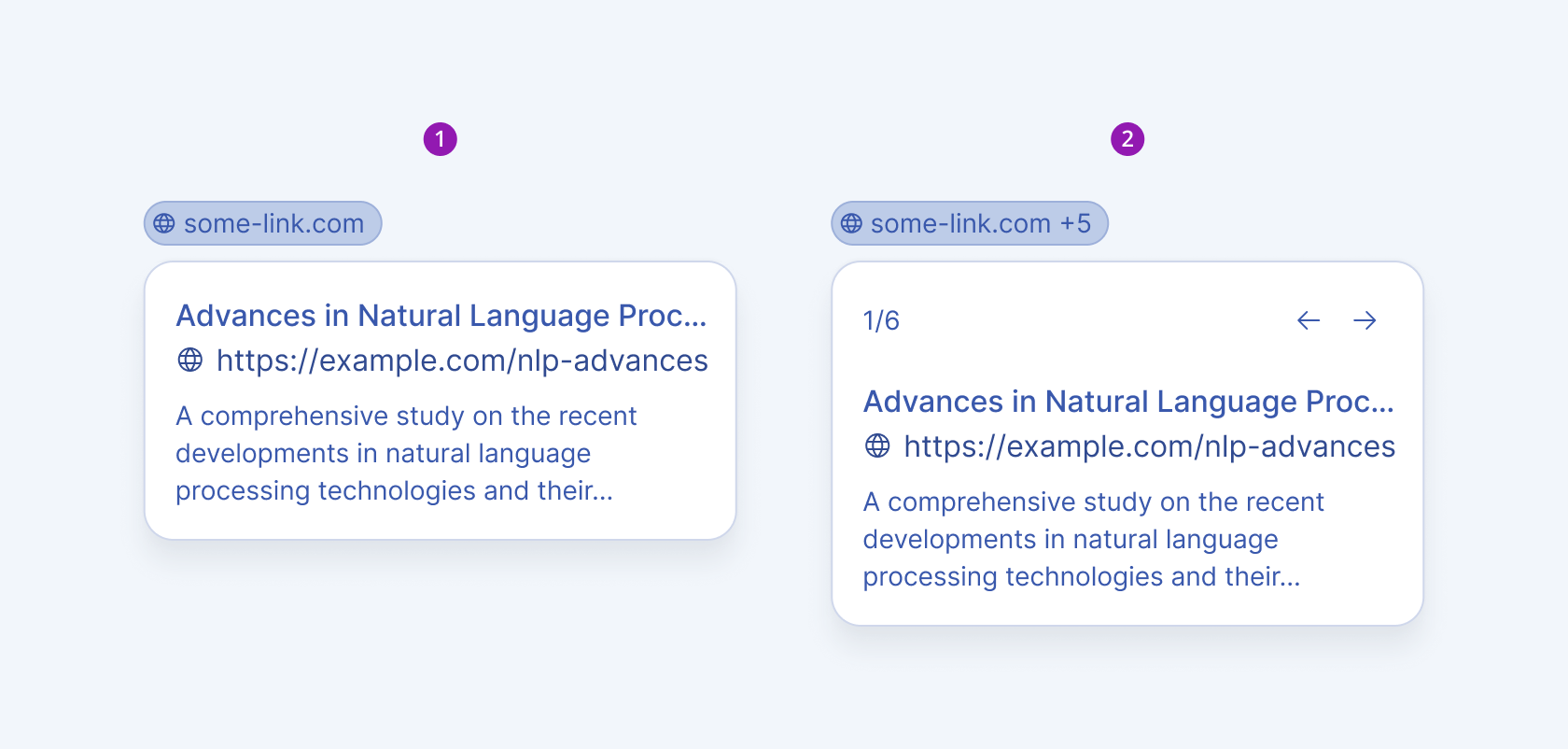
- Single-source citation
- Multi-source citation
Interactions
Hover—Opens the source preview when the user hovers over the citation chip. This is the default display behavior.Click—Opens the source preview through an explicit selection and is appropriate for touch-based interfaces.
Anatomy
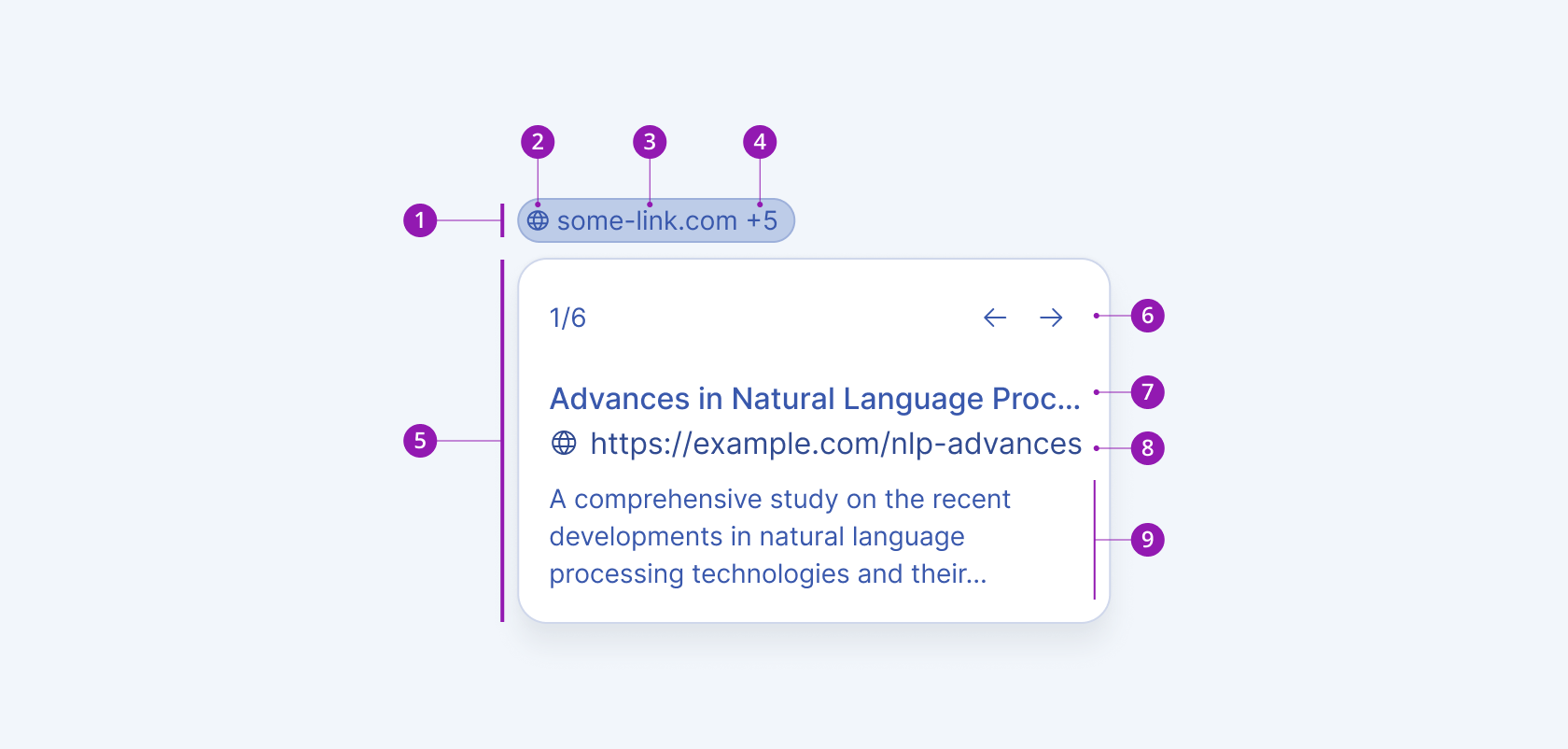
The Citation component consists of an inline citation chip and a source preview popover.
Citation-chip anatomy
- Citation chip—Groups the inline source reference and provides its interactive surface.
- Citation icon—Identifies the element as a source reference and can be customized.
- Source label—Identifies the primary source displayed by the citation.
- Additional source count (conditional)—Indicates how many additional sources are associated with the citation.
Source-preview anatomy
- Popover—Contains the details for the currently displayed source.
- Source position indicator (conditional)—Shows the current source position and total number of sources.
- Source navigation controls (conditional)—Move to the previous or next source in a multi-source citation.
- Source title—Displays the title of the current source.
- Source URL—Displays the destination of the current source.
- Source description (optional)—Provides a concise summary of the source or its relevance.
- Citation chip
- Citation icon
- Source label
- Additional source count (conditional)
- Source preview popover
- Source navigation controls (conditional)
- Source title
- Source URL
- Source description (optional)
Framework-Specific Documentation
For specific information about the component, refer to its official product documentation: