Chain of Thought Overview
The Chain of Thought component displays the sequence of steps an AI agent performs while working toward a result. It is intended for workflows in which a single reasoning block does not provide enough structure, such as searching sources, analyzing documents, querying data, or generating code.
Each thought (step) appears as a distinct row with its own label, optional supporting context, icon, and content. The component-level header summarizes the chain as a whole and remains visible when the thought rows are collapsed.
Appearance
The Chain of Thought component consists of two parts: an Agent Step Header and an expandable content area with an ordered set of thought rows.
The header communicates the overall activity, while the rows expose the sequence and supporting content without competing with the final response.
States
In progress—Indicates that the chain is still being updated. Individual thought rows can be added or updated as operations progress.Completed—Indicates that the final operation has finished.Expanded—Displays the ordered thought rows.Collapsed—Hides the thought rows and keeps the component-level summary visible.
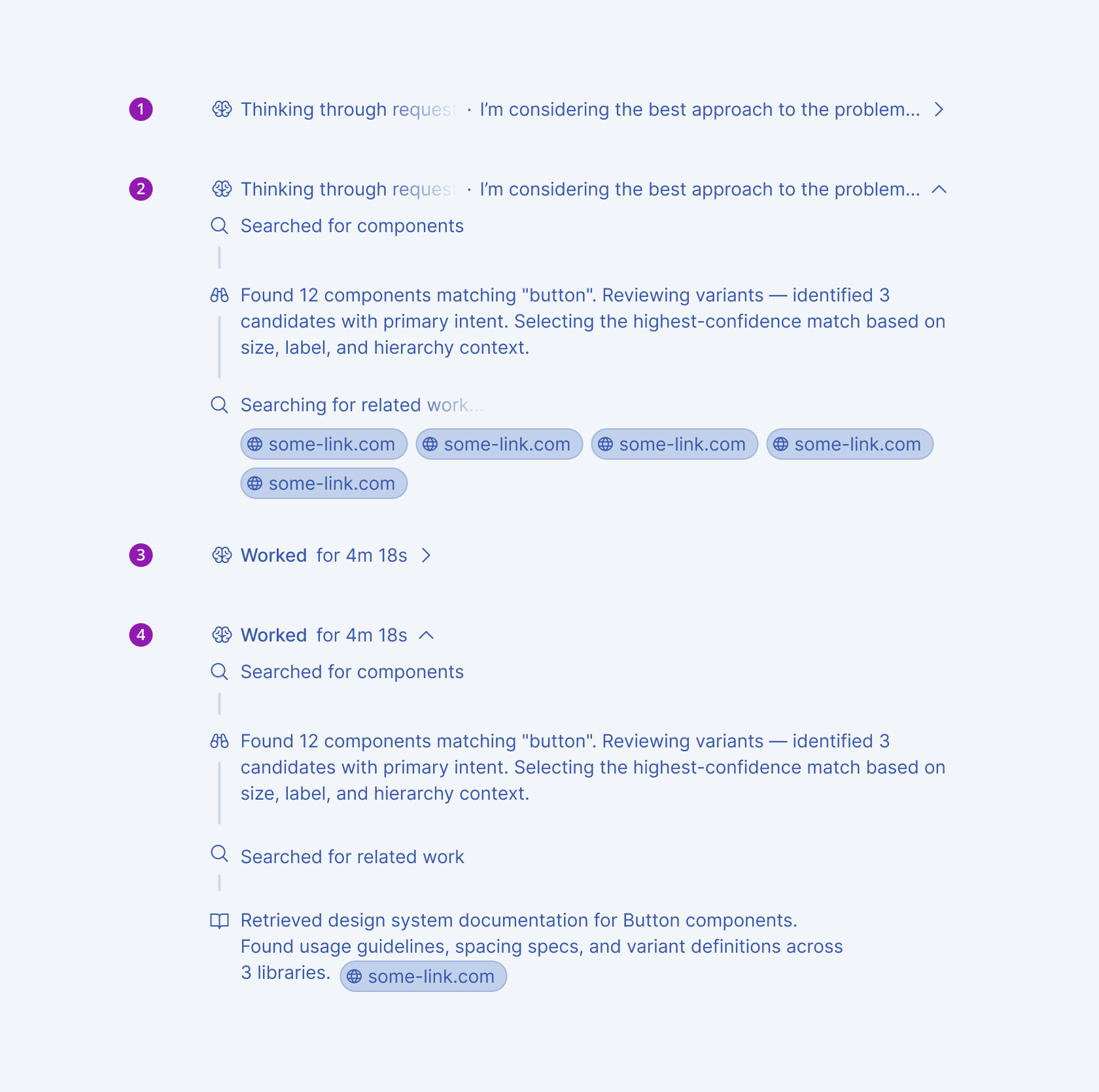
- In progress – collapsed
- In progress – expanded
- Completed – collapsed
- Completed – expanded
Anatomy
The Chain of Thought anatomy is divided into the component header and the individual thought rows.
Component anatomy
- Icon (optional)—Identifies the chain or the type of activity.
- Label—Provides the primary description of the chain.
- Secondary label (optional)—Provides context about the chain, such as elapsed time.
- Line-change indicators (optional)—Display added and removed line counts when relevant.
- Expand/collapse control—Indicates whether the thought rows are shown or hidden.
- Thoughts container—Groups the ordered thought rows.
Thought-row anatomy
- Thought icon (optional)—Identifies the operation represented by the row.
- Thought label—Names the operation or step.
- Thought content (optional)—Displays detailed output or supporting information for the operation.
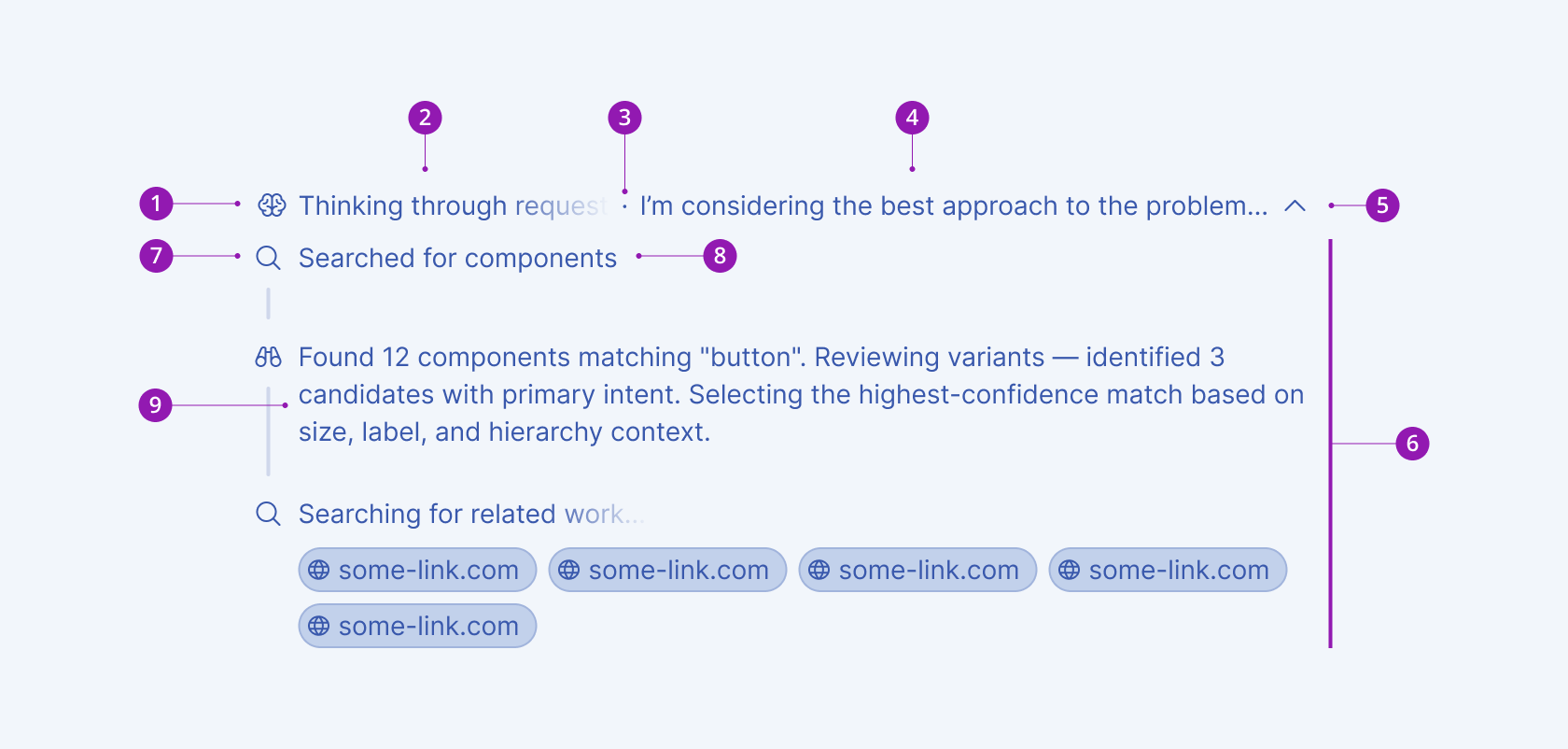
- Icon (optional)
- Label
- Separator (optional)
- Secondary label (optional)
- Expand/collapse control
- Thoughts container
- Thought icon
- Thought label
- Thought content
Framework-Specific Documentation
For specific information about the component, refer to its official product documentation: