
Kendo UI for jQuery
jQuery Chat
- Turnkey jQuery Chat component complete with hero cards, suggested actions, typing indicator, card templates, connectivity to chat bot services, and a toolbar.
- Part of the Kendo UI for jQuery library along with 120+ professionally-designed components.
- Includes support, documentation, demos, virtual classrooms, learning resources and more!
-
Build Engaging Conversational Experiences
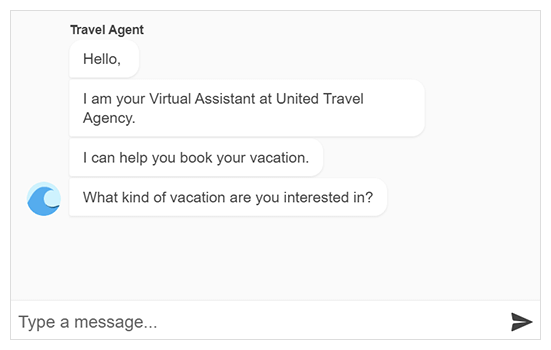
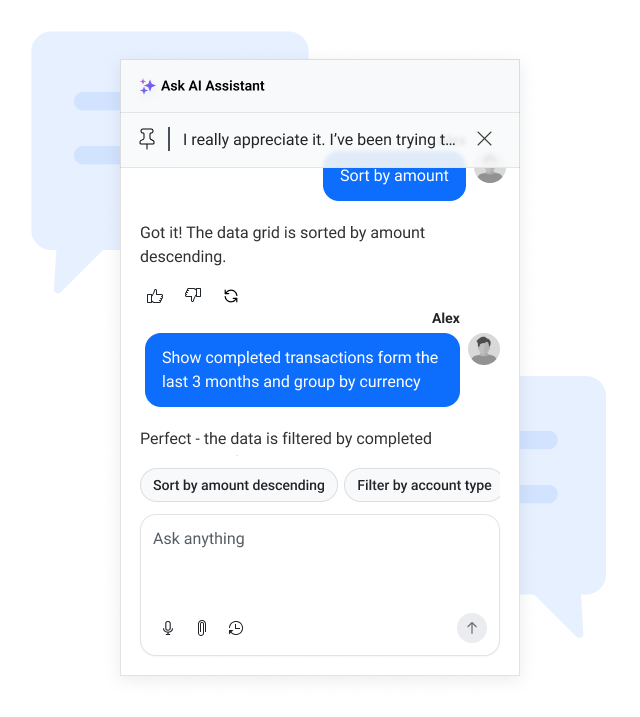
The Kendo UI for jQuery Chat provides a flexible conversational interface for building interactive messaging experiences in web applications. It supports real-time communication along with advanced capabilities such as an AI-powered conversation mode, speech-to-text input, attachments, and predefined quick actions.
The component is well suited for scenarios like customer support chatbots, live help desks, virtual assistants, and interactive FAQ systems.
-
Adornments
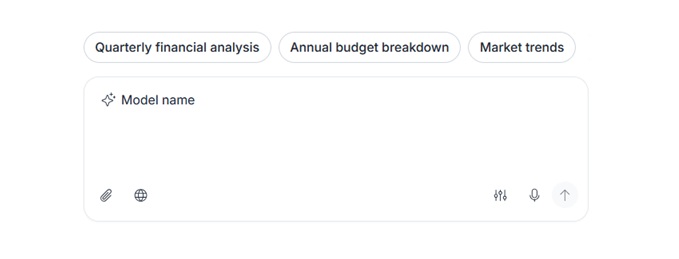
The Kendo UI for jQuery Chat supports adornments templates that allow you to customize the message input area with additional actions and contextual elements. The Start Affix Template lets you place custom UI before the built-in attachment control, while the End Affix Template adds actions alongside the built-in speech-to-text and send buttons. Additionally, the Top Affix Template enables displaying contextual information, such as a model label, above the input area when using multi-line mode.
-
AutoScroll Threshold
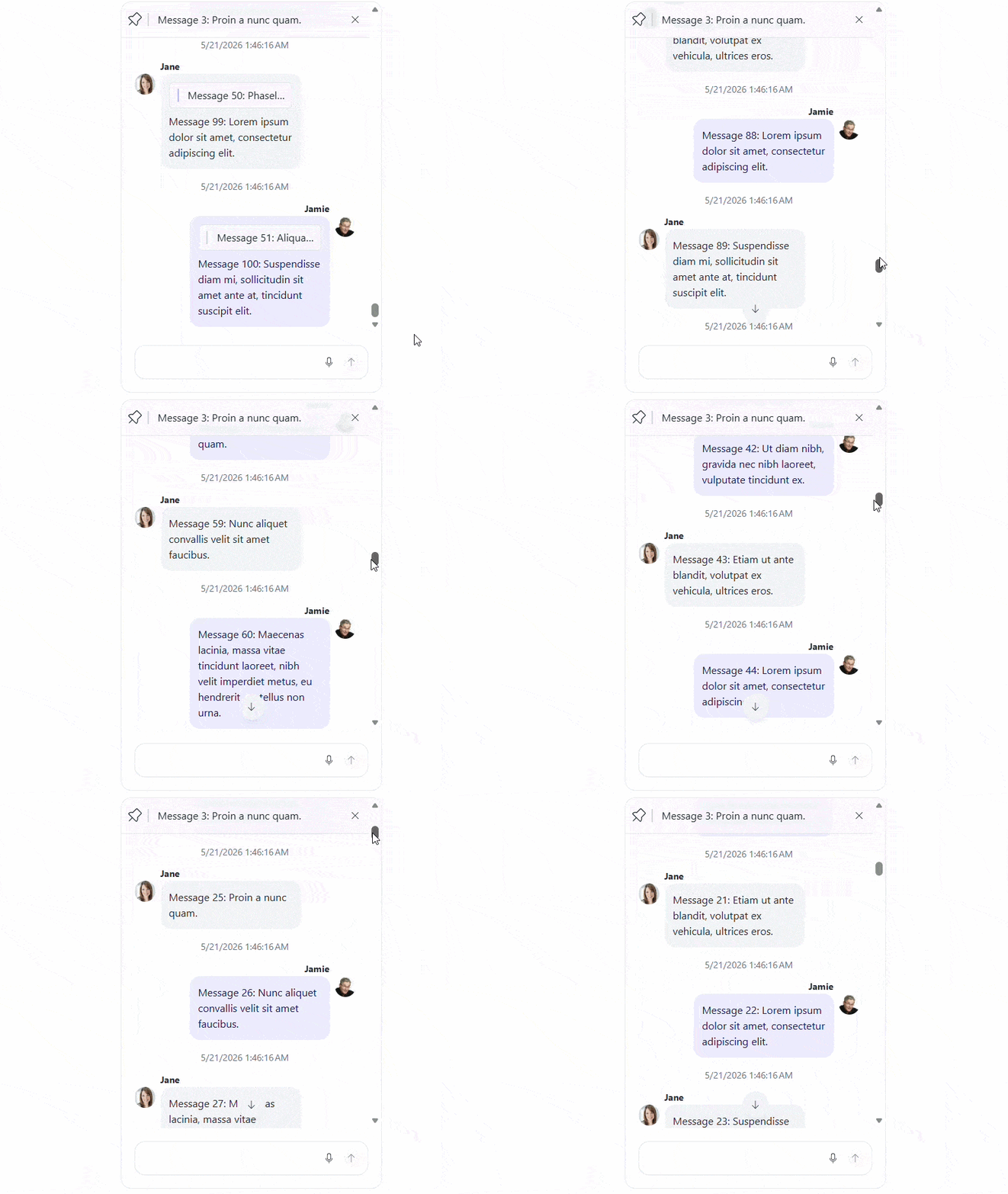
Control how new messages affect the scroll position with the Kendo UI for jQuery Chat autoScrollThreshold configuration option. When the user is within the defined threshold from the bottom, incoming messages automatically remain in view to support real-time conversations. If the user scrolls further away, the Chat preserves their position and displays a scroll-to-bottom action, ensuring uninterrupted reading of earlier messages.
-
Endless Scrolling
Load older messages on demand with endless scrolling in the Kendo UI for jQuery Chat. As users scroll up through the conversation history, additional messages are fetched and rendered dynamically, enabling efficient handling of large conversations without impacting initial load performance.
-
Chat AI Integration
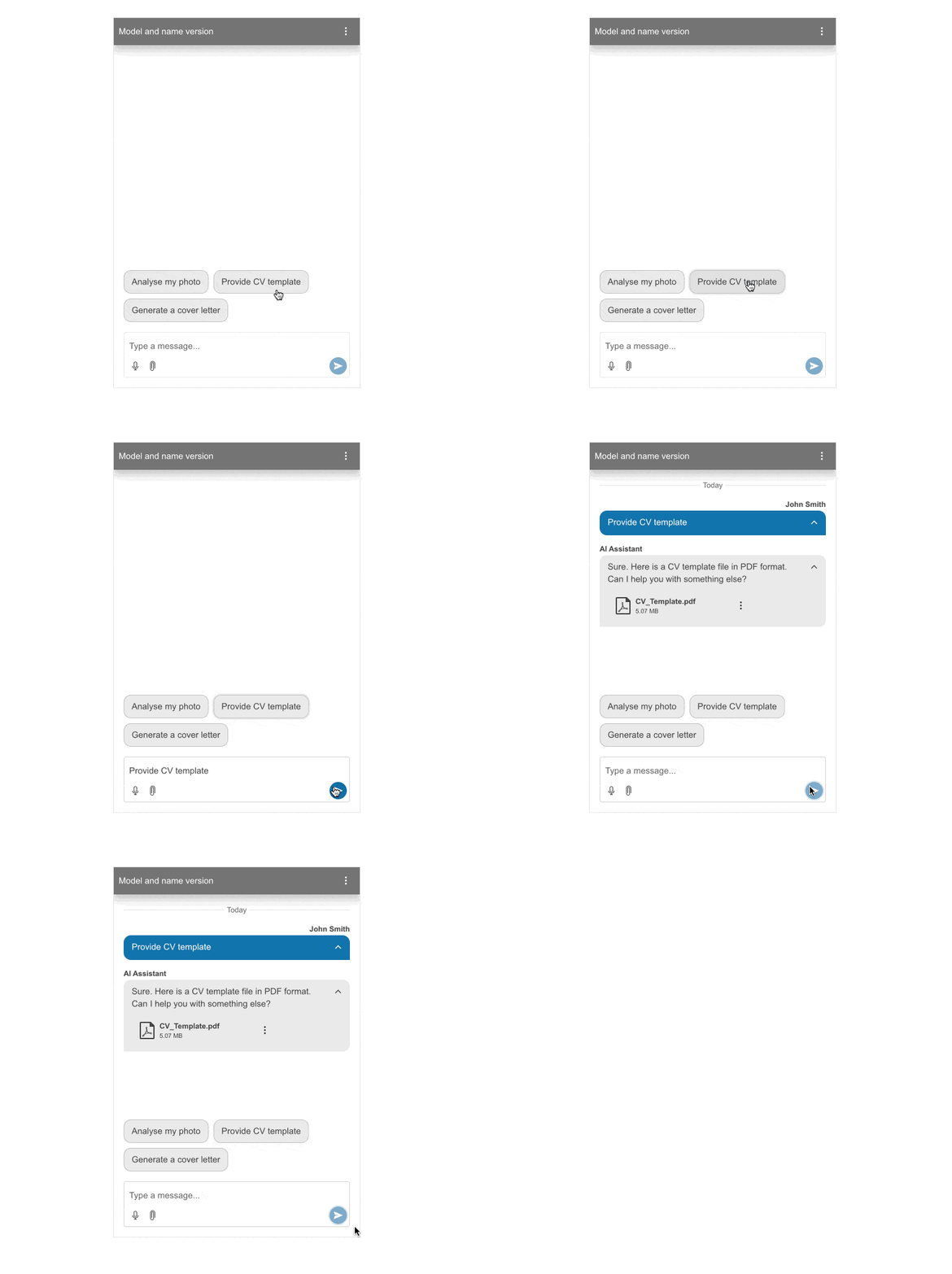
The Kendo UI for jQuery Chat seamlessly integrates with AI Completion Services, making it easier than ever to enable smooth, two-way communication between users and large language models (LLMs). This integration helps you deliver more intelligent, and efficient conversational experiences right inside your jQuery applications.
-
Person-To-Bot
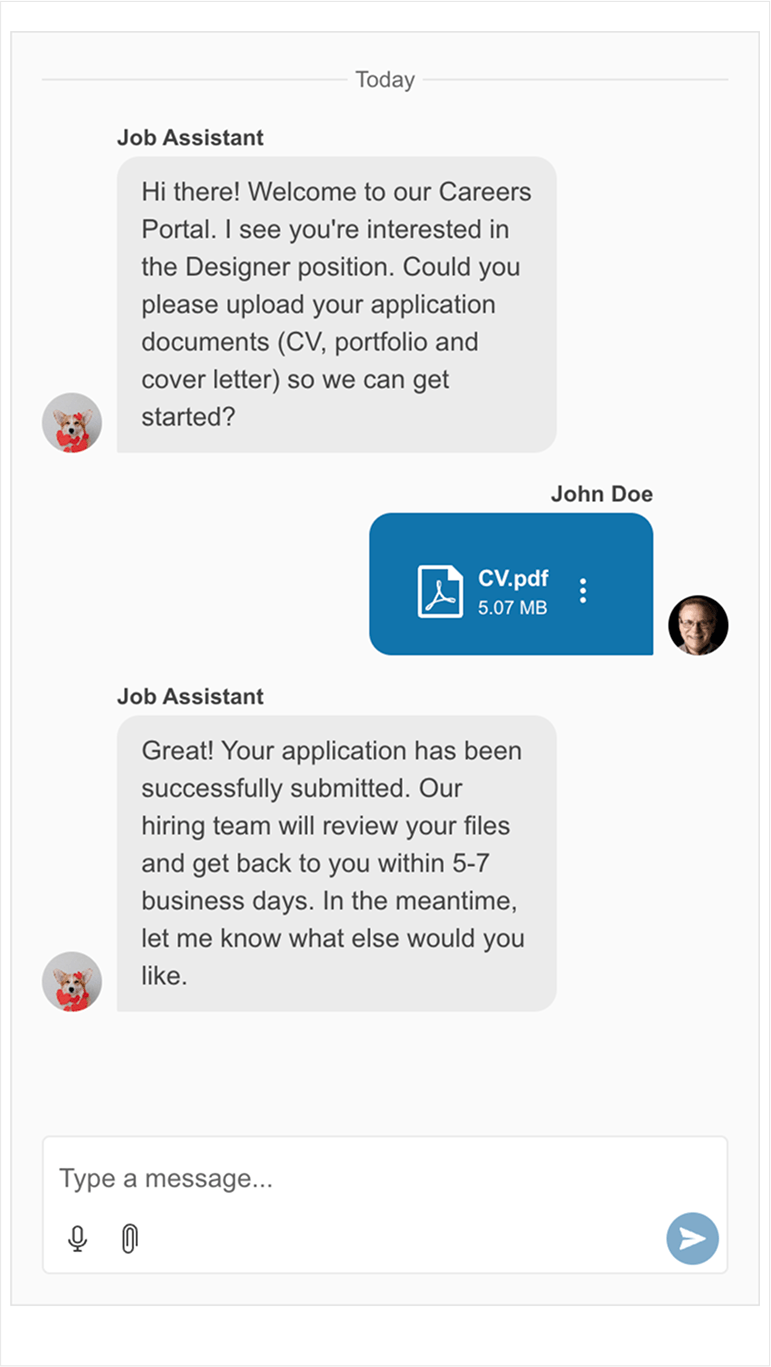
Build interactive person-to-bot conversations with the Kendo UI for jQuery Chat. It includes key features such as “quick reply” suggestions for faster user interactions, styled links for seamless navigation, and flexible file upload capabilities supporting both single and multiple attachments.
-
Data Binding
The Kendo UI for jQuery Chat offers flexible local and remote data binding, giving you full control over how messages are loaded and managed. You can easily connect the Chat to a local data collection or bind it to a remote endpoint that delivers data in JSON or JSONP format.
With the built-in Kendo UI for jQuery Chat DataSource acting as a powerful mediator, the component ensures smooth communication between your application and the underlying data source.
-
Charts Visualization
The Kendo UI for jQuery Chat supports rendering chart visualizations directly within messages, enabling data-driven and AI-powered conversational experiences. By integrating Kendo UI for jQuery Charts such as Line, Column, or Pie, the component allows dynamic visualization of data as part of responses. This makes it easier to present insights inline and supports scenarios where users can generate and export charts, for example as PDF files, directly from the chat interface.
.jpg?sfvrsn=7c903d6b_2)
-
Markdown Visualization
The Kendo UI for jQuery Chat also supports rendering Markdown content within messages, enabling formatted text, tables, and code snippets with syntax highlighting. This allows responses to be presented in a structured and readable way, especially in developer or data-focused scenarios.
-
Per-User Settings
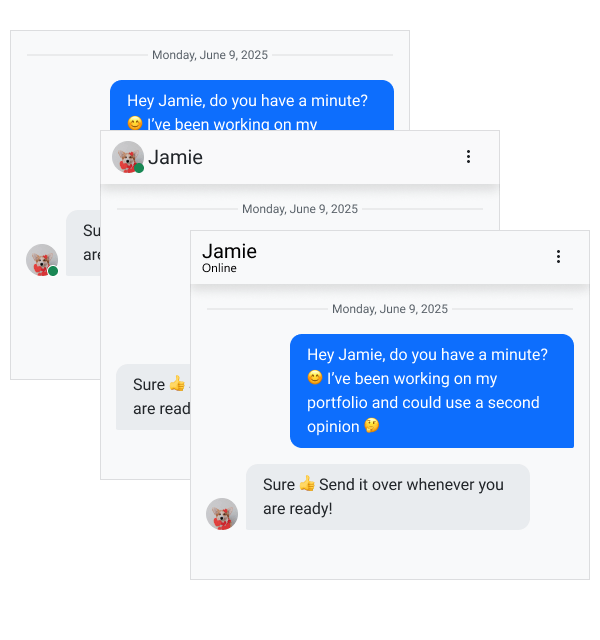
The Kendo UI for jQuery Chat supports per-user message settings through the authorMessageSettings and receiverMessageSettings options, allowing different configurations for each participant. You can control the visibility of elements such as avatar and username, as well as adjust the messageWidthMode to influence layout. The component also enables configuring distinct messageToolbarActions per user (for example, reply, delete, or copy), along with toggling features like enableFileActions and enableContextMenuActions.
-
Suggestions
The Kendo UI for jQuery Chat provides built-in suggestion systems to enhance user interaction through quick response options. It supports both Message Suggestions and Suggested Actions, which surface contextually relevant replies and reduce the need for manual typing.
-
Chat Templates
Customize the Kendo UI for jQuery Chat using templates to control the rendering of key elements within the component. Templates allow you to define the appearance and behavior of messages, file attachments, suggestions, and other UI parts, making it easy to align the Chat with your application’s design and interaction requirements.
-
Export Chat History
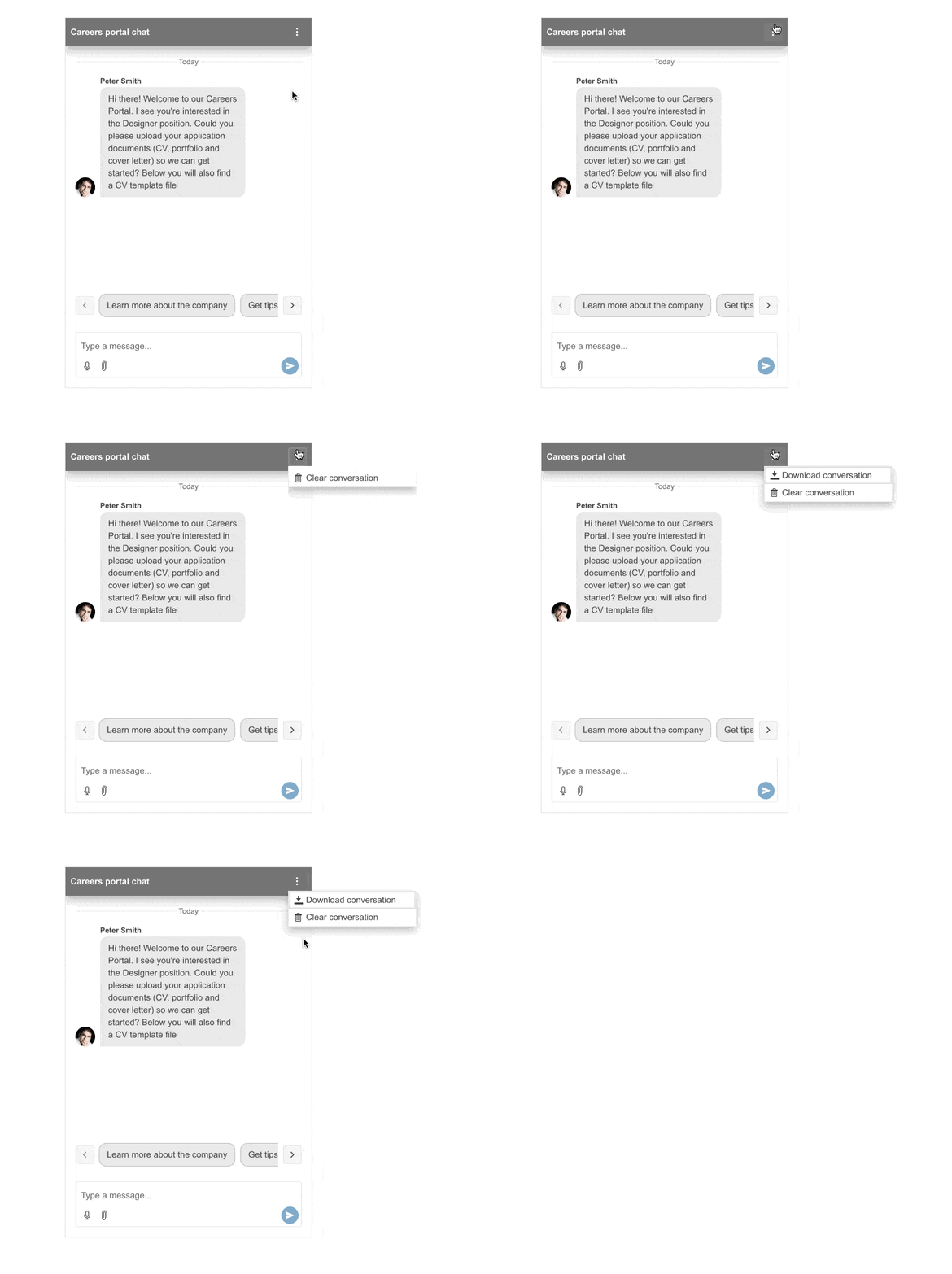
Tailor the header of the Kendo UI for jQuery Chat to add interactive elements that elevate the user experience. You can easily integrate actions such as exporting the complete chat history to a text file or giving users the option to clear an existing conversation.
-
File Uploads and Media
Enable richer communication in the Kendo UI for jQuery Chat with built-in media capabilities, including file attachments and speech-to-text input. Allow users to upload and send files directly within messages, as well as download, preview, or delete them. Additionally, the integrated speech-to-text functionality adds a microphone button to the input area, allowing users to compose messages using voice.
-
Events
The Kendo UI for jQuery Chat supports a variety of events that let you deliver fluent experience and smooth interactions. Developers can easily handle actions such as sending messages, managing file options, downloading content, and more.
-
Right-to-Left (RTL) Support
The Kendo UI for jQuery Chat supports both left-to-right and right-to-left language input, ensuring accurate rendering across a wide range of languages, including Hebrew, Chinese, and Arabic. This flexibility makes it easier to build truly global applications.
-
Keyboard Navigation
Enable seamless accessibility with the Kendo UI for jQuery Chat, which includes built-in keyboard navigation. Users can effortlessly interact with the component using only their keyboard, ensuring a smooth and inclusive experience.
