UI for .NET MAUI
.NET MAUI SmartPasteButton
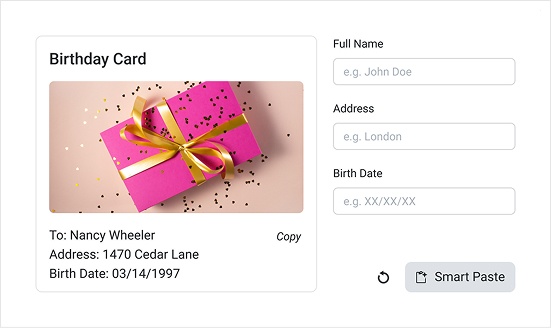
- .NET MAUI SmartPasteButton uses AI to extract structured data from clipboard text and automatically populate form fields — with native DataForm integration, event and command-based interaction models, AI-specific Processing visual states, and full styling support, all configurable in pure XAML. The result — developers get a production-ready AI data entry component for any .NET MAUI form, from a simple entry screen to a fully themed DataForm-powered workflow.
- Part of the Telerik UI for .NET MAUI library along with 70+ professionally-designed UI controls.
- Includes support, documentation, demos, learning resources and more!
-
.NET MAUI SmartPasteButton — AI-Powered Data Entry for .NET MAUI
.NET MAUI SmartPasteButton uses AI to extract structured data from clipboard text and automatically populate form fields — with native DataForm integration, event and command-based interaction models, AI-specific Processing visual states, and full styling support, all configurable in pure XAML. The result — developers get a production-ready AI data entry component for any .NET MAUI form, from a simple entry screen to a fully themed DataForm-powered workflow.
-
Integrations
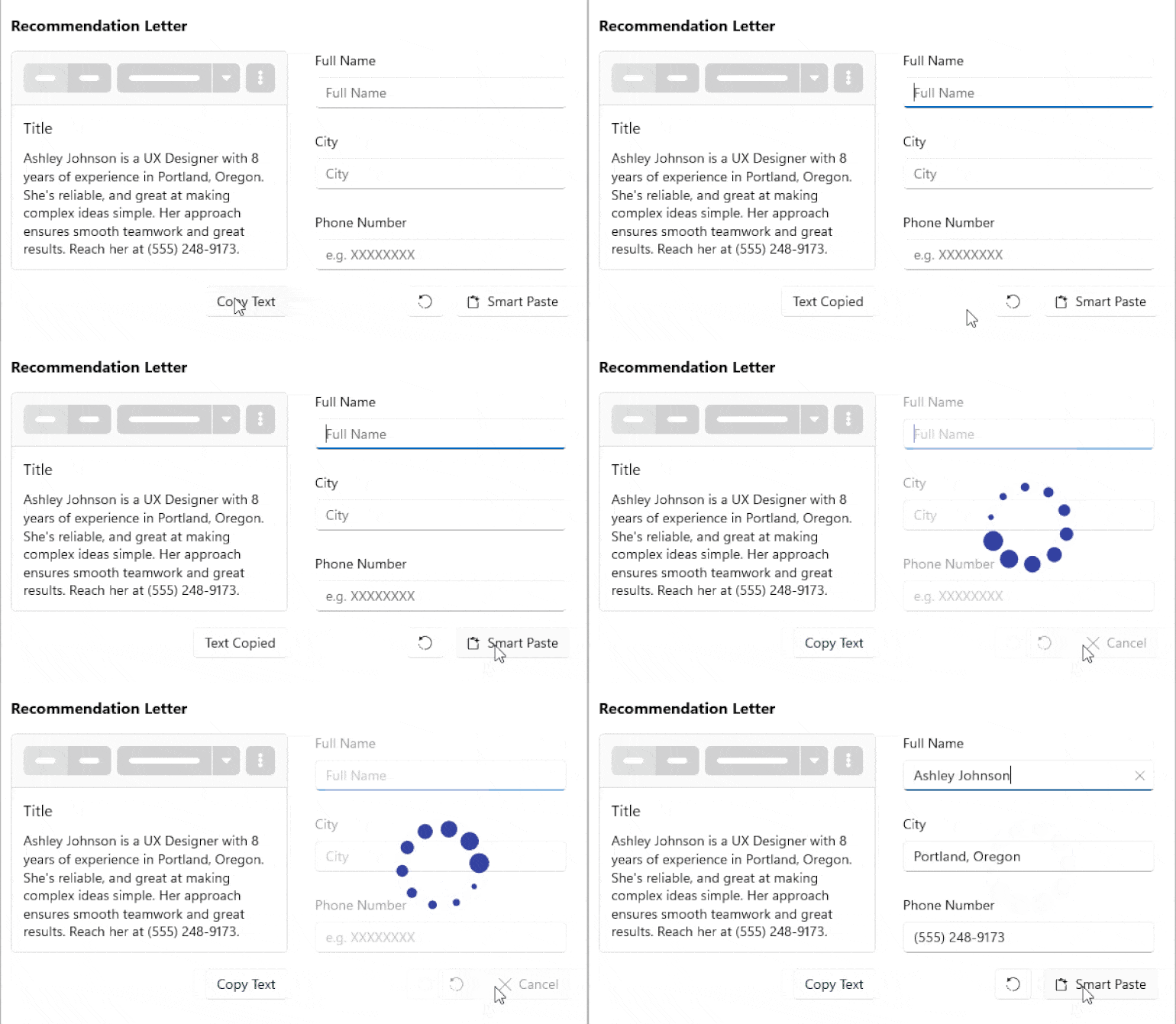
The .NET MAUI SmartPasteButton integrates with any form UI through the `Provider` property — pointing it to a `RadDataForm` instance enables zero-config field discovery and auto-population, while any custom form or layout can be supported by implementing the `ISmartPasteButtonProvider` interface, which exposes `GetFields()` to declare available fields and `SetFieldValue()` to receive AI-extracted values. Each field is described through `SmartPasteButtonField` — carrying its identifier, human-readable description, allowed values, and CLR type — giving the AI service the context it needs to map clipboard content accurately. The result — developers can wire the SmartPasteButton to a DataForm in a single XAML line or extend it to any custom UI, with full control over how fields are declared and values are assigned.
See the .NET MAUI SmartPasteButton Integration with DataForms Documentation
See the .NET MAUI SmartPasteButton External UI with DataForms Documentation
-
Configuration
The .NET MAUI SmartPasteButton provides dedicated configuration options for every part of the control: the `Provider` property wires it to any `ISmartPasteButtonProvider` implementation (with built-in DataForm support), `Text` and `IconText` control the button labels alongside full font and color customization properties, and a fully replaceable `ControlTemplate` enables structural layout changes when the default icon-plus-label arrangement doesn't fit. The result — developers can adapt the SmartPasteButton's content, branding, and layout to any design requirement without subclassing or custom renderers.
See the .NET MAUI SmartPasteButton Configuration Documentation
-
Localization
The .NET MAUI SmartPasteButton supports language localization through the standard Telerik UI for .NET MAUI localization mechanism, exposing keys for both user-facing strings — `SmartPasteButton_Text` (default: "Smart Paste") and `SmartPasteButton_CancelText` (default: "Cancel"). The result — developers building multilingual apps can localize the button's visible labels without modifying control templates or code-behind.
-
Command
The .NET MAUI SmartPasteButton exposes `SmartPasteRequestCommand` (`ICommand`) as an MVVM-friendly alternative to the `SmartPasteRequest` event, accepting a `SmartPasteButtonRequestContext` parameter that carries clipboard content, form fields, and result callbacks for signaling the AI response back to the control. The result — developers can handle smart paste logic entirely in the view model, kee
See the SmartPasteButton Command Documentation
-
Styling
The .NET MAUI SmartPasteButton exposes dedicated styling properties for every visual element — `Background`, `BorderColor`, `BorderThickness`, `CornerRadius`, `TextColor`, and `IconTextColor` — all integrated with the .NET MAUI Visual State Manager, including the AI-specific Processing states. The result — developers can fully match the SmartPasteButton to their app's design language while providing distinct visual feedback during the AI processing state, in pure XAML.
See the .NET MAUI SmartPasteButton Styling Documentation
-
Visual States
The .NET MAUI SmartPasteButton integrates with the .NET MAUI Visual State Manager through a `CommonStates` group that includes AI-specific states — Normal, Pressed, MouseOver, Disabled, and a dedicated `Processing` state plus ProcessingPressed, ProcessingMouseOver, and ProcessingFocused that apply while a smart paste request is in progress. The result — developers can provide clear visual feedback during AI processing without any custom loading indicators.
See the .NET MAUI SmartPasteButton Visual States Documentation