.NET MAUI SmartPasteButton Overview
Updated on Aug 11, 2026
The Telerik UI for .NET MAUI SmartPasteButton is an AI-powered component that streamlines data entry by extracting structured information from clipboard content and automatically populating form fields. When users paste unstructured text copied from the clipboard, the SmartPasteButton sends the content to an AI service, which analyzes the text and returns structured values mapped to the appropriate fields based on the form structure. This improves data entry efficiency and enhances the user experience.
 Start Free Trial
The control also offers seamless integration with DataForm control.
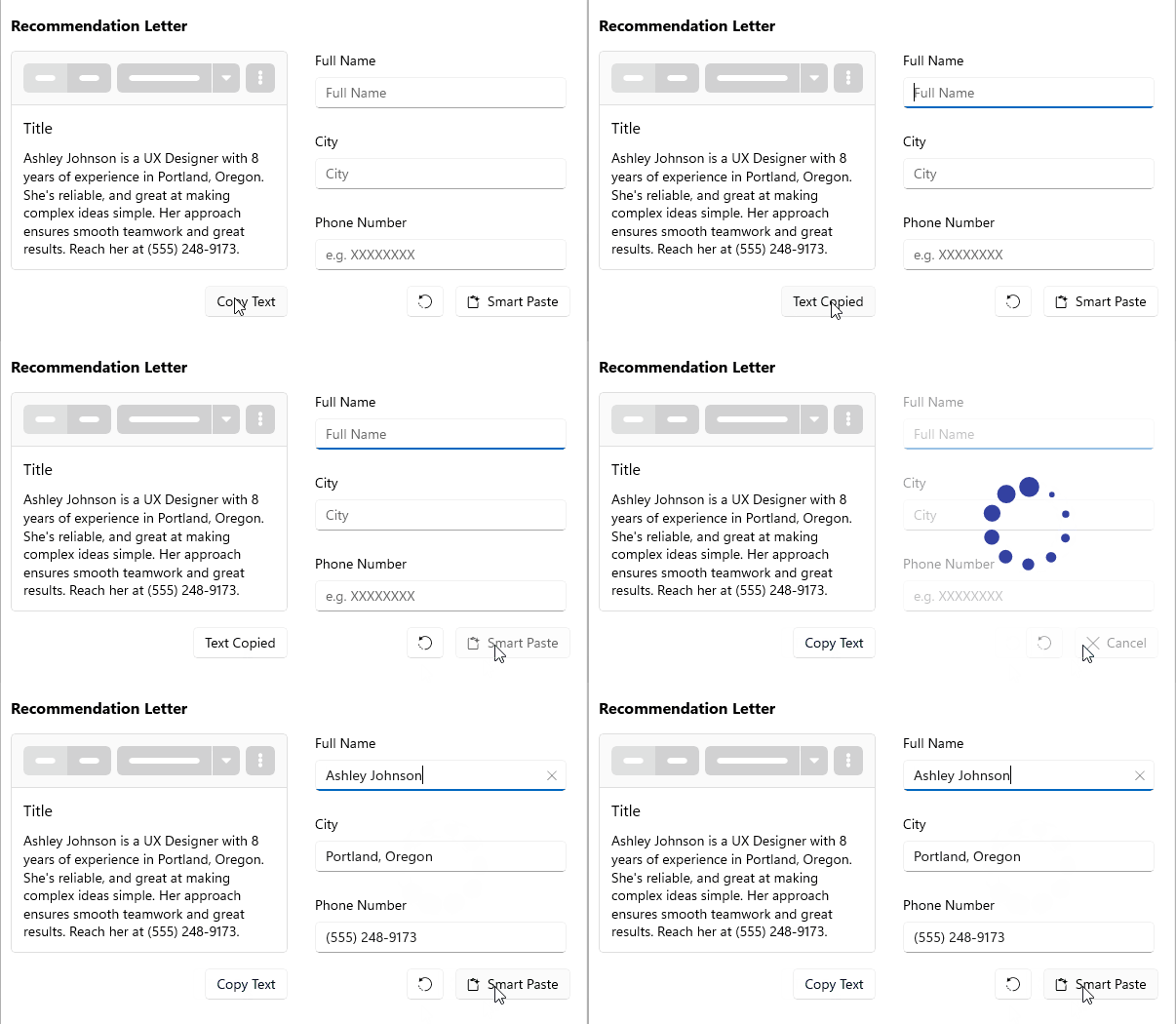
Key Features of the .NET MAUI SmartPasteButton
- Smart Paste functionality—The SmartPasteButton allows users to paste unstructured text, which is then processed by an AI service to extract structured information and populate form fields accordingly. This feature significantly enhances data entry efficiency and user experience.
- Integration with DataForm—The SmartPasteButton can be integrated with the DataForm control, allowing for seamless data entry and management within forms. This integration enables users to leverage the Smart Paste functionality directly within their forms, further streamlining the data entry process.
- Visual states—You can change the SmartPasteButton appearance for different visual states such as
Normal,Pressed,MouseOver(desktop-only), andDisabled. - Exhaustive number of events—You can use the events exposed by the SmartPasteButton to execute various operations on user interactions such as click, press, and release.
- Command—The SmartPasteButton provides a command that executes when the button is clicked.
- Styling—You can apply different styling options to the button such as changing its background color, border color, border thickness, text color, and icon color.