
UI for .NET MAUI
.NET MAUI PromptInput
- The .NET MAUI PromptInput is a feature-rich control that bridges human-AI interaction in .NET MAUI apps, delivering a polished chat-style input interface with built-in speech-to-text, file attachments, in-app camera capture, configurable display modes, and full styling support. The result — developers can ship a production-ready AI prompt experience in any .NET MAUI application without building input infrastructure from scratch.
- Part of the Telerik UI for .NET MAUI library along with 70+ professionally-designed UI controls.
- Includes support, documentation, demos, learning resources and more!
-
NET MAUI PromptInput — AI Chat Input for .NET MAUI
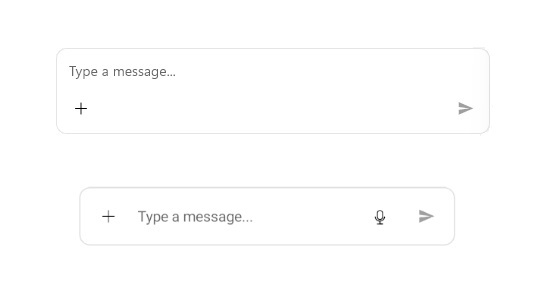
The .NET MAUI PromptInput is a purpose-built control that bridges human-AI interaction in .NET MAUI apps, delivering a polished chat-style input interface with built-in speech-to-text, file attachments, in-app camera capture, configurable display modes, affix content regions, a full command surface, and comprehensive styling support. The result — developers can ship a production-ready AI prompt experience in any .NET MAUI application with a few lines of XAML, without building input infrastructure from scratch.
-
Configuration
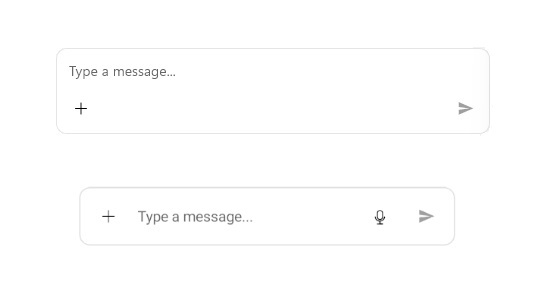
The .NET MAUI PromptInput gives full control over its layout and behavior through `DisplayMode` (Automatic, Compact, and Expanded), `MaxInputLines` for scrollable input, a bindable `Message` property with `Placeholder` support, and `IsMoreButtonVisible` / `IsSpeechToTextButtonVisible` flags for streamlining the toolbar to the use case. The result — developers can tailor the control's presentation to any conversational UI scenario, from a single-line compact chat bar to a full multi-line assistant input.
See the .NET MAUI PromptInput Configuration Documentation
-
Affix Content
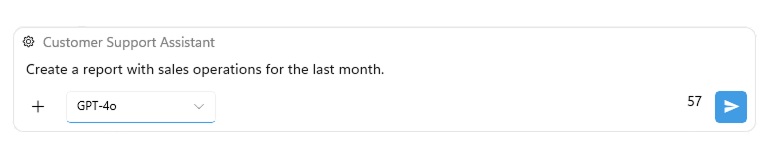
The .NET MAUI PromptInput supports custom content in three regions around the input area — top (`TopAffixContentTemplate`), start (`StartAffixContentTemplate`), and end (`EndAffixContentTemplate`) — enabling scenarios like displaying the active chat topic, embedding a model selector, or showing a live character counter alongside the input. The result — developers can build richly contextual AI chat interfaces without wrapping the control in additional layout containers.
-
Commands
The .NET MAUI PromptInput exposes a full command surface — `SendMessageCommand`, `PickFileCommand`, `PickPhotoCommand`, `TakePhotoCommand`, `RemoveAttachedFileCommand`, and `SpeechRecognizedCommand` — all bindable to view-model logic, with a `PromptInputSendCommand` base class for extending send behavior while preserving defaults like input clearing and speech-to-text stop. The result — developers can integrate the PromptInput into MVVM architectures and intercept any user interaction without code-behind.
-
Localization
The .NET MAUI PromptInput supports full language localization through the standard Telerik UI for .NET MAUI localization mechanism, exposing keys for all user-facing strings — including the file attachment action labels (`PromptInput_PickFile`, `PromptInput_PickPhoto`, `PromptInput_TakePhoto`) and the default input placeholder (`PromptInput_TextInputPlaceholder`). The result — developers building multilingual AI-powered apps can localize every visible string in the PromptInput without modifying control templates or code-behind.
-
Styling
The .NET MAUI PromptInput offers dedicated styling properties for every visual element — `TextColor`, `PlaceholderColor`, and `BackgroundColor` for the input area, plus individual button styles (`SendButtonStyle`, `MoreButtonStyle`, `SpeechToTextButtonStyle`) and a custom `SendMessageButtonImage` for the Send button icon. The result — developers can align every part of the PromptInput with their app's design language in pure XAML, with no custom rendering required.
