TileView

Overview

TileView
Interactive browsing through different panes

Features

  • Tile States

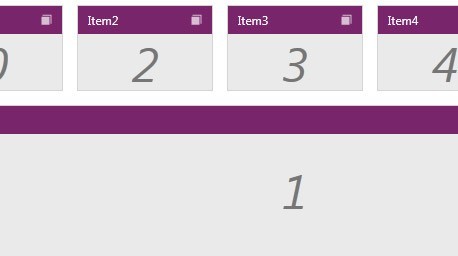
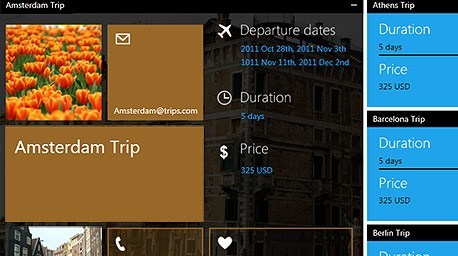
    The control’s tiles have 3 states: restored, maximized or minimized. Once you place the panes on the page, they become draggable. When a given panel is maximized, all others are stacked on the right / left / bottom or top position of the page, so that you can focus on the selected pane.


    Top

  • Drag & Drop Layout

    End users can rearrange tiles simply by drag & drop. Other tiles will reorder automatically.

    Top

  • Set the position and size of minimized items

    The minimized items can be positioned on the right / left/ top or bottom of the page. What’s more you have full control over the size of those items.
    For a layout, where the minimized tiles are stacked on the left or right side, you can set the desired width of the items as well as set individual heights for the different minimized tiles. Respectively, when the items are stacked on the bottom or top position on the page, you can control their width and height.

    Top

  • Set a maximum number of rows or columns

    When the tiles are in restored state, they are placed in a grid. You can set the maximum number of rows and columns this grid should contain.

    Top

  • Databinding

    Binding Telerik WPF TileView is as simple as setting a single property. The binding sources the control supports include Objects, XML, WCF services, etc.

    Top

  • Animations

    Animation effects are provided out of the box, which can also be further customized according to your own needs.

    Top

  • Nested Tileviews

    Telerik WPF TileView allows you to nest tileviews in each other, thus achieving complex layouts.

    Top

  • Styling and Appearance

    Telerik WPF TileView is a fully customizable control, which lets you easily modify all its visual elements. The control comes with several built-in skins that can be customized if needed.

    Top

  • WPF/Silverlight Code Compatibility

    The WPF TileView shares a single codebase with its Silverlight counterpart. This means that you can achieve close to 100% code reuse for your TileView logic if you have parallel WPF/Silverlight development.

    Top

  • VS Plug-in for Testing RadControls

    Telerik's automated software testing tool Test Studio is among the few to deliver rich UI object model that covers the entire range of UI elements in WPF. Easily record tests, customize them in code within Visual Studio or convert them to unit tests. What’s more, Test Studio is the best way to test RadControls for WPF. The powerful test recorder automatically detects the controls and exposes commonly used verifications. Learn more

    Top