UI for WPF
WPF ScheduleView
- A radically different scheduling component, going beyond the standard Microsoft Outlook-style control, RadScheduleView empowers the end user with unprecedented control over precision and flexibility when handling their appointments. Supports multi-level grouping, powerful zoom for smart navigation through a large number of appointments and blazing fast scrolling.
- Part of the Telerik UI for WPF library along with 160+ professionally-designed UI controls.
- Includes support, documentation, demos, virtual classrooms, Visual Studio Extensions and more!
-
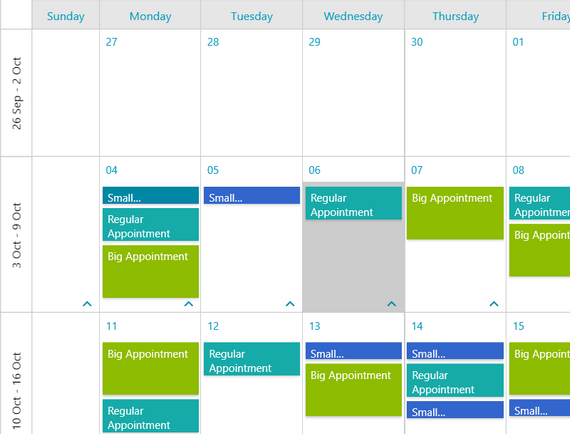
Customizable Look and Feel
Use your own custom appointment types of even entirely recreated windows within the control to suit the look and feel of your application. -
Import and Export
Import from and export to the industry-standard iCal format, which includes MS Outlook and other popular mail clients. -
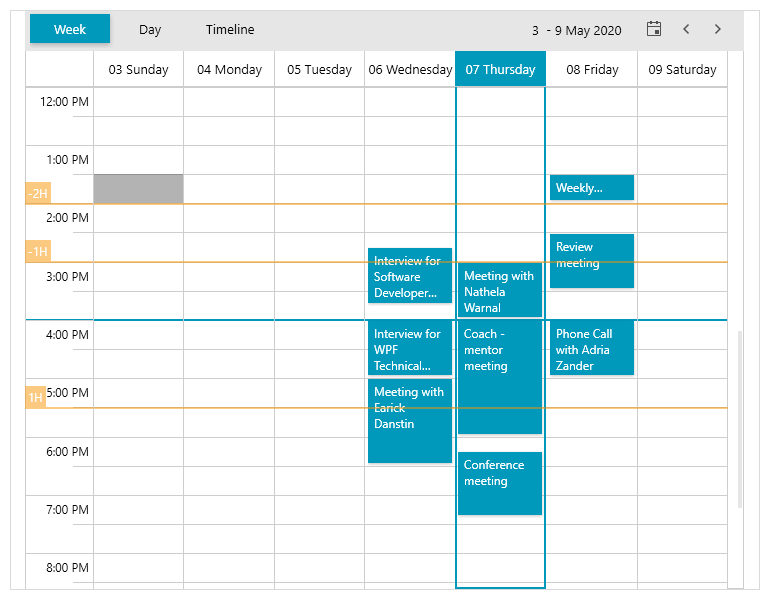
Custom time indicators
This feature of Telerik’s ScheduleView control for WPF will enable you to add custom time indicators which allow you to override the GetDateTime method and set an indicator with a concrete date.
-
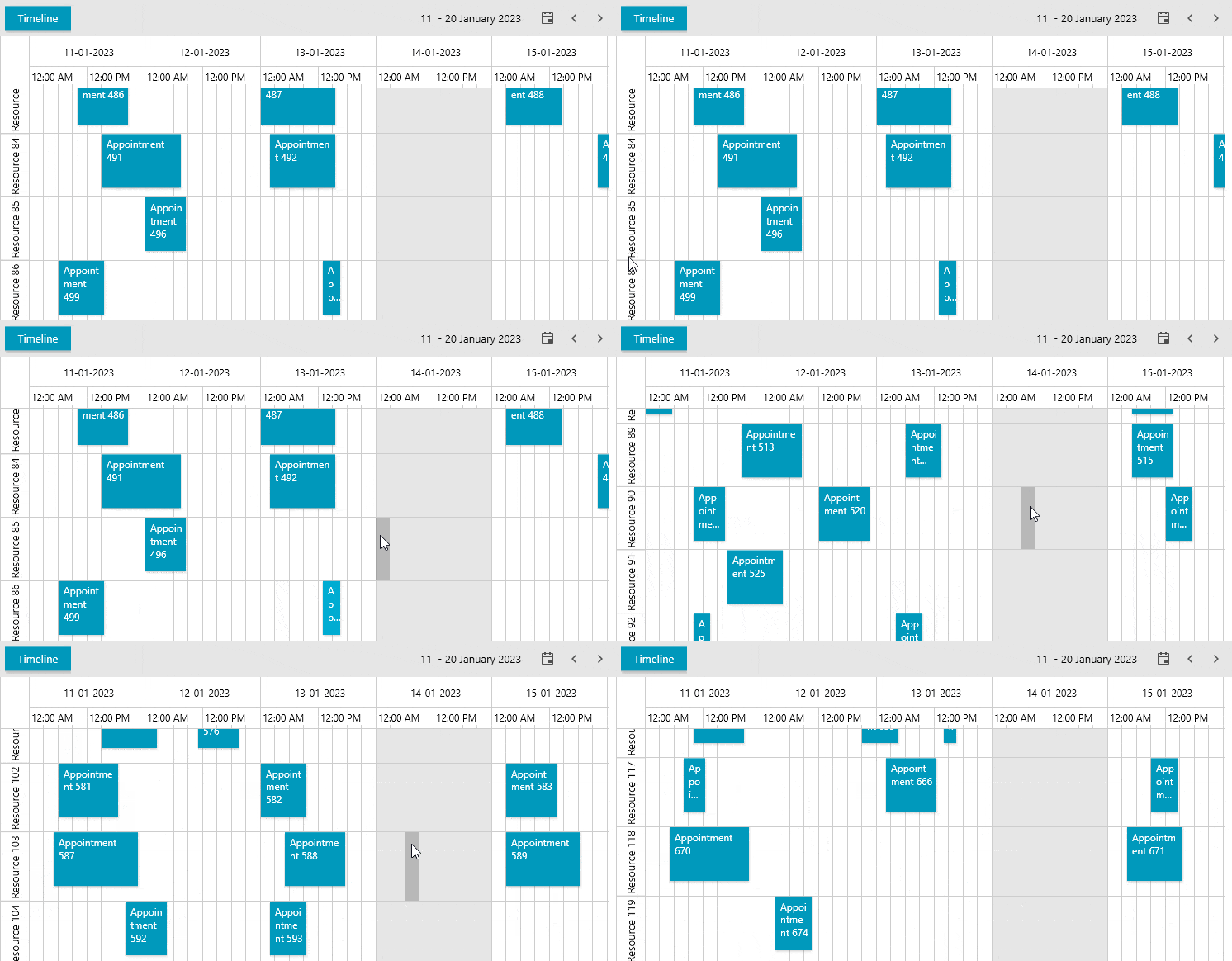
Support for Resource Virtualization
When you operate with a large number of resources in a WPF application, it may take a while to render the resource list. However, the ScheduleView control is enhanced with resource virtualization support that brings improved performance to your application.
-
UI Virtualization for Performance
Display of hundreds or thousands of appointments at a time. RadScheduleView employs UI Virtualization techniques that allow for complex scheduling scenarios by only rendering what is visible on the screen.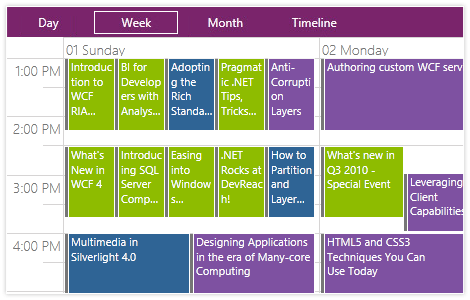
-
Horizontal and Vertical Orientation
With support for both horizontal and vertical orientation in the views, you can ensure a more customized experience based on user expectations.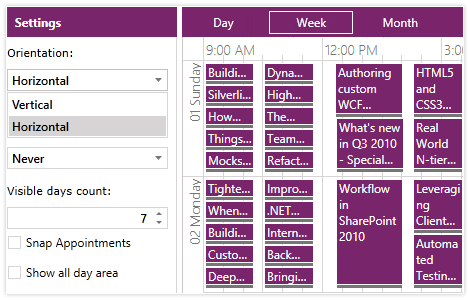
-
Multi-Level Grouping and Filtering
Use multi-level grouping and filtering based on resources to display what appointments have resources assigned, complete with drag and drop capability for assigning them.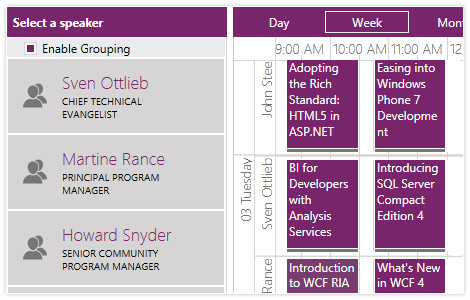
-
Support for Hierarchical Resources
Enable more flexible scheduling scenarios in your UI for WPF and Silverlight applications through support for Hierarchical Resources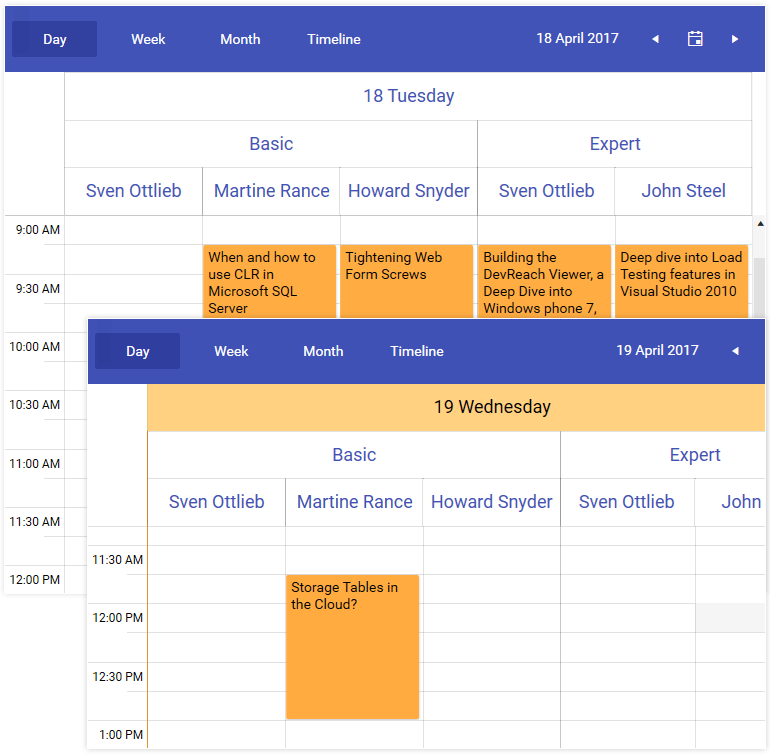
-
Dedicated Today View
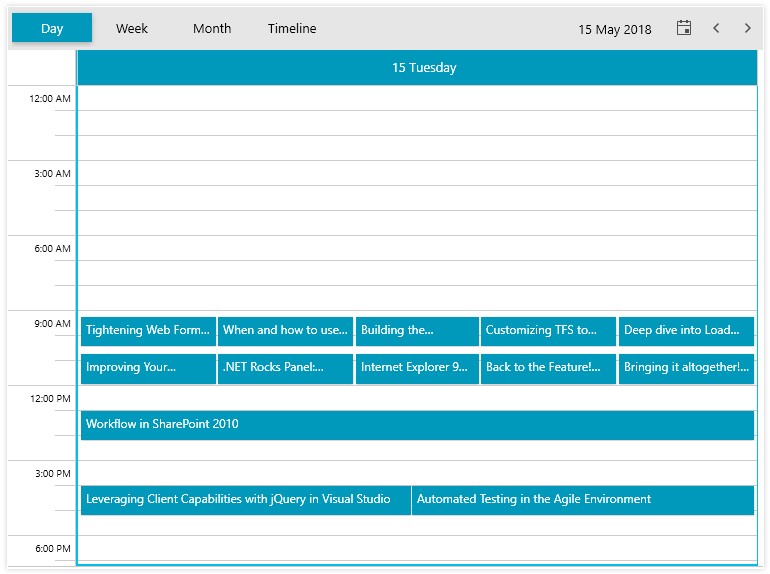
The today view is commonly used in various calendar and schedule applications to display the appointments and meetings just for the current day organized on a timeline and provides the end-users with a dedicated view of his agenda for the day.
-
Drag and Drop Appointments
With fully-featured drag and drop of single or multiple appointments and exact appointment rendering, users can easily maintain and set appointments with the needed precision. Customize the RadScheduleView drag and drop logic to meet any user’s expectations.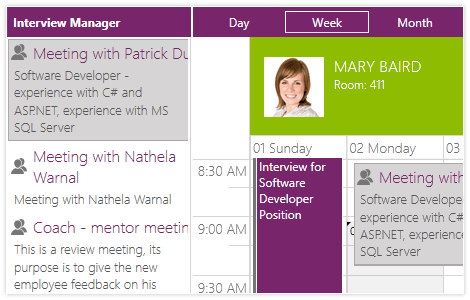
-
Agenda View mode
Telerik’s Schedule View for WPF
& Silverlightcontrol now has a brand-new view mode – Agenda View. Agenda View enables you to chronologically display a list of appointments grouped by date. You can easily customize how the Agenda View list is visualized – everything from setting custom date and time formats to modifying the styling of each text label and setting the number of visible days.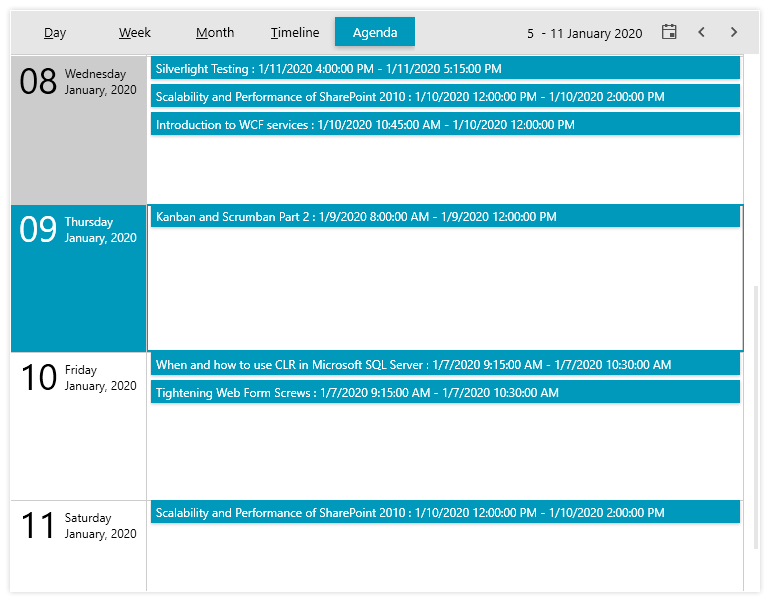
-
Built-In Zooming
With built-in zooming, view as many or as few appointments as you would like in a given view-perfect for scenarios in which you need to drill down and see more details. -
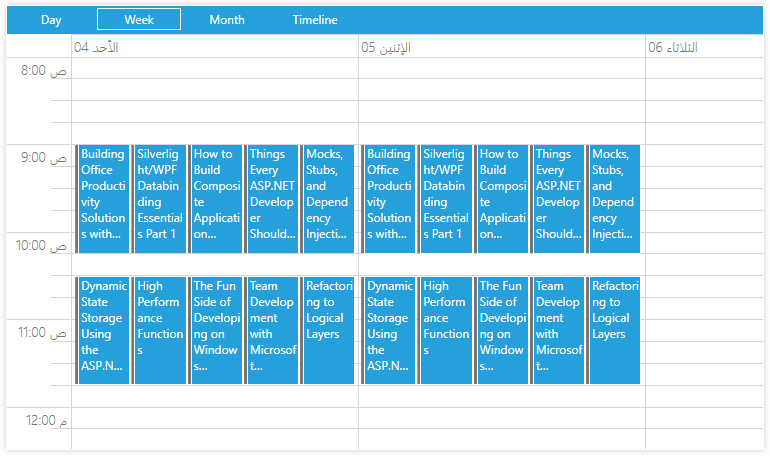
Support for Shamsi (Persian) and Arabic Calendars
On top of the already available Gregorian Calendars in ScheduleView, this control now features support for Shamsi (Persian) and Arabic calendars so you can localize your application.