
UI for WinForms
WinForms GridView
- The WinForms GridView control provides a combination of performance, extensibility and ease of use.
- Part of the Telerik UI for WinForms library along with 160+ professionally-designed UI controls.
- Includes support, documentation, demos, virtual classrooms, Visual Studio Extensions and more!
-
Visualize and Manage Large Data Collections
RadGridView delivers the features and flexibility to match the ultimate demands of today’s applications, and excels in providing modern UI and unbeatable end-user capabilities. Regardless of your requirements, be it simple data presentation or performance-demanding data refresh, data entry or data analysis, codeless development or hardcore coding, Telerik GridView is the one to opt for.
-
Flawless Data Management
Enjoy flawless data binding to whatever data-source your app is using without writing a line of code. Exploit all data operations while you bind any custom business object, XML or web service directly to the Grid.
RadGridView also supports out-of-the-box binding to sub-objects, nullable properties and properties of sub-objects.-(1).png?sfvrsn=69655343_5)
-
Hierarchy
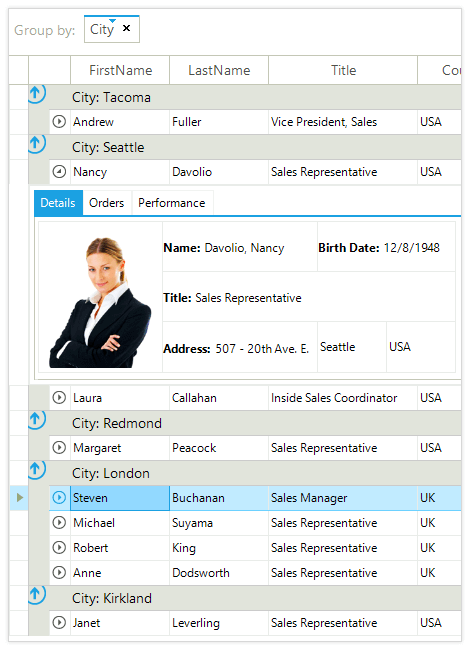
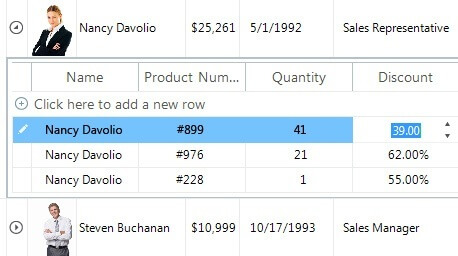
Take a deep dive into your database utilizing an N-tier hierarchical structure, regardless of the grid mode (bound, unbound or virtual). Each view comes with all editing features you need like sorting, filtering, aggregation etc.
RadGridView can present multiple child views or a tree like (self-referencing) hierarchy. The provider-based hierarchy model enables using load-on-demand and object-relational hierarchies.It also supports Object-relational, Load-on-Demand and Self-Reference hierarchy, as well as binding to one-to-many relations scenarios and to xml data.
-
Sorting, Filtering, Grouping
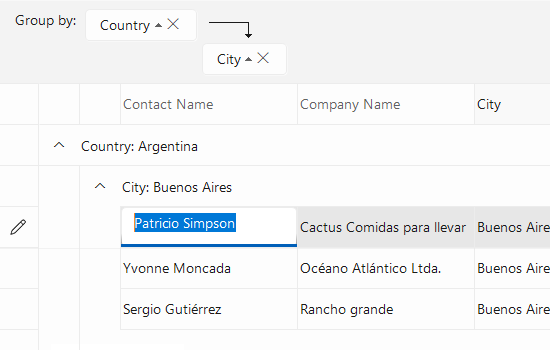
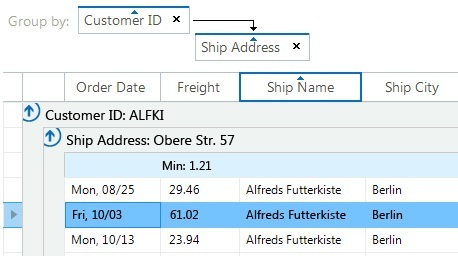
Easily perform SORT, FILTER or GROUP operations on your data via the intuitive interface of the Grid. No matter what your custom goal is – create a multi-column sorting or filtering expression, you’re just a moment away.
The highly optimized data layer of RadGridView uses an AVL tree, which enables fast grouping, sorting and filtering operations when using complex hierarchy scenarios.See the WinForms GridView Sorting, Filtering and Grouping Documentation Articles
-
Customizable Views & Layouts
Empower your end users with features allowing for endless views customizations, all of which can be controlled programmatically. Achieve the view you want by drag and drop, reordering, resizing, addition or deletion of rows and columns.
In addition, RadGridView enables you to create custom views. It comes with two predefined views: column grouping for unlimited nesting of columns and column groups, and html view for cell and row merge within the record, just like an html table.
.png?sfvrsn=cac5e45f_3)
-
UI Virtualization
The highly optimized data layer of RadGridView uses am AVL tree, which enables fast grouping, sorting and filtering operations when using complex hierarchy scenarios.
In addition, the user interface uses virtualization for its row and cell elements, meaning visual elements are created only when needed and only for the currently visible cells.
Furthermore, the UI virtualization engine, not only creates cells only when needed, but it also reuses already created cells during operations such as scrolling, filtering and others, to boost performance even further. -
Summary Rows
Summary rows are RadGridView rows, which enable you to display information about the data in the control, such as Sum, Count, Min, Max, Average and so on. The summary rows are top and bottom pinned rows. They can be used in a flat RadGridView or in groups and hierarchical views. -
Pinned (Frozen) Columns and Rows
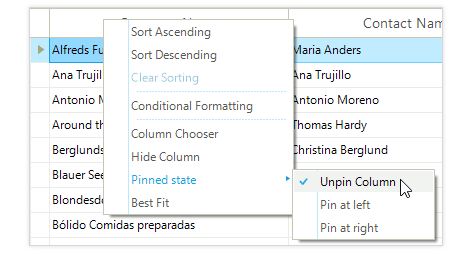
RadGridView enables you to keep a part of your data always visible while putting the rest of the data in context. To freeze columns, simply choose the Pin to Left or Pin to Right option from the context menu. RadGridView API allows for programmatically freezing columns or rows. -
Wide Variety of Predefined Columns
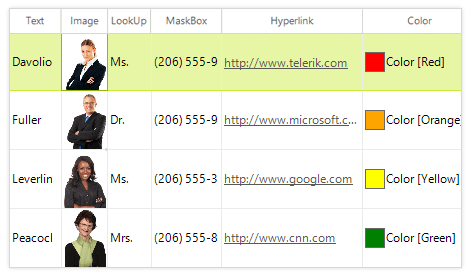
RadGridView has 14 built-in types of columns for different data types and user scenarios, each with its specific editor– browse editor, date time editor, text box editor and so on. In addition, it features calculated (expression) column, which calculates its values based on data in other columns.
-
DateOnly Columns Types
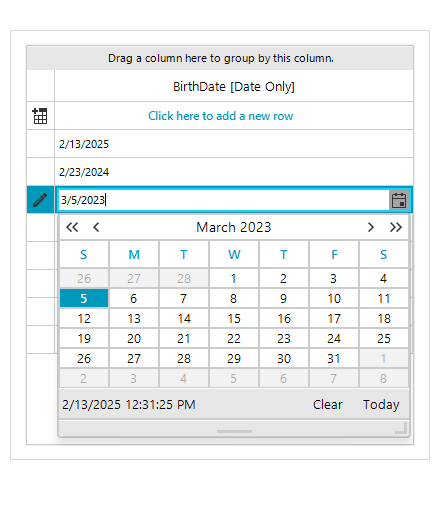
The RadGridView now supports the latest .NET DateOnly structures with new dedicated column types. This enhancement allows for seamless integration of modern date data types, ensuring precise handling and display of dates. Developers can now bind, format, and edit DateOnly fields effortlessly, improving data accuracy and user experience in time-sensitive applications.
-
TimeOnly Columns Types
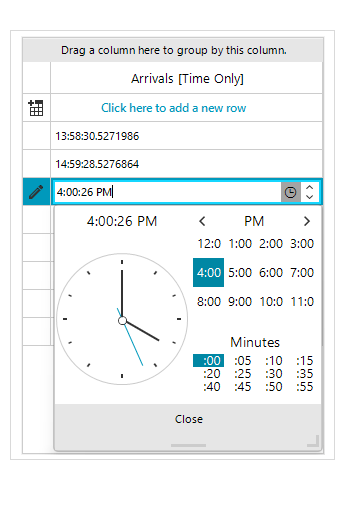
The RadDataGrid now supports the latest .NET TimeOnly structures with new dedicated column types. This enhancement allows for seamless integration of modern time data types, ensuring precise handling and display of timings. Developers can now bind, format, and edit TimeOnly fields effortlessly, improving data accuracy and user experience in time-sensitive applications.
-
Selection and Clipboard Operations
Single or multiple, cells or rows selection–anything you need, we have you covered. All of this is complimented with highly customizable cut/copy/paste operations.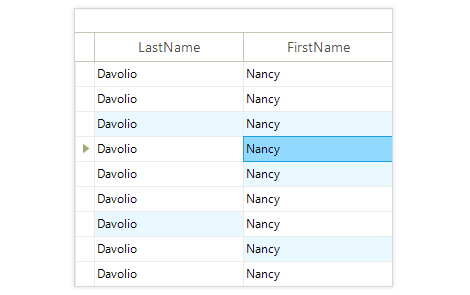
-
Save/Load layout
Save/Load layout functionality gives your applications the opportunity to preserve user grid settings such as column order, sizes customization, applied filters, conditional formatting and other configurable settings, and restore them later. -
UI Automation Support
RadGridView now implements Microsoft UI Automation (UIA) for stronger accessibility and testability. Screen readers announce grid content more accurately, keyboard navigation is more consistent and UIA-based testing tools integrate smoothly, helping you meet enterprise compliance requirements.
See the Telerik UI for WinForms Documentation: UI Automation Support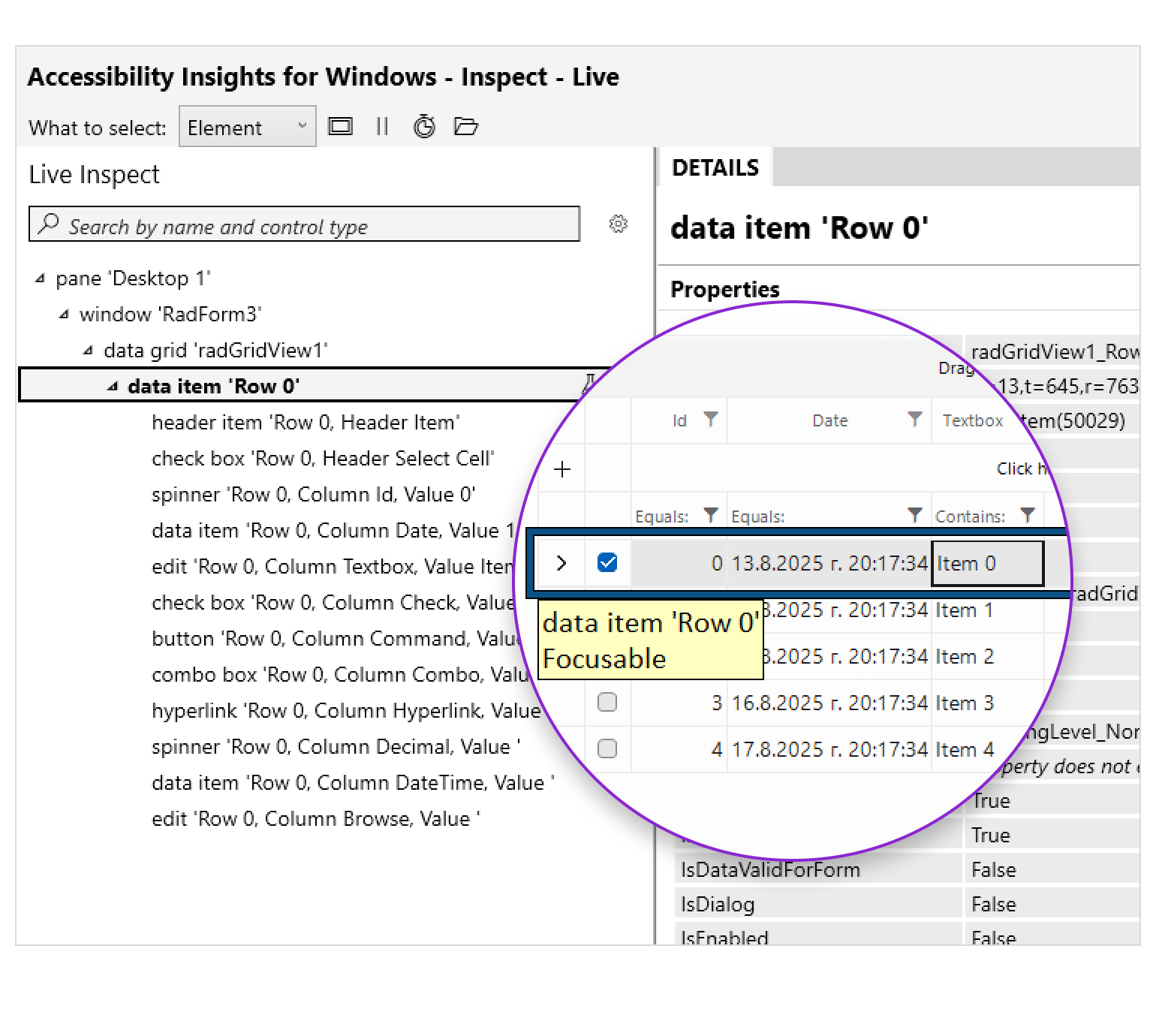
-
Fine-Grained Customizations
Visual elements and menus in the control are accessible and highly customizable. You can change colors, fonts or directions, add/remove/replace menu items in context menus, set error text for non-validated cells and rows, and much more, to satisfy any UI requirement. In addition, the control features API for painting straight into the cells, should you need something more advanced.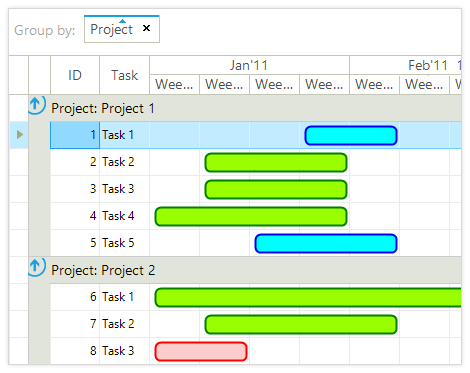
-
ContextMenus and Tooltips
RadGridView has built-in context menus exposing convenient contextual commands, depending the on the clicked element–cell, header cell, row and so on. All context menus are fully customizable, so you can add new commands or remove existing ones.
In addition, the control features easy-to-use tooltips functionality, which enables you to define tooltips for different types of cells and provide additional information to your end users.
-
Conditional Formatting
Enable your users to quickly extract the value of the displayed data with a native conditional formatting feature. It can be applied programmatically and/or at run-time with the help of an intuitive Excel-like dialog.
See the WinForms GridView Conditional Formatting Documentation
-(1)-(1)-(1)-(1)-(1)-(1)-(1).png?sfvrsn=f93ede98_7)
-
Paging
The paging support of RadGridView allows your end-users to easily check data page by page, without scrolling up and down in a grid containing thousands of records. You can choose to first page your data and then group it, or first group the data and then page the groups.
-(1)-(1)-(1)-(1)-(1).png?sfvrsn=8d066e4b_7)
-
Merged Cell
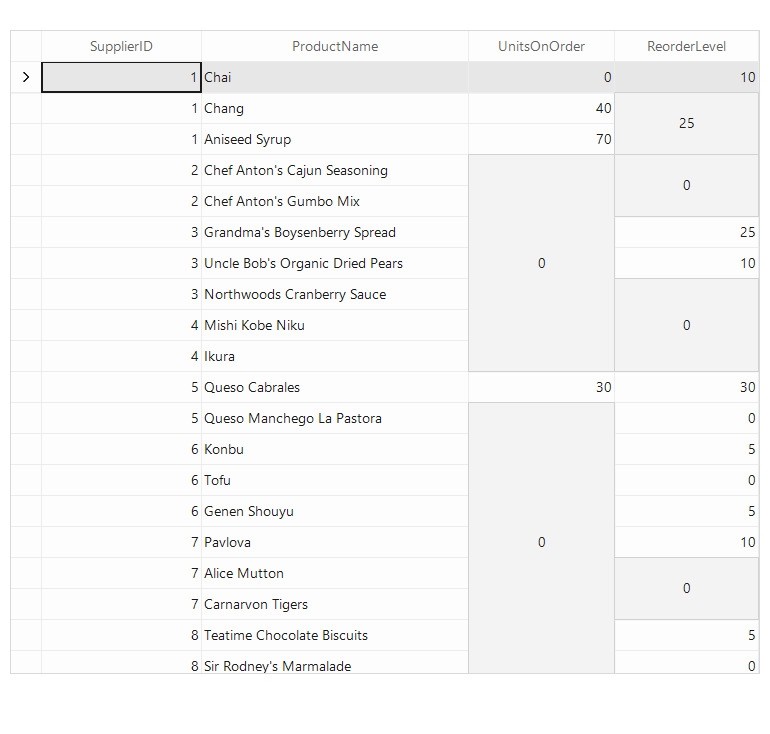
The Telerik UI for WinForms GridView provides support for merged cells, thus allowing consecutive/serial cells with equal values to be merged vertically or horizontally.
See the Telerik UI for WinForms GridView merged cell documentation
-
Insert, Edit, Validate Data
Whenever you need cell editing or data entry functionality, our Grid has the solution. Depending on the column data type, a relevant editor allows end-users to edit and insert content in a friendly environment.-(1)-(1).png?sfvrsn=ba874e00_5)
-
Built-In Text Search
RadGridView is enhanced with smart text search functionality. Upon writing in the built-in search text field, the end user will get immediate visual feedback from RadGridView if the visible cells on the screen match the search criteria. Furthermore, upon clicking the search button or hitting the Enter key, the end user will be navigated to the cells of interest. The search process is asynchronous ensuring smooth application experience.
-(1)-(1)-(1)-(1).png?sfvrsn=7585f280_7)
-
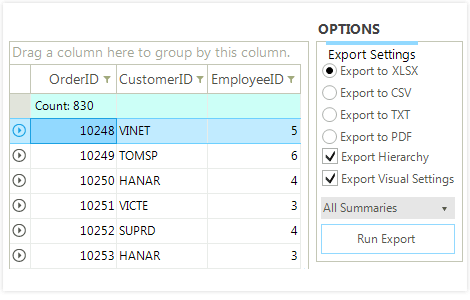
Export Data to PDF, XLXS, XLS, CSV and HTML
Allow your users to export the content of the Grid to any file format they need to - PDF, Excel, CSV, HTML or plain text. This feature will also export any customizations, images and/or conditional formatting you apply to your data.
-
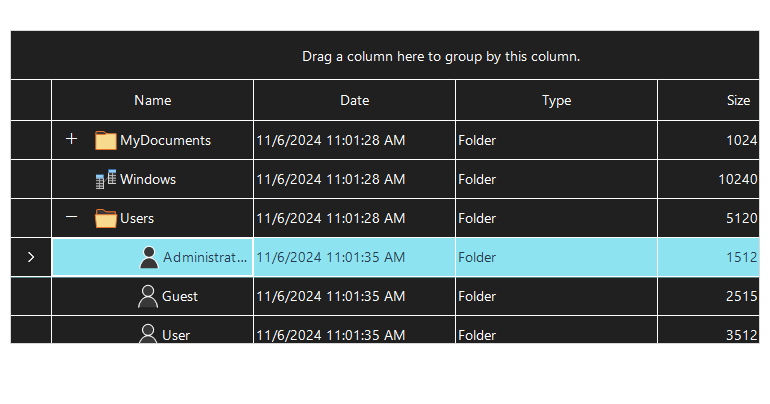
Load-On-Demand Support for Self-Reference Hierarchy
The WinForms GridView now supports Load-On-Demand for self-referencing hierarchical data structures, enabling faster performance and reduced memory usage. With this feature, child templates are dynamically loaded as needed, providing seamless interaction with large datasets while maintaining a responsive user experience.
See the WinForms GridView documentation: Load-on-Demand Hierarchy
-
Powerful Printing Support with Watermarks
Native printing support enables end-users to directly pass their grids’ content to a printer. The Grid comes with friendly user dialogs allowing for adjusting printing settings, adding a watermark or taking a look at the print preview.
-(1)-(1)-(1)-(1)-(1).png?sfvrsn=5389bd69_5)
-
TimeSpanPicker Support
You can add the TimeSpanPicker control into a new column in the grid, enabling the user to pick a time span and duration straight from the grid.
-
Extensive VS.NET Design-time Support
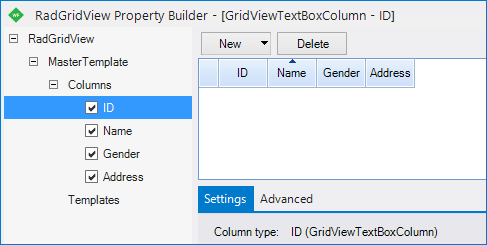
Telerik RadGridView provides rich design time support functionality making customizations and configurations very easy. Some of the key capabilities are:
- Property Builder dialog for easy setting up of columns;
- Design-time support for declarative data sources;
- Applying themes in design time and easily switching between them - the Choose Theme command in the Smart tag automatically detects the present themes;
-
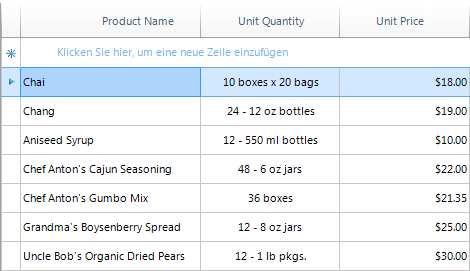
Right-to-Left and Localization Support
GridView provides full localization support and right-to-left support.
See the WinForms GridView Localization and Right-to-Left Support Documentation
-
Appearance
The control is shipped with a rich set of themes that allow you to easily build slick interfaces with the look-and-feel of some of the latest Windows and Office versions. The themes can be easily switched using a single property.
Our framework also features support for custom themes, which can be built from scratch to fit your exact visual demands by using the Visual Style Builder productivity tool.
.png?sfvrsn=7211b3af_2)
-
Also Available...
The GridView control is also available for these popular frameworks:
