
UI for WinForms
WinForms CommandBar
- Part of the Telerik UI for WinForms library along with 165+ professionally-designed UI controls.
- Includes support, documentation, demos, virtual classrooms, Visual Studio Extensions and more!

-
Add Customizable Toolbar Items With Ease
The CommandBar control in the Telerik UI for WinForms suite is a flexible component for implementation of tool and button strips, needed in most Windows applications. Its powerful customization capabilities and rich collection of toolbar items enable you to craft every button on the toolbar independently to either display text, images or both. The product also supports multiple rows and strips, docking, floating, overflowing items, save/load layout functionality and much more.
-(1)-(1)-(1).png?sfvrsn=95bd4ba0_8)
-
Rich Collection of CommandBar Items
CommandBar items are represented as child elements in the structure of the tool strip, and are very easily customized using themes and related properties. Supported tool elements include:
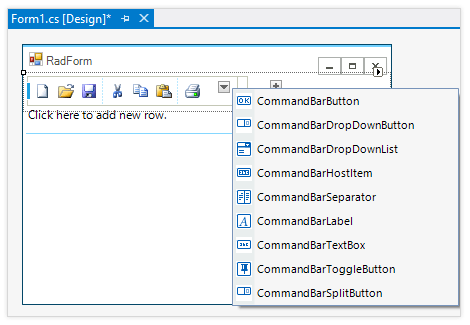
- Button, ToggleButton, DropDownButton, SplitButton (RadButton)
- TextBox (RadTextBox)
- DropDownList (RadDropDownList)
- Label
- Separator Item
-
Text and Image Support
Every button on the Telerik Windows Forms CommandBar can be customized independently to either display text, image or both.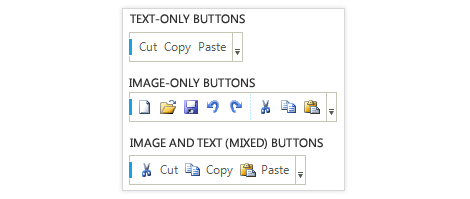
-
Horizontal or Vertical Orientation
With Telerik Windows Forms CommandBar control you can easily have both horizontal and vertical toolbars.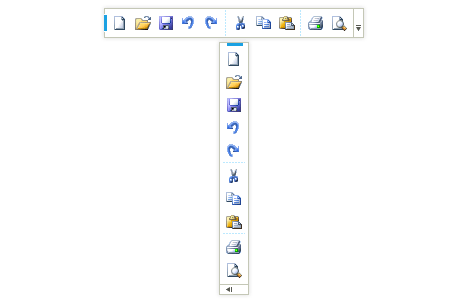
-
Add/Remove Buttons
Telerik Windows Forms CommandBar supports toolbar personalization via the "Add or Remove Buttons" dropdown, just like in Microsoft Office, regardless of the tool type and position.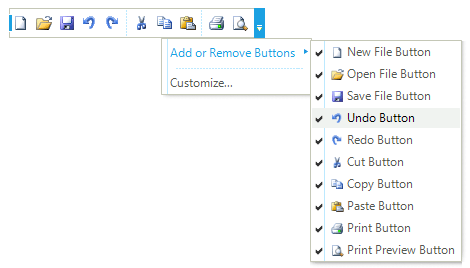
-
Docking and Floating Toolbars
In a MS Office-like manner, different instances of Telerik CommandBar can be moved, docked, and rearranged by the end user at run-time to get the interface that best suits his/her working habits. Floating toolbars are also supported. The control layout can be saved and reloaded the next time the form is opened.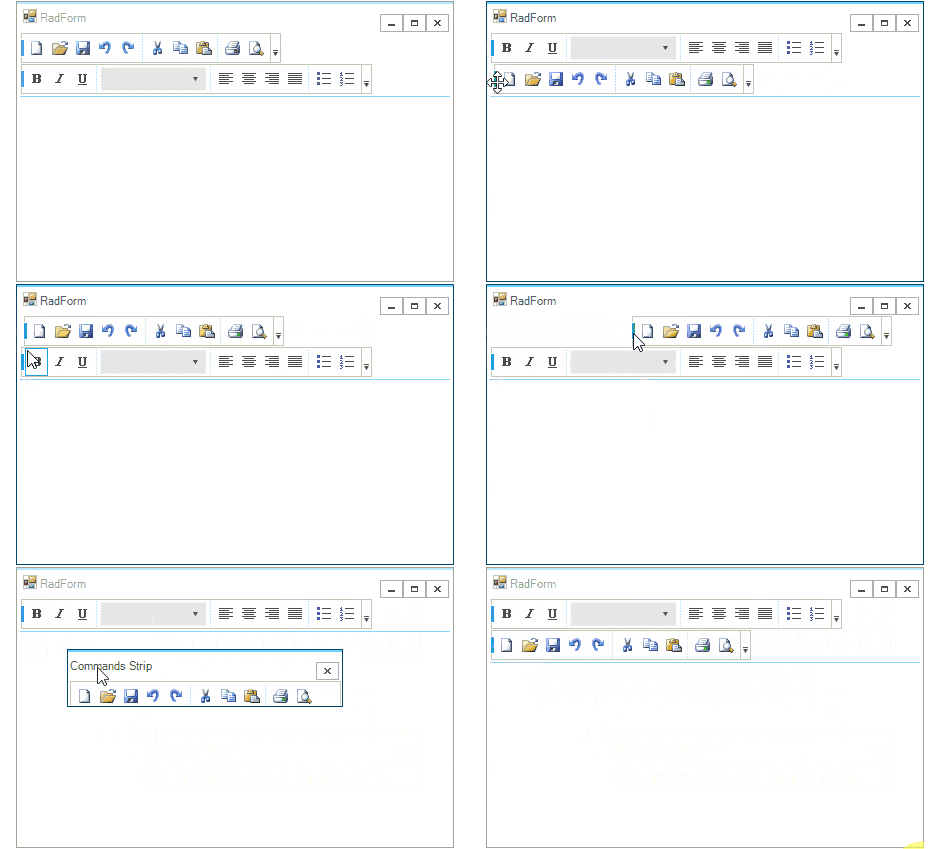
-
Extensive VS.NET Design-time Support
Telerik CommandBar provides rich design-time support functionality making customizations and configurations very easy. Some of the key capabilities are:
-
The ability to add new rows, strips and items using the intuitive indicators
-
Contextual options to edit the collections with Rows and strips Smart Tags
-
Applying themes in design time and easily switching between them; the ThemeName property in the Smart tag automatically detects the present themes
-
Options to search the forums or open the control online documentation in the Smart Tag
-
Visual Style Builder, Element Hierarchy Editor and Shape Editor productivity tools for full control over the UI
-
-
Appearance
The control is shipped with a rich set of themes that allow you to easily build slick interfaces with the look-and-feel of Windows Vista, Office 2007, Outlook, etc. The themes can be easily switched using a single property.
Or you can build a new theme from scratch to fit your exact visual demands by using the Visual Style Builder productivity tool.
-
RTL Language and Localization Support
Business globalization requires multi-lingual applications. The CommandBar control supports all Right-to-Left layout, as well as full localization of its strings.
