
UI for WinForms
WinForms RibbonBar
- Part of the Telerik UI for WinForms library along with 165+ professionally-designed UI controls.
- Includes support, documentation, demos, virtual classrooms, Visual Studio Extensions and more!

-
MS Office 2007/2010 Interface at your Fingertips
The RibbonBar control enables you to build user interfaces similar to the one used in Microsoft Office, which most users are familiar with. With this control, the application’s functionality is easily accessible in a single place and visually appealing to users.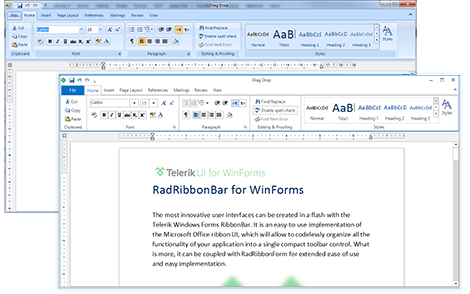
-
Compliance with the Office 2007/2010 UI Design Guidelines
Telerik RibbonBar is compliant with the Microsoft Office 2007 User Interface Design Guidelines and Office 2010 User Interface innovations, meaning that it supports the ribbon interface, and all of its elements and specifications, namely:
- Tabs, tab scrolling, contextual tabs, minimizing the ribbon by double-clicking on a tab;
- Groups, and button groups (both vertical and horizontal);
- Controls, such as buttons, menus, split buttons, combo boxes, galleries, spinner controls, and check boxes.
- Automatic ribbon resizing, which includes group collapsing, button-group collapsing, large/small button states, etc., including the ability to choose the order in which the groups will collapse on form resize;
- Popup behavior (hidden ribbonbar) on double-clicking a tab;
- Application menu with customization;
- Backstage View with customization;
- Quick access toolbar with customization;
- Keyboard access (KeyTips) when the ALT key is typed;
- Galleries with customizable behavior;
- Screentips.
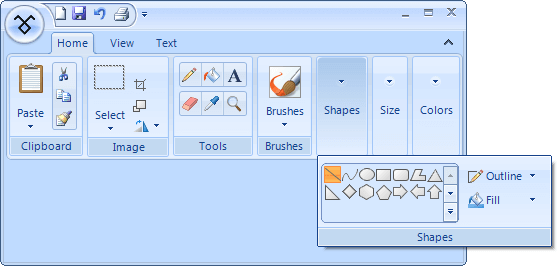
Office 2007 UI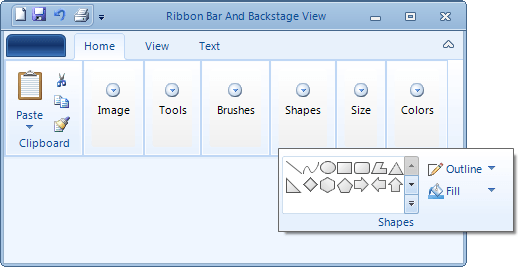
Office 2010 UI -
Wide Variety of Predefined Controls
Telerik UI for WinForms by Progress supplies all controls you will need in a ribbon bar. This reduces the learning curve, because you will not need to learn new tools if you have already worked with the RadControls suite. Since all controls are based on the Telerik Presentation Framework, they come with extensive design-time support, tremendous customization options, and extensive theme support. These controls are:
- Tabs, ContextualTabs based on RadPageView as well as groups to arrange your controls in the most efficient way
- Buttons and check boxes - RadButton, RadRadioButton, RadSplitButton, RadToggleButton, RadCheckBox, and more;
- Drop downs - RadDropDownList and RadDropDownButton;
- Galleries: A predefined gallery element enabling you to display multiple options to choose from
- Quick-access toolbar: Embeds a variety of menu items in the control title bar
-
Fully Customizable Application Menu
The RibbonBar control's Start Button provides convenient access to the "application menu.” It displays various actions to perform on entire documents and forms, such as Save and Print. It also provides a second column of menu items or controls for listing recent documents or any other relevant information, as well as button options at the bottom to access form options, or to exit the form or application.
The Start Button is based on RadApplicationMenu, which is the counterpart of the "application menu" introduced with Office 2007 as part of Microsoft’s Ribbon UI. Because it is available as a standalone product, it comes with intuitive design-time support, many extendibility features and theme support. RadApplicationMenu is fully compliant with the 2007 Microsoft Office Fluent User Interface Design Guidelines.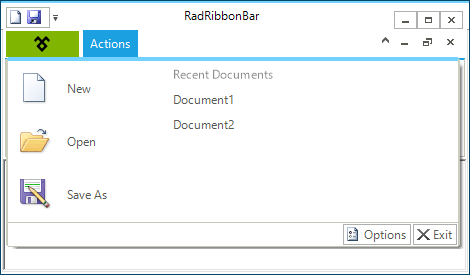
-
Simplified Ribbon
With the RibbonBar in Telerik UI for WinForms you will be able to provide a modern and intuitive UX to end users of your application. The Simplified RibbonBar is a mode of the regular ribbon and provides ease of access to most of the commonly used commands neatly organized in a compact interface, while at the same time saving valuable screen space. Users will be able to easily switch between the expanded and collapsed states of the ribbon via the built-in Toggle button..gif?sfvrsn=1d572e26_3)
-
RTL Language and Localization Support
Due to business globalization, the need for multi-lingual applications is a must. Telerik Windows Forms RibbonBar supports all RTL languages, such as Hebrew and Arabic. Full localization of its strings is also supported. -
Appearance
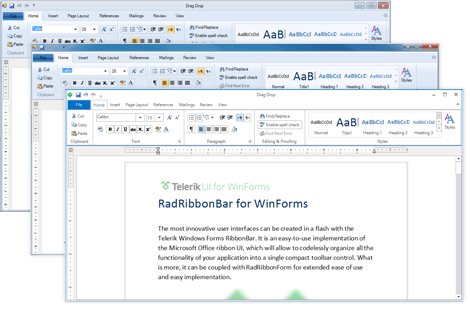
The control is shipped with a rich set of themes that allow you to easily build slick interfaces with the look-and-feel of some of the latest Windows and Office versions. The themes can be easily switched using a single property.
Our framework also features support for custom themes, which can be built from scratch to fit your exact visual demands by using the Visual Style Builder productivity tool.
-
Office 2010 Backstage View
In addition to the Application Menu that follows the Office 2007 UI Guidelines, RadRibbonBar offers Backstage View built according to the Office 2010 RibbonBar design principles. To complete the Office 2010 look of the menu, our Office 2010 themes implement the rectangular blue button specific to the Office 2010 style.
In case you like the functionality that the Backstage View provides, you will be happy to know that this functionality is covered by a separate control outside RadRibbonBar. This control is RadPageView and you can see its BackstateView in action here.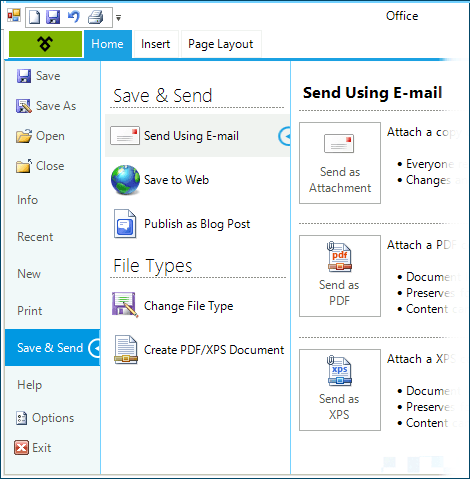
-
Extensive VS.NET Design-time Support
Unlike some ribbon implementations, Telerik Windows Forms RibbonBar was built with ease-of-design in mind. You can build an entire ribbon by manipulating the tabs, chunks, and controls directly on the VS design surface, without writing any code. Some of the other capabilities are:-
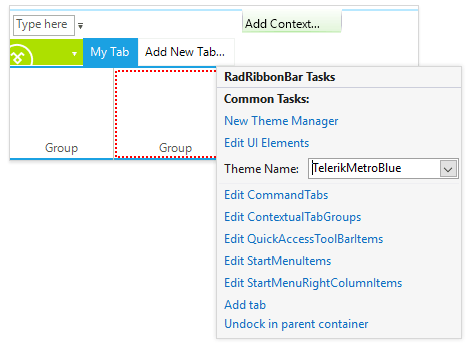
Context-aware Smart tags for different types of elements expose the most commonly used settings and items collections
-
You can apply themes in design time and easily switch between them; the ThemeName property in the Smart tag automatically detects the present themes
-
Visual Style Builder, Element Hierarchy Editor, and Shape Editor productivity tools enable full control over the UI
-
Options to search the forums or open online documentation are also available in the Smart Tag
-
