
UI for WinForms
WinForms MultiColumnCombo
- Part of the Telerik UI for WinForms library along with 165+ professionally-designed UI controls.
- Includes support, documentation, demos, virtual classrooms, Visual Studio Extensions and more!

-
Comprehensive Multi-Column ComboBox
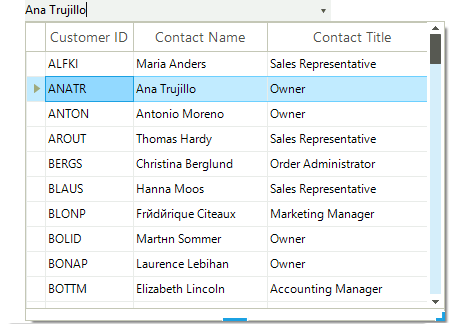
The multi-column combobox control in Telerik UI for WinForms by Progress is a versatile combination of the RadTextBox editing field, combined with the power of RadDropDownList, which hosts a RadGridView in its drop-down list. The controls are tightly coupled to work seamlessly together and allow for looking up and selecting data from a multi-column list. The TextBox can be set to accept free-form data input, thus triggering the filtering mode, or can be read-only, forcing the user to select from the entries in the drop-down list.
-
Filtering and Sorting
The Telerik WinForms MultiColumnComboBox control supports as-you-type filtering which means that end users are able to initiate fast search among items. They can also apply ascending and descending sorting at their convenience.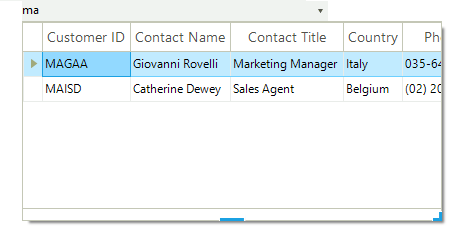
-
Rotating Items on Double-Click
Double-click on the text box in a Telerik MultiColumnComboBox and it will pull up the next item from the list. This timesaving feature allows your users to quickly advance through a list without the need to see all items. -
Animations
With the introduction of WPF, animations and interactivity are an integrated part of today's UI. RadControls bring you this interactivity with, but with the proven WinForms technology.
Telerik Windows Forms MultiColumnComboBox supports a variety of expand animation styles for a great user experience. You can select among predefined drop down animations and further customize them to fit your scenario. -
Powerful Databinding
To make your life easier, we do not set any limits on what data sources you should use. The Telerik multi column combobox uses the RadGridView to display data, which you can bind to whatever data source your application is using. In addition to using the standard WinForms data binding model, you can also bind the control to business objects, nullable objects, XML, web services, and properties of sub-objects, while taking full advantage of all data operations, like sorting and filtering. In addition, you can choose the optimal data mode to manage your data most effectively:- Bound mode for codeless and fully automatic data management;
- Unbound and mixed modes for displaying static, read-only data, or when you want to have custom interaction with the data source;
- Virtual mode to best performance when working with large amounts of data.
-
DropDown Size Modes
RadMultiColumnComboBox features several useful functionalities to control the size of its popup. Besides setting the popup size manually, plenty of built-in options enable you to size the drop-down according to the grid’s content.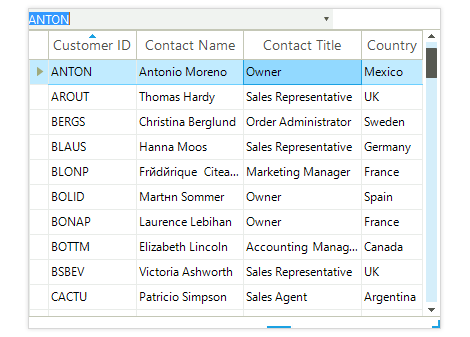
-
Localization and Right-to-Left Language Support
Telerik MultiColumnComboBox provides full support for Right-to-Left languages and localization. See Localization and Right-to-Left Support for the full list of Telerik WinForms controls supporting RTL languages and localization.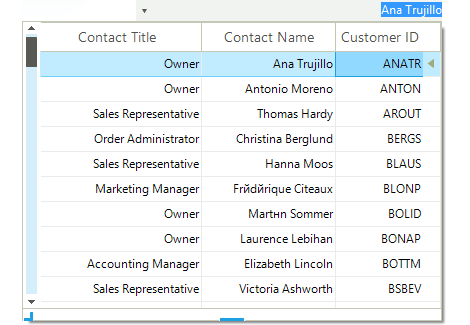
-
Extensive VS.NET Design-time Support
Telerik MultiColumnComboBox provides rich design-time support functionality making customizations and configurations very easy. Some of the key capabilities are:
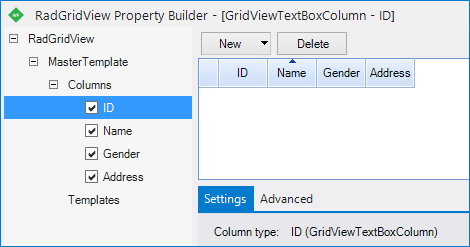
- Property Builder dialog for easy inner grid setup
- Design-time support for declarative data sources;
- Applying themes in design time and easily switching between them - the ThemeName property in the Smart tag automatically detects the present themes;
-
Appearance
The control is shipped with a rich set of themes that allow you to easily build slick interfaces with the look-and-feel of some of the latest Windows and Office versions. The themes can be easily switched using a single property.
Our framework also features support for custom themes, which can be built from scratch to fit your exact visual demands by using the Visual Style Builder productivity tool.
Telerik ComboBox is also capable of displaying rich text formatting by using standard HTML tags, such as <i>, <b>, and <u>. This is supported on a framework level.
