
UI for WinForms
WinForms ListView
- The WinForms ListView is a bindable control for representing and editing list data with lots of customization capabilities.
- Part of the Telerik UI for WinForms library along with 165+ professionally-designed UI controls.
- Includes support, documentation, demos, virtual classrooms, Visual Studio Extensions and more!
-
View for Every Taste
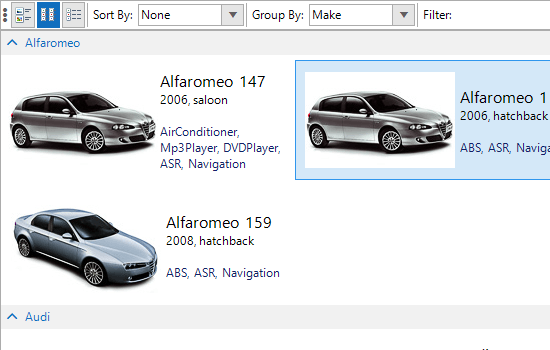
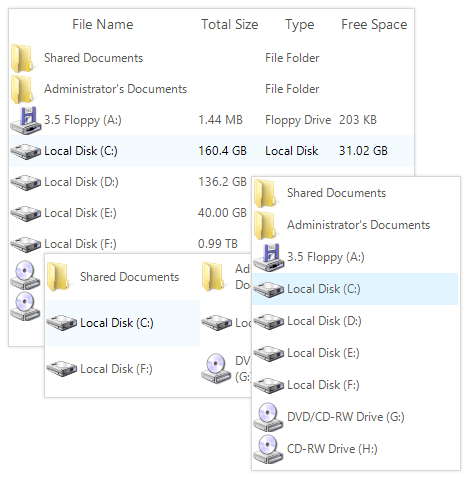
The RadListView control can display a flat collection of objects in three different ways:- As a list of vertically items
- As a collection of icons displayed in a specified orientation
- in a grid-like interface for displaying items with more than one data field
-
Grouping
The WinForms RadListView allows item grouping to best match the scenarios needed in modern applications. You can place categorized sets of items in groups and facilitate the navigation through your listed data. Custom grouping is also supported.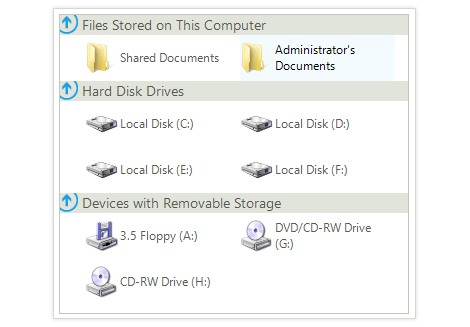
-
Kinetic Scrolling and Hot Tracking
In addition to Filtering, Sorting and Grouping, RadListView control provides several unique end-user features, which makes the control stand out from the crowd:
- Kinetic scrolling support guarantees the control is ready for a modern touch-screen
- Hot tracking allows for item highlighting on mouse hover
-
Item Editing
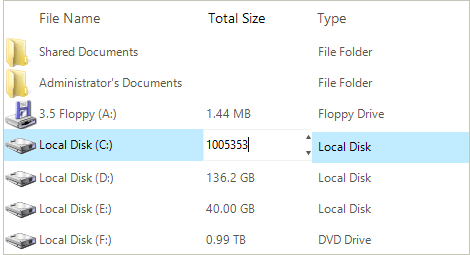
The RadListView data editing capability gives the end-user the ability to edit the item's text on double-click. You can easily employ the built-in editors to allow editing of string, numeric or date-time data. You can also allow editing providing a list of predefined choices.
-
Filtering
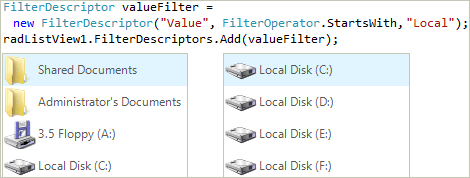
RadListView comes with easy-to-use filtering API that allows you to filter its items according to a custom criteria.
-
Sorting
RadListView features integrated sorting which can be set to automatically sort data entries by setting a preferred sorting condition. In addition, the entries can be sorted according to any field, regardless of how this field is presented in the UI – it can use “main” field of entry, a secondary field, or even an invisible one. The items here are sorted by Year of Manufacture.
-(1)-(1).png?sfvrsn=a8b7c472_7)
-
Robust Data Binding and Data Management
You can bind RadListView to whatever data source your application is using—no limits. Also, you can choose the optimal data mode to manage your data most effectively:
- Bound mode for codeless and fully automatic data management;
- Unbound mode for displaying static and/or having custom interaction with the data source.
-
Item Size and Customization
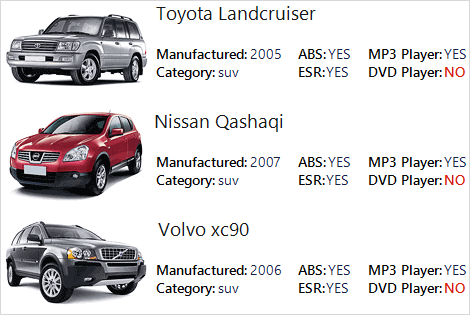
The width and height of items and groups can be either automatically calculated or predefined to a certain value. In addition, DetailsView supports best-fitting columns and column resize.
You can fully customize an item’s appearance (colors, fonts, text and image relation and so on) using the formatting events. Or, you can completely replace visual items with custom ones.
-
Selection and Check Boxes
The control features single and multiple selection, and, in ListView and DetailsView view modes, the FullRowSelect property determines whether to include only the item in the selection or the whole row.
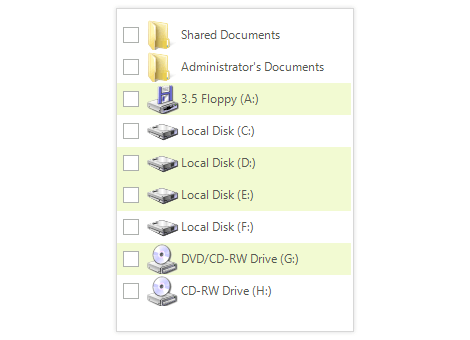
In addition, each item in the control has a built-in check box. The item’s checkbox can be shown with a single property setting, and a convenient collection returns all currently checked items.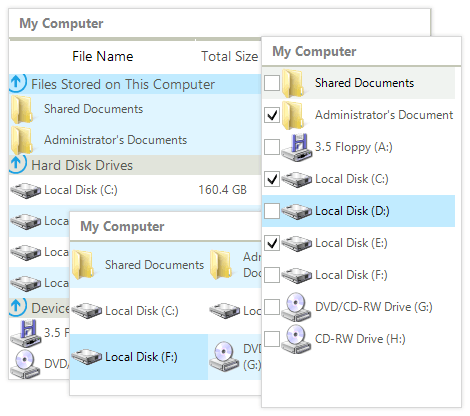
-
Search As You Type
Allow your end-users to navigate through long lists with the familiar search-as-you-type keyboard navigation function.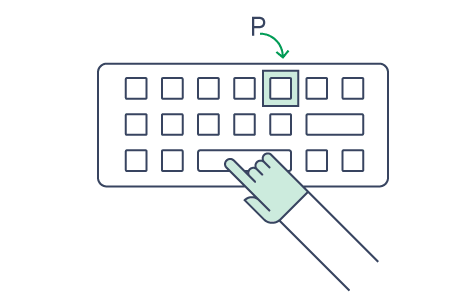
-
Exporting
RadListView uses the powerful RadSpreadProcessing API to export its content into .xlsx, .csv, .pdf and .txt formats. All view types can be exported, and the export process is fully customizable.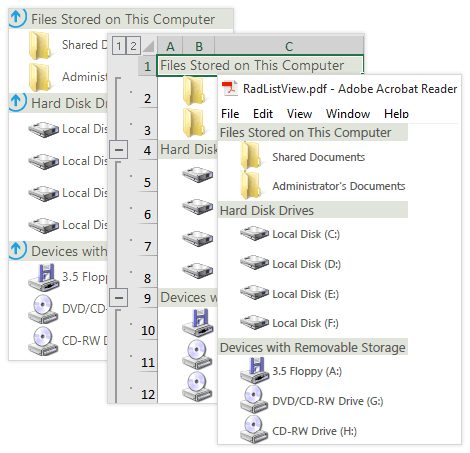
-
Touch Support
RadListView support touch gestures. You can select items, reorder columns and scroll without having to search for the scrollbar.
-(1)-(1)-(1)-(1)-(1)-(1).png?sfvrsn=3cf4edc2_6)
-
Extensive VS.NET Design-Time Support
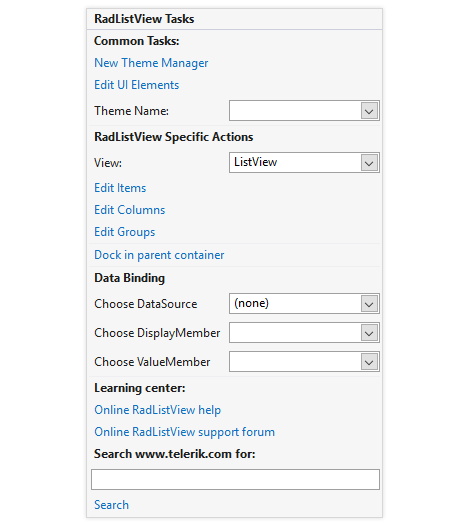
RadListView provides rich design-time support, making customizations and configurations very easy. Some key capabilities include:
- Adding, editing and removing items, columns and groups from the control using only the Visual Studio designer or via the Smart Tag
- Easy data binding support in the Visual Studio designer or the control Smart Tag
- Applying themes in design time and easily switching between them; the ThemeName property in the Smart tag automatically detects the present themes
- Visual Style Builder, Element Hierarchy Editor and Shape Editor productivity tools for full control over the UI
- Options to search the forums or open online documentation in the Smart Tag
-
Appearance
RadListView is shipped with a rich set of themes that allow you to easily build slick interfaces with the look-and-feel of Windows, Office, Metro, etc. The themes can be easily switched using a single property. This significantly simplifies styling even for complex configurations.
Telerik RadListView exposes a variety of properties which can be used to define the structure of the control with extra information such as images, descriptions, etc.
