New to Telerik Test Studio? Start a free 30-day trial
Handling IE Modal Dialogs
Updated on Jun 1, 2026
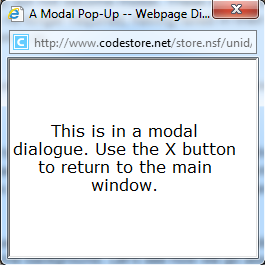
The main difference between IE modal dialogs and the HTML Pop-ups is that the modal dialog stays in focus even when you try to focus back on the parent window, while the HTML pop-up is just like any other browser instances.
IE modal dialogs require special handling. They don't act like standard HTML pop-up windows, which means the standard approach does not work. Here is an example of how to code for the IE modal dialog special case:
C#
[TestMethod]
[Description("How to access and handle IE's modal dialogs")]
public void IEModalDialogsSupport()
{
     Manager.LaunchNewBrowser(BrowserType.InternetExplorer, true);
     ActiveBrowser.NavigateTo(TESTPAGE2);

     // Open the popup using mouse click so it doesn't hang execution.
     Find.ByAttributes<HtmlInputButton>("type=button").MouseClick();

    // ** Special IE Code. Given that IE Modal Dialog is an IE specific feature.
    if (ActiveBrowser.BrowserType == BrowserType.InternetExplorer)
     {
         ArtOfTest.WebAii.BrowserSpecialized.InternetExplorer.InternetExplorerActions ieActions = (ArtOfTest.WebAii.BrowserSpecialized.InternetExplorer.InternetExplorerActions)ActiveBrowser.Actions;

         // Connect the dialog
         ieActions.ConnectIEDialog("Modal1 -- Webpage Dialog", 300);
         Manager.WaitForNewBrowserConnect("dialog.html", true, 10000);
         Assert.IsTrue(ActiveBrowser.IsIEDialog);

         // The ActiveBrowser instance is now the dialog instance. Do what ever you want with the dialog
         ActiveBrowser.Find.ByTagIndex<HtmlContainerControl>("H1", 0).BaseElement.SetValue<string>("style.backgroundColor", "red");

         // Once done, make sure to close the dialog.
         // Even if the dialog is closed due to a button click within the dialog, you still need this line
         // at this point to revert the ActiveBrowser instance to the main instance. We are searching for a
         // good approach to make this automatic.
         ActiveBrowser.Close();
     }
    Assert.IsFalse(ActiveBrowser.IsIEDialog);

    // The ActiveBrowser is back to the main browser window.
     ActiveBrowser.NavigateTo("http://www.google.com");
}