Invoke Mouse Hover
Invoke a Mouse Hover event
PROBLEM
I recorded a click in a fly-out sub-menu, however it does not execute properly because the menu never properly expands to expose the element.
SOLUTION
Invoking a mouse action can come in handy, especially in navigation menus that use hover-over fly-out sub-menus.
-
To get started, select the hover-over highlighting tool from the recorder toolbar which is docked to the browser.
-
Next, select the element on which you would like to invoke the hover-over mouse-action on, stay hovered.
-
The Element Menu is now displayed. Note the icons highlighting below; these are used to invoke Javascript Events and Mouse Actions.
-
Select Mouse Actions.
-
Select Mouse Hover by double-clicking it.
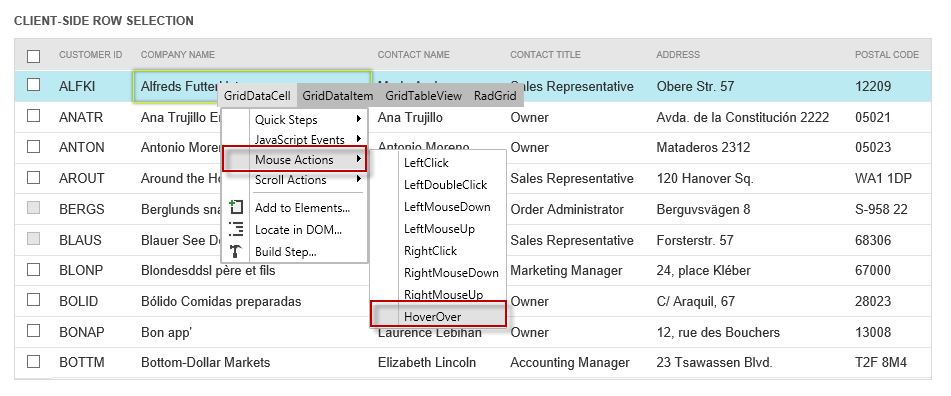
-
A desktop command is added to your test. It invokes a mouse hover-over action triggering the menu to fly out. This allows you to select a sub-menu item.
-
Please note that desktop commands may not function correctly if focus is removed from the execution browser.