New to Telerik Test Studio? Start a free 30-day trial
Loop
Updated on Jun 1, 2026
Walk--through of creating a loop process.
-
Create a Web Test and click Record.
-
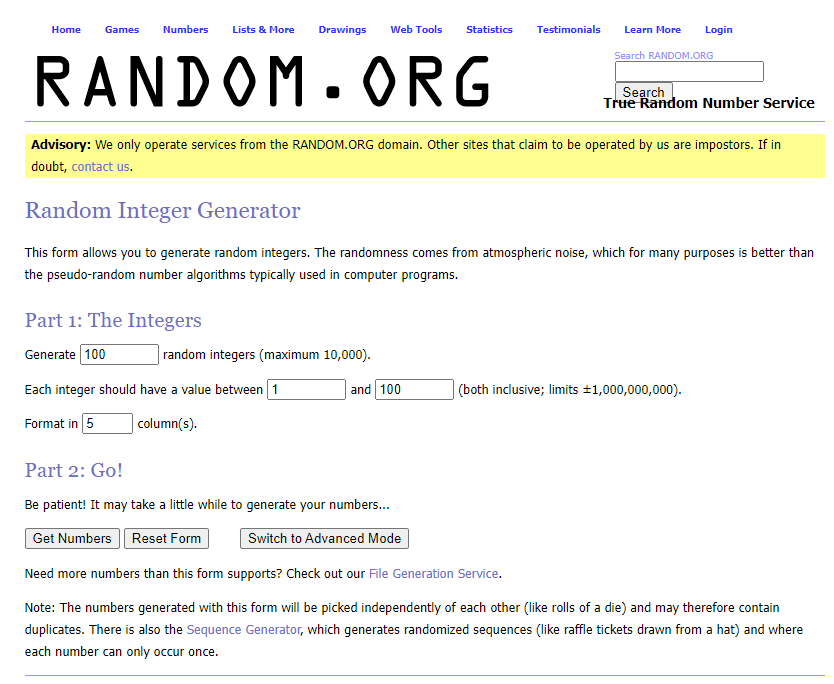
Navigate to www.random.org/integers.
-
Click Get Numbers.
-
Click Again.
-
Pause recording and minimize the browser.
-
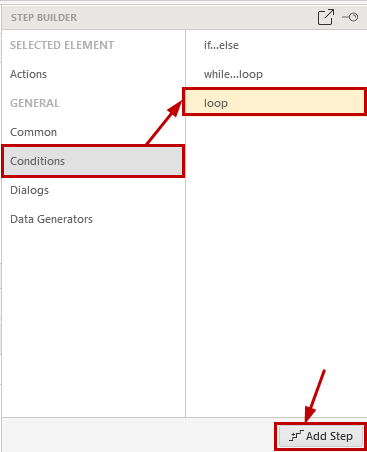
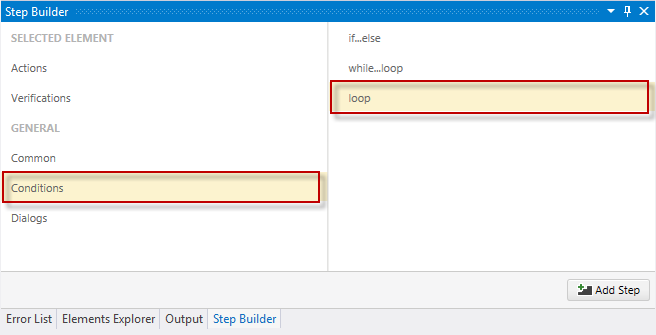
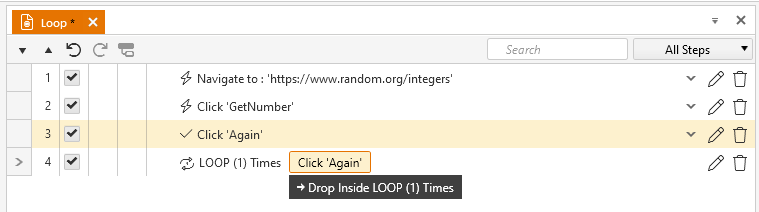
Choose Conditions in the Step Builder and add loop step.
|
|
|
-
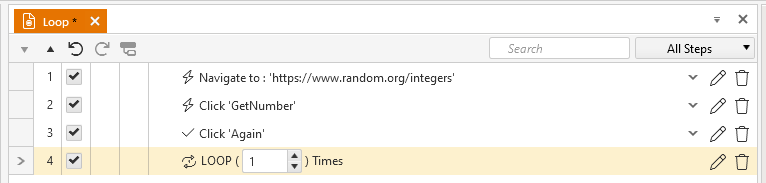
Set the Count of the Loop step to 5.
-
Drag the second Click Submit step into the LOOP step.
-
Save and Execute. After the initial set of integers is generated, the process is repeated 5 times.