New to Telerik Test Studio? Start a free 30-day trial
Quality Center Connectivity Instructions
Updated on Jun 1, 2026
Quality Center 11 is the only tested version that has confirmed compatibility.
Before connecting to QC through Test Studio, install the QC plugin.
-
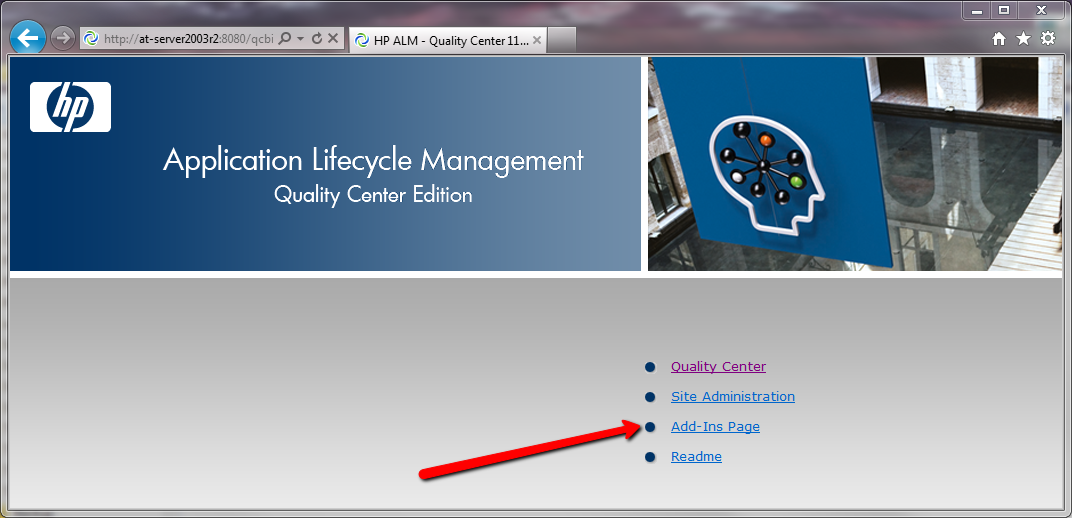
Navigate to http://myServer:8080/qcbin/ in the browser, where myServer matches your QC server name.
-
Click the Add-Ins Page link.
-
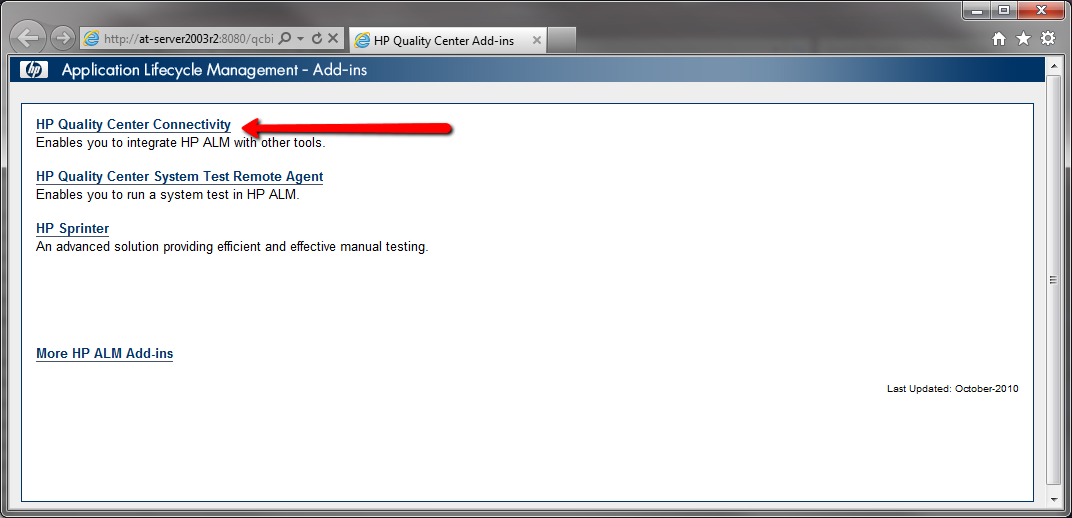
Click the HP Quality Center Connectivity link.
-
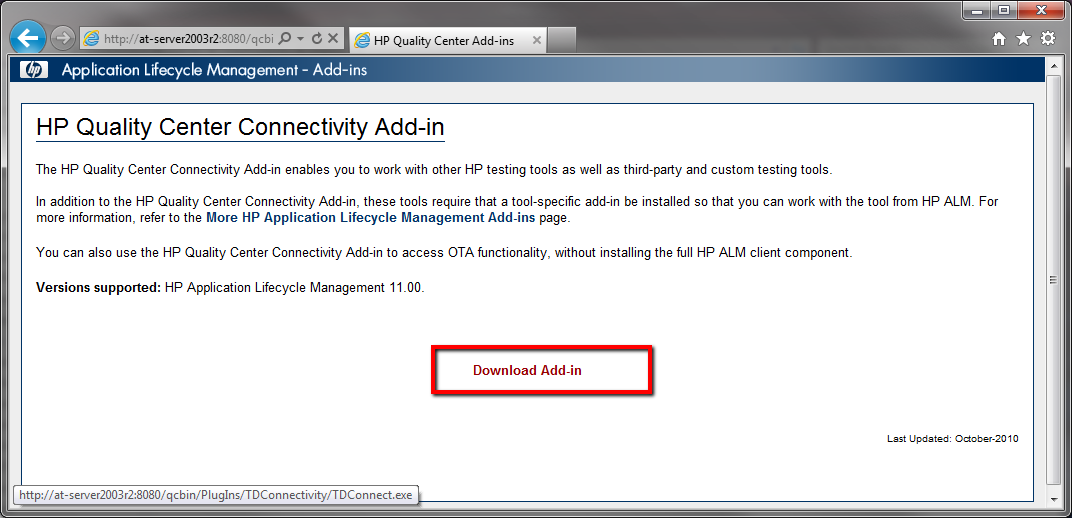
Click Download Add-In.
-
Save the file or run it directly. Click OK to confirm the completed installation.