New to Telerik Test Studio? Start a free 30-day trial
Missing mapped network drives
Problem:
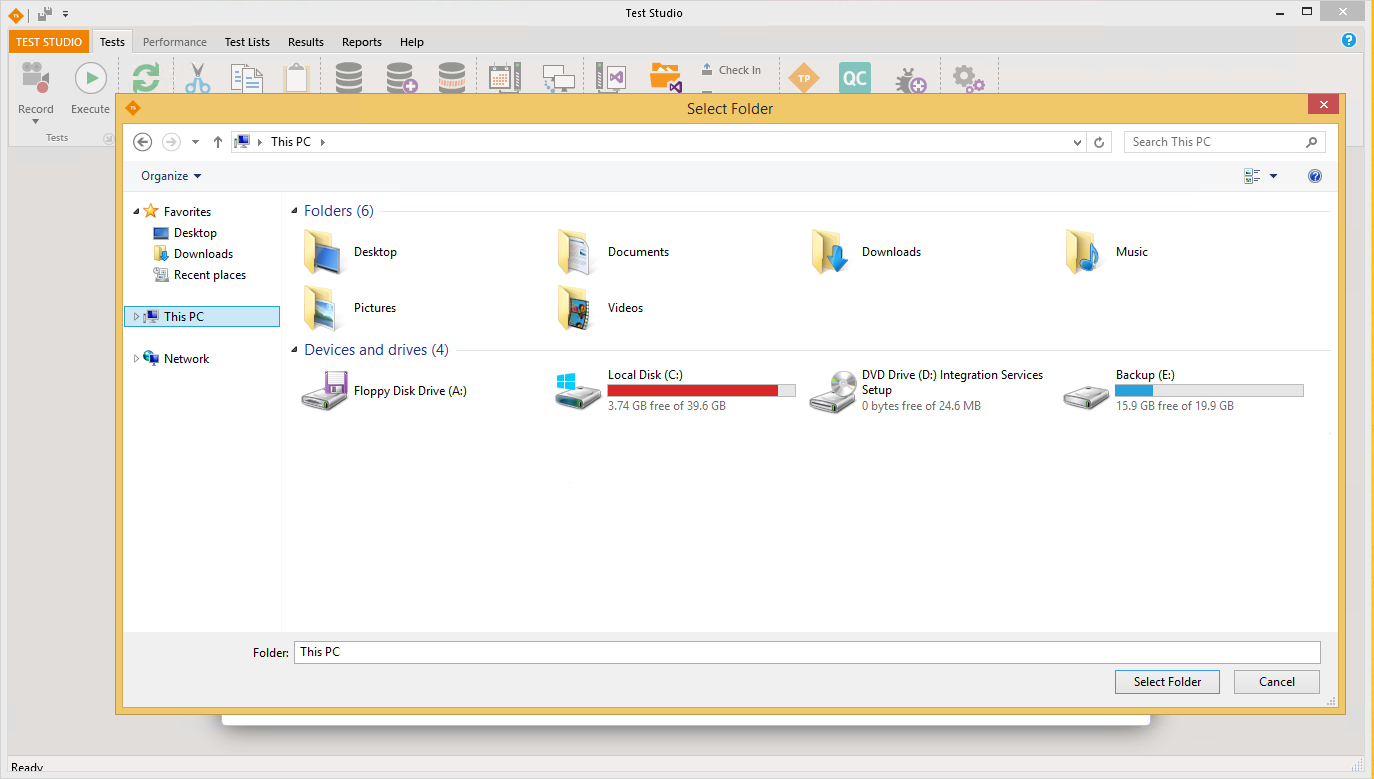
When open a new project in Test Studio the browser dialog may not show the mapped network drives:
Solution:
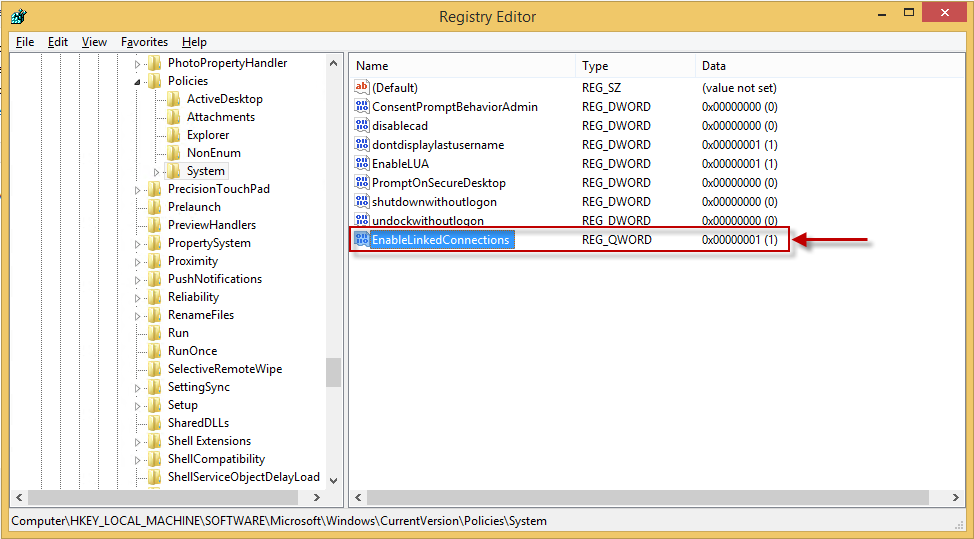
You need to set the following registry option:
HKEY_LOCAL_MACHINE/SOFTWARE/Microsoft/Windows/CurrentVersion/Policies/System
EnableLinkedConnections=1-
Run regedit.
-
Locate HKEY_LOCAL_MACHINE/SOFTWARE/Microsoft/Windows/CurrentVersion/Policies/System
-
Create a new DWORD entry with the name EnableLinkedConnections and value 1.
-
Restart your computer.
-
Now you should be able to see and use the network drives in Test Studio.