New to Telerik Test Studio? Start a free 30-day trial
Custom Chrome Path
How to Set a Custom Chrome Path
Test Studio looks by default at *C:\Program Files (x86)\Google\Chrome\Application* for the chrome.exe and *C:\Users\[UserName]\AppData\Local\Google\Chrome\User Data\Default* for preferences file.
Test Studio also provides option for the user to support custom location for Chrome through setting custom registry keys.
-
Run regedit.exe
-
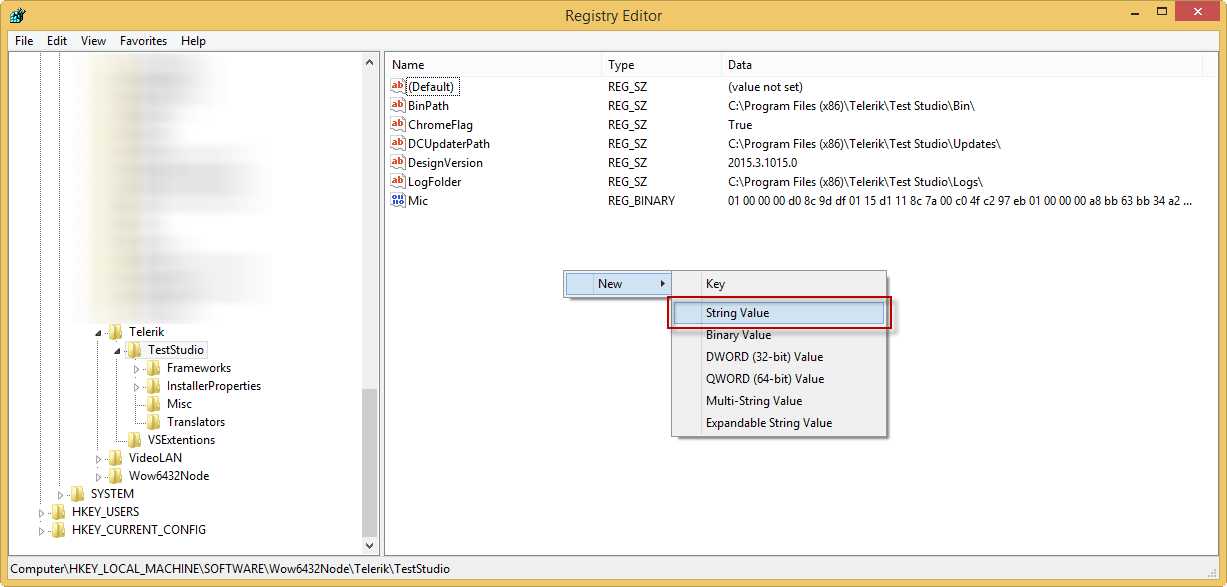
Navigate to HKEY_LOCAL_MACHINE\SOFTWARE\Wow6432Node\Telerik\TestStudio
-
Create two String keys with names ChromeExePath and ChromePreferencesPath and values respectively: the path to the chrome.exe and the path to the preferences file.
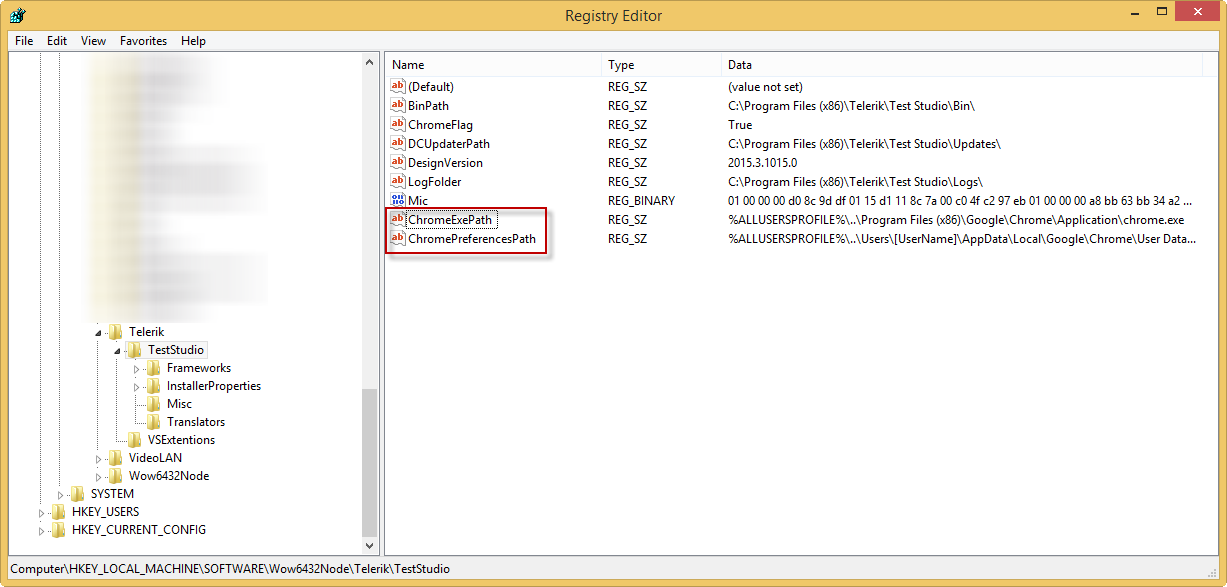
Once you set this Test Studio will look for Chrome in the new specified location.