New to Telerik Test Studio? Start a free 30-day trial
Create a Manual Test
Updated on Jun 1, 2026
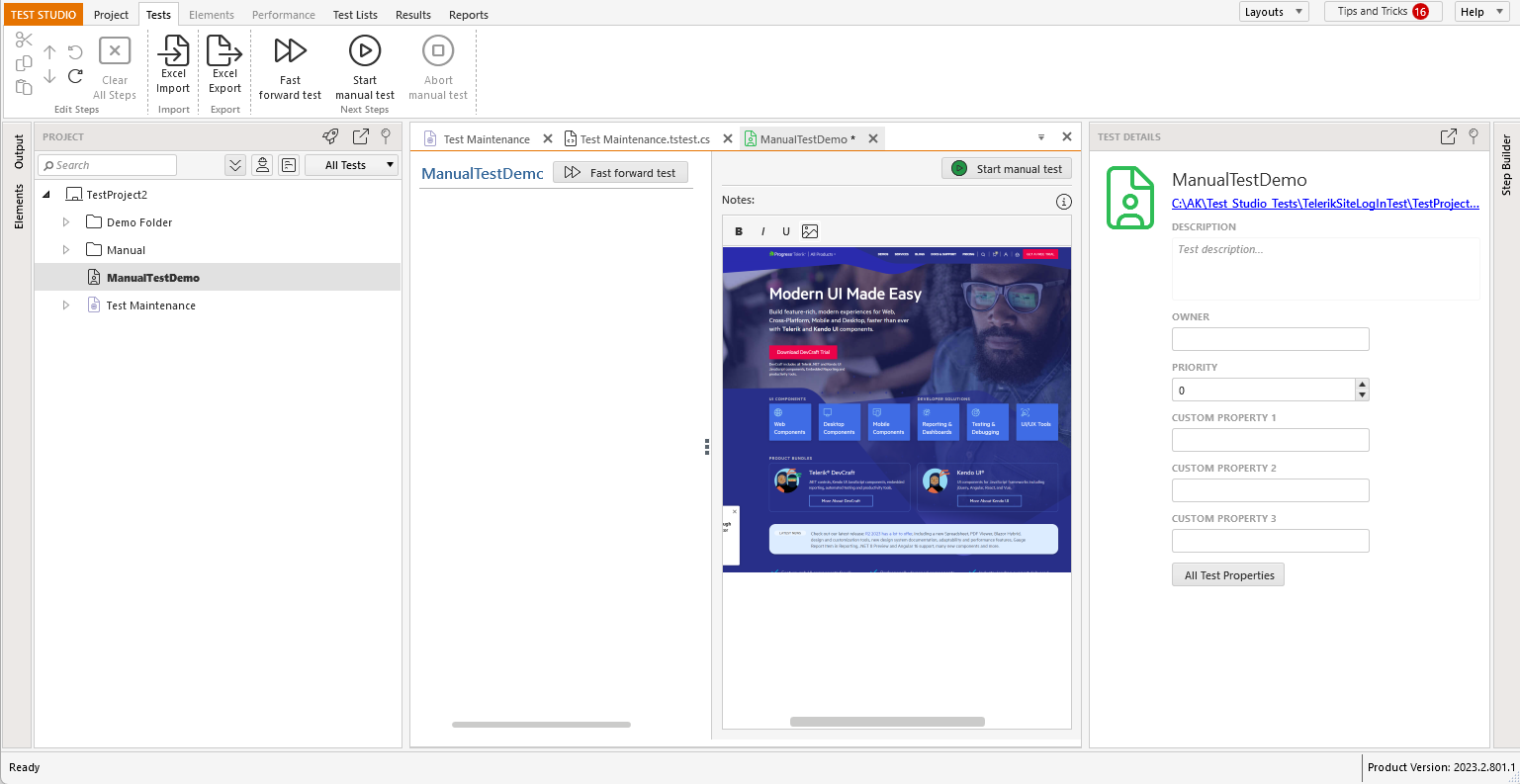
1 Add a Manual Test to Your Project.
2 The Test tab opens and displays the new Manual Test. Type the intended action for each test step. Press Enter to advance to the next step.

3 You can edit the Test Details and Notes of the Manual Test:
-
Description - add more details about your test
-
Owner - the person responsible for the test.
-
Priority - the level of importance for the test.
-
Custom Property - you can better organize your tests using custom property.
-
Notes - add helpful descriptions and test requirements.
-
Images - attach screen shots or image assets of your application.