New to Telerik Test Studio? Start a free 30-day trial
Change Step Target Element
Updated on Jun 1, 2026
If a test step targets an incorrect element, or if you add a new element to the Elements Repository and wish for a step to target this new element, you can change the target element of a test step.
To choose a different target element for a specific test step from the Elements Repository:
-
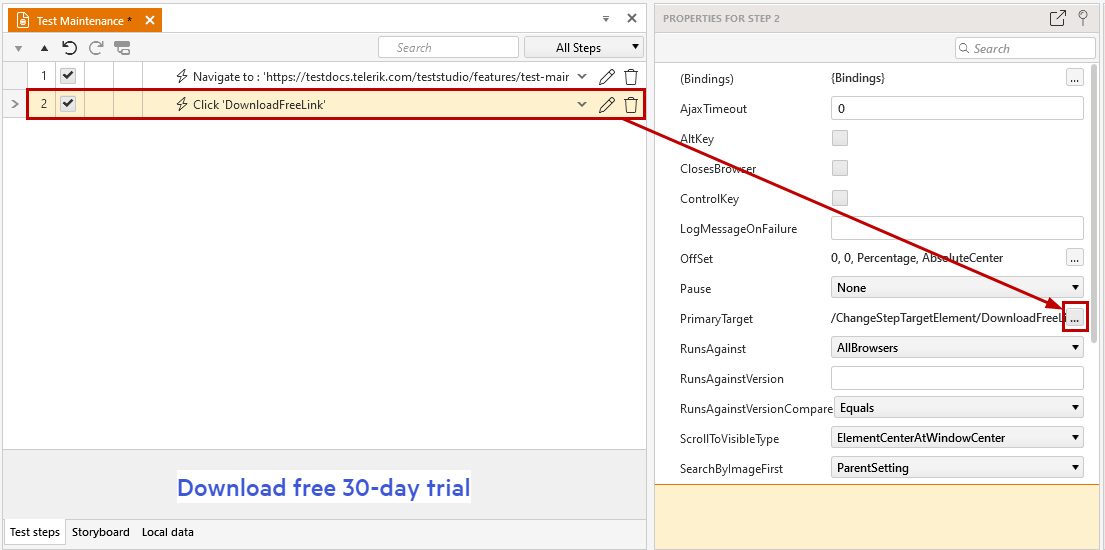
Select a step from the Test Steps Panel.
-
In the Test Step Properties pane, click the Primary Target property.
-
Click the '...' button.
-
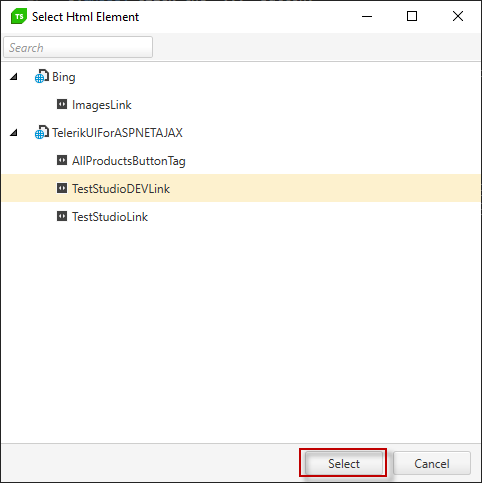
In the Project Elements Selector, click the new target element for the test step.
-
Click Select.