New to Telerik Test Studio? Start a free 30-day trial
SQL Database Example
Updated on Jun 1, 2026
Let's say we have a SQL Server with the name of SQLEXPRESS. We have to create a database in this server in order to use it for data binding. One way to do it is by using SQL Management Studio.
Let's create a database called myFirstDB:
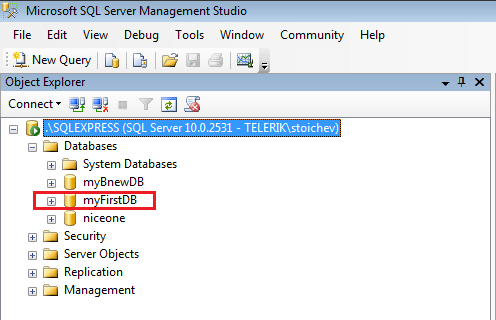
Now we can connect to it and use it for data-driven testing.
-
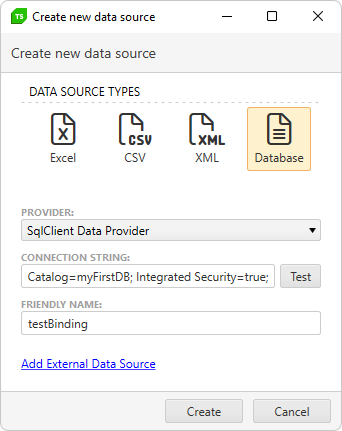
Load the Create New DataSource menu.
-
Choose Database.
-
For Provider, select SqlClient Data Provider.
-
Here's an example for Connection String:
Data Source=MACHINENAME\SQLEXPRESS; Initial Catalog=myFirstDB; Integrated Security=true;- Data Source is the name of the SQL Server.
- Initial Catalog is the named of the Database.
It is possible to use different connection strings. See here for more examples.
-
Customize the Friendly Name as desired.
-
Click on Create button and the new data source should appear in the Data Sources list.