Telerik UI for .NET MAUI
What's New 2026 Q2
What's New HistoryArchived release. This page is no longer updated. Check the Latest Release
What's New 2026 Q2
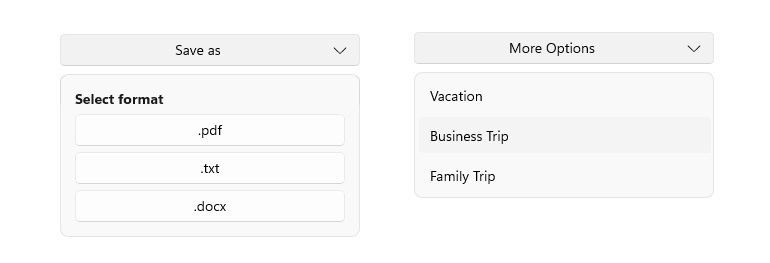
Telerik UI for .NET MAUI DropDown Button
The Dropdown Button brings a streamlined way to group related actions in Telerik UI for .NET MAUI by combining a button and dropdown menu into a single control. Designed for scenarios where the primary interaction is opening a list of additional options, it helps developers simplify command surfaces while delivering a cleaner user experience. Unlike the Split Button, where the main button triggers a separate standalone action, the Dropdown Button is focused on revealing the available menu actions, while still allowing developers to handle click behavior when needed.
See the Telerik UI for .NET MAUI DropDown Button Documentation
Telerik UI for .NET MAUI Smart Paste
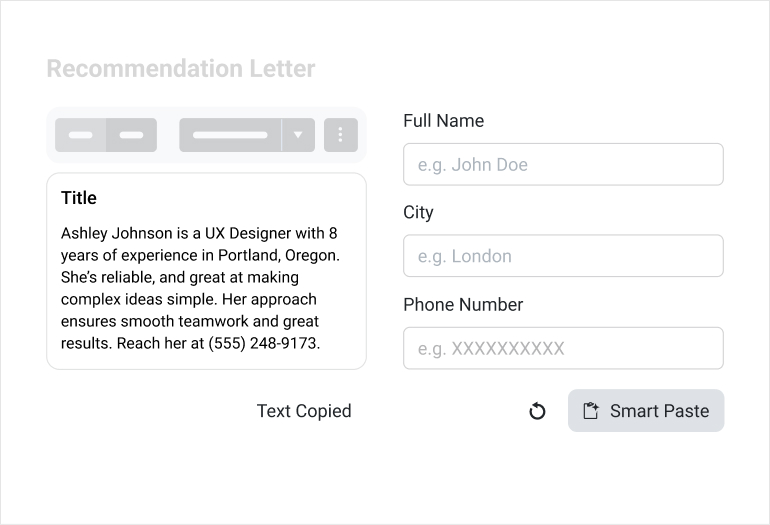
The Smart Paste Button brings AI-assisted form filling to .NET MAUI, making data entry faster and more intuitive. It lets users paste unstructured clipboard content, then uses AI to extract and map the relevant information into the appropriate form fields automatically. With built-in Data Form integration, flexible styling, visual states, commands, and rich event support, it delivers a polished experience for intelligent, streamlined input scenarios.
See the Telerik UI for .NET MAUI Smart Paste Documentation
Telerik UI for .NET MAUI PromptInput
The PromptInput is built to support human-AI communication in Telerik UI for .NET MAUI, offering a modern input experience that also serves as the new text entry component in Chat while being available as a standalone control. With support for single-line, multiline, and auto-expanding modes, fluid prefix and suffix item positioning, and integrations such as speech-to-text and file selection, it gives developers a flexible and polished foundation for conversational and AI-powered experiences.
See the Telerik UI for .NET MAUI PromptInput Documentation

Telerik UI for .NET MAUI SegmentedControl
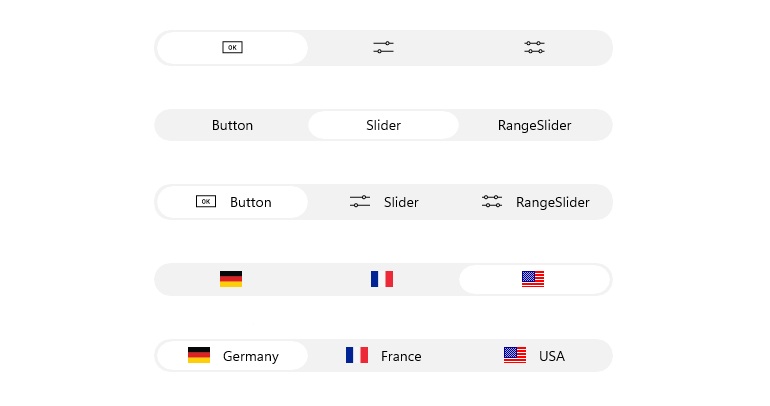
The Segmented Control moves beyond the compatibility layer with a modernized .NET MAUI implementation that improves performance, maintainability, and alignment with current MAUI design standards. The update maintains existing functionality while introducing a configurable Font Size property, giving developers more control over segment text presentation and making it easier to adapt the control to a wide range of application designs across all supported platforms.
See the Telerik UI for .NET MAUI SegmentedControl Documentation
Telerik UI for .NET MAUI Toggle & Templated Buttons
The Toggle & Templated Buttons gain proper keyboard navigation support in Telerik UI for .NET MAUI, making them more accessible and better suited for desktop and keyboard-driven scenarios. With support for standard focus and activation keys, consistent visual focus cues, and improved focus management across supported platforms, the update aligns these components with expected MAUI interaction patterns and delivers a more complete experience for enterprise and accessibility-focused applications.
Telerik UI for .NET MAUI Public NuGet Distribution
The move to public NuGet distribution improves package restore reliability and makes Telerik UI for .NET MAUI components easier to discover and adopt. By reducing dependence on a private feed and introducing a phased hybrid rollout for MAUI, Blazor, and DPL, the update strengthens the developer experience, expands accessibility for new users, and establishes a more scalable distribution model while minimizing customer risk.
See the Telerik UI for .NET MAUI Public NuGet Distribution Documentation
Integrated AI Chat in Telerik and Kendo UI Documentation
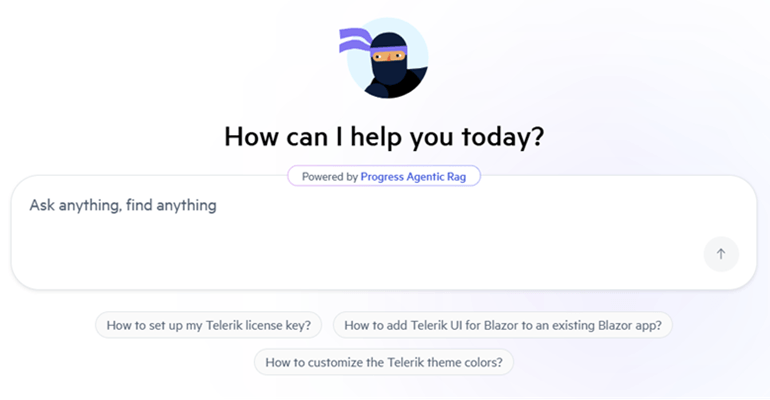
Telerik and Kendo UI documentation pages now support an integrated AI Chat, allowing you to easily ask questions and receive instant, context-aware answers directly within the page. The assistant helps you quickly locate relevant information, understand features, and explore related topics without interrupting your workflow. By combining search and conversational guidance, it streamlines navigation and improves productivity when working with components and APIs.
What's New 2026 Q1
New Editor Component
The new Editor component enables users to enter and edit multi-line text with ease, making it ideal for scenarios that require larger or more flexible text input. Designed for efficient handling of longer content, with smooth and predictable editing experience across devices.
Developers can customize the Editor to fit their application’s needs with features such as watermarks, read-only state, configurable border styles and more, providing a versatile text-editing experience across .NET MAUI applications.
It provides essential text-editing capabilities, including:
- Multiline Entry – Allows users to enter and edit long-form text across multiple lines, making it ideal for comments, notes, descriptions and forms.
- Vertical and Horizontal Scrolling – Supports both scrolling directions to ensure large text content remains easy to navigate without compromising layout.
- Keyboard and Mouse Navigation – Delivers familiar text editing interactions through full keyboard and mouse support for efficient text selection, cursor movement and editing.
See the .NET MAUI RadEditor Documentation
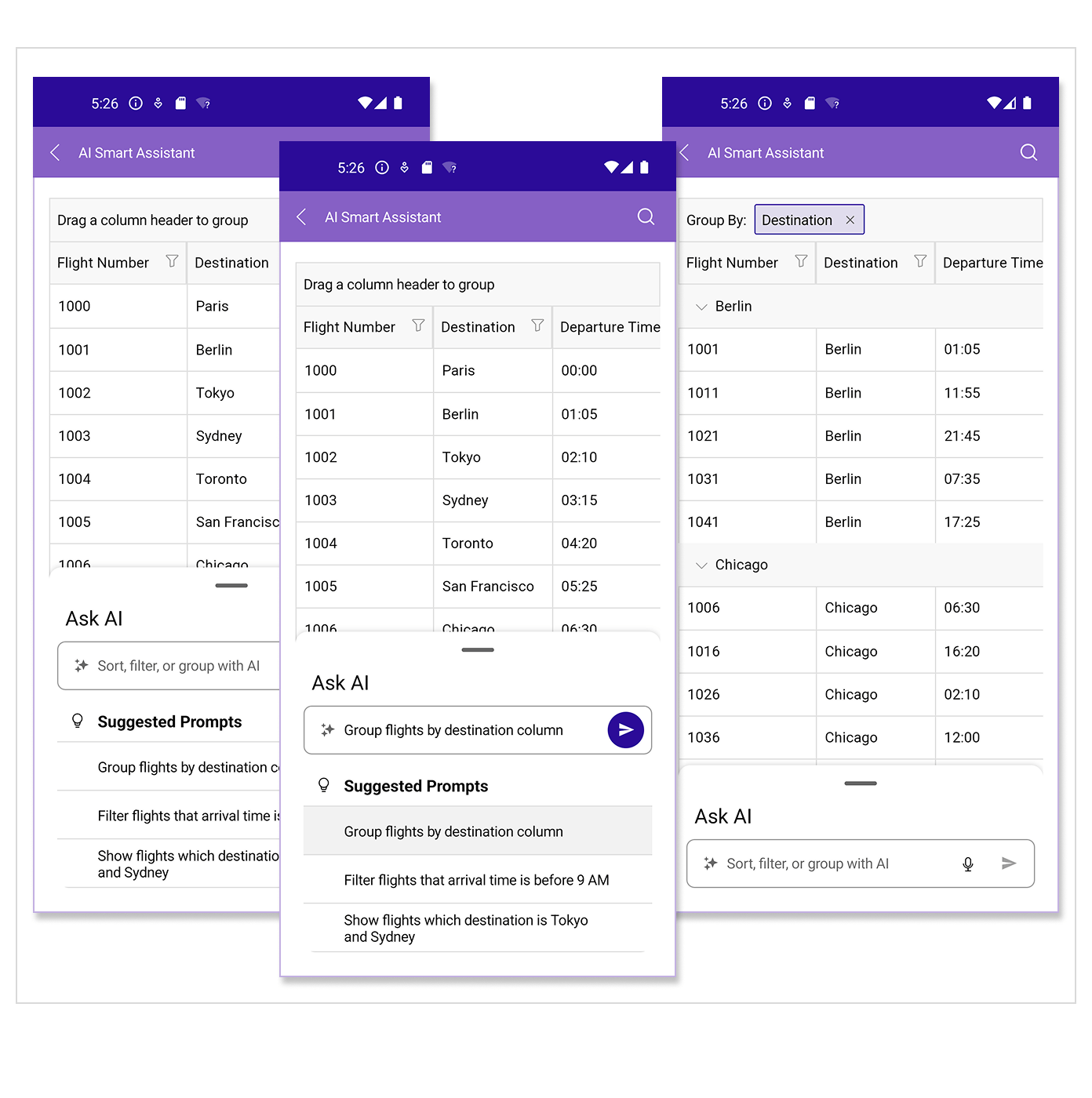
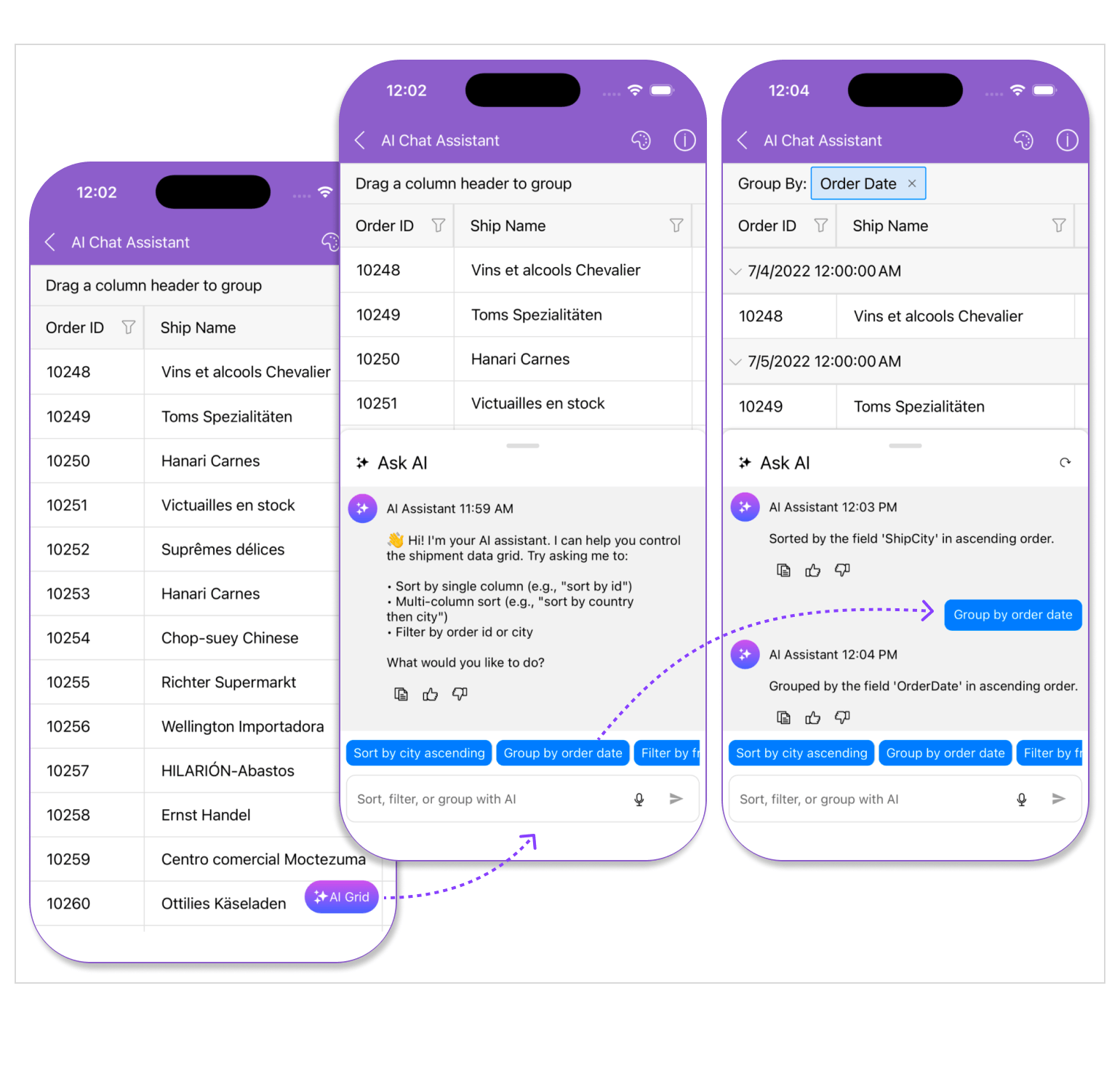
Data Grid Enhancement: Prompt-Controlled DataGrid
The DataGrid now supports prompt-controlled interactions, enabling users to perform grid actions using natural language commands. By integrating AI-driven prompts directly into the DataGrid, users can sort, filter, group or explore data without relying on traditional menus or UI controls, creating a more intuitive and efficient data interaction experience.
See the .NET MAUI DataGrid Documentation: AI Smart Assistant
DataGrid Enhancement: Improved Sort Indicator Customization
The DataGrid now provides enhanced customization options for the sort indicator in column headers, giving developers greater control over its visual styling. This allows better alignment with application themes and more flexibility in tailoring the grid’s appearance.
See the .NET MAUI DataGrid Documentation
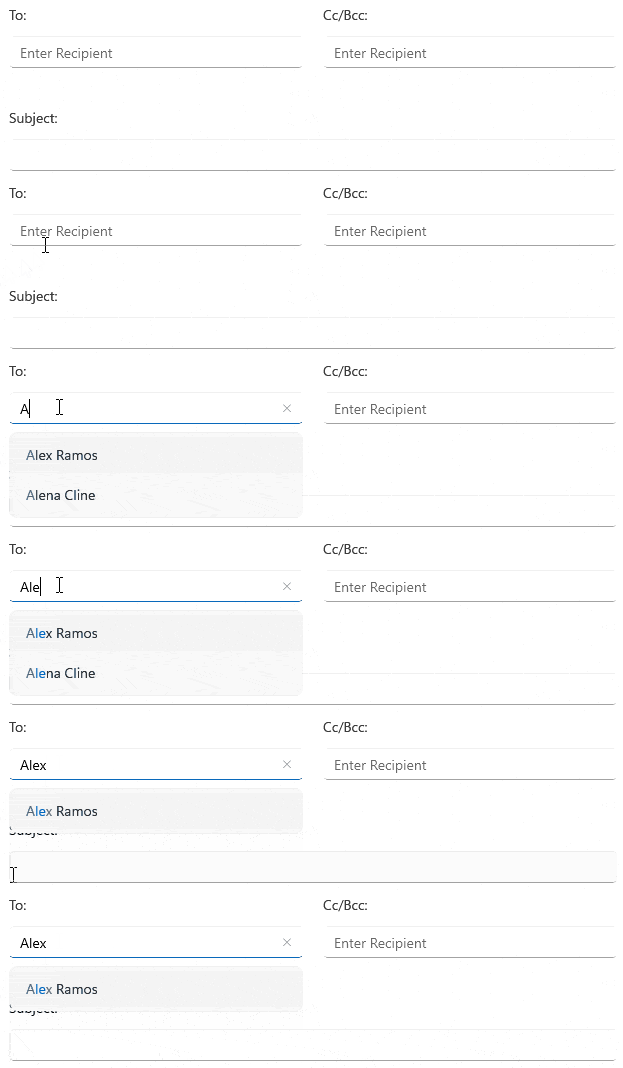
AutoComplete Enhancement: Improved Post-Filtering Highlighting
The AutoComplete component now offers improved post-filtering behavior, allowing developers to control which item is highlighted after the filter is applied. This provides a more predictable selection experience and enables finer control over keyboard navigation and user interaction.
See the .NET MAUI Autocomplete Documentation
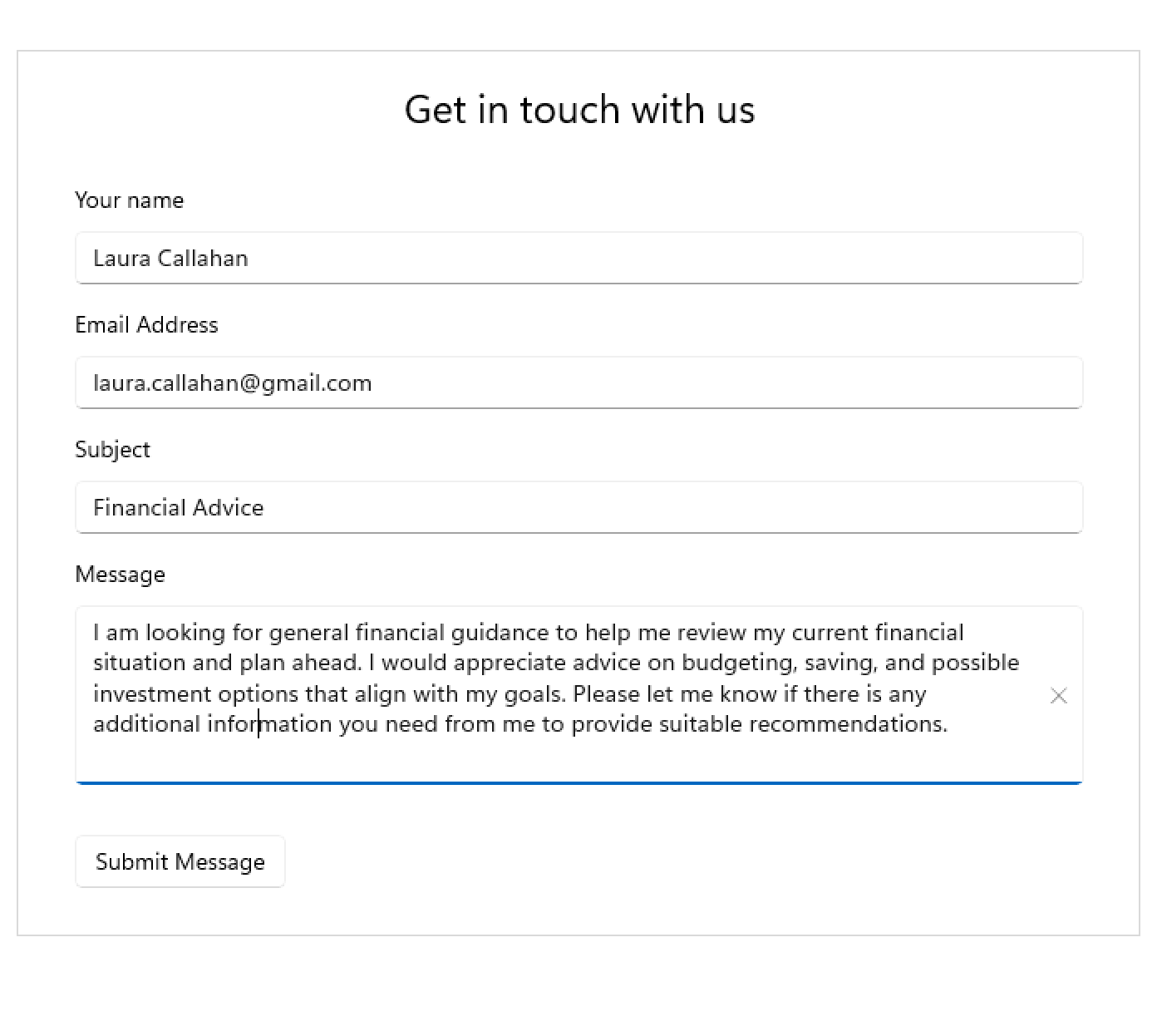
Chat Enhancements: Multiline Editor
The Chat component now integrates a new multiline editor and includes performance optimizations along with multiple bug fixes. These improvements result in a smoother, more responsive conversational experience, especially in scenarios with longer messages or continuous interaction.
See the .NET MAUI Chat Documentation



Get the Bits
Download Free TrialSee Telerik UI for .NET MAUI in action and check out how much it can do out-of-the-box.