.NET MAUI AutoComplete Overview
Updated on Aug 20, 2026
The Telerik UI for .NET MAUI AutoComplete can automatically complete user input string by comparing the text being entered to all strings in the associated data source. The control has a number of advanced features such as different filtering options, tokens support and remote search, as well as full customization capabilities.
 Start Free Trial
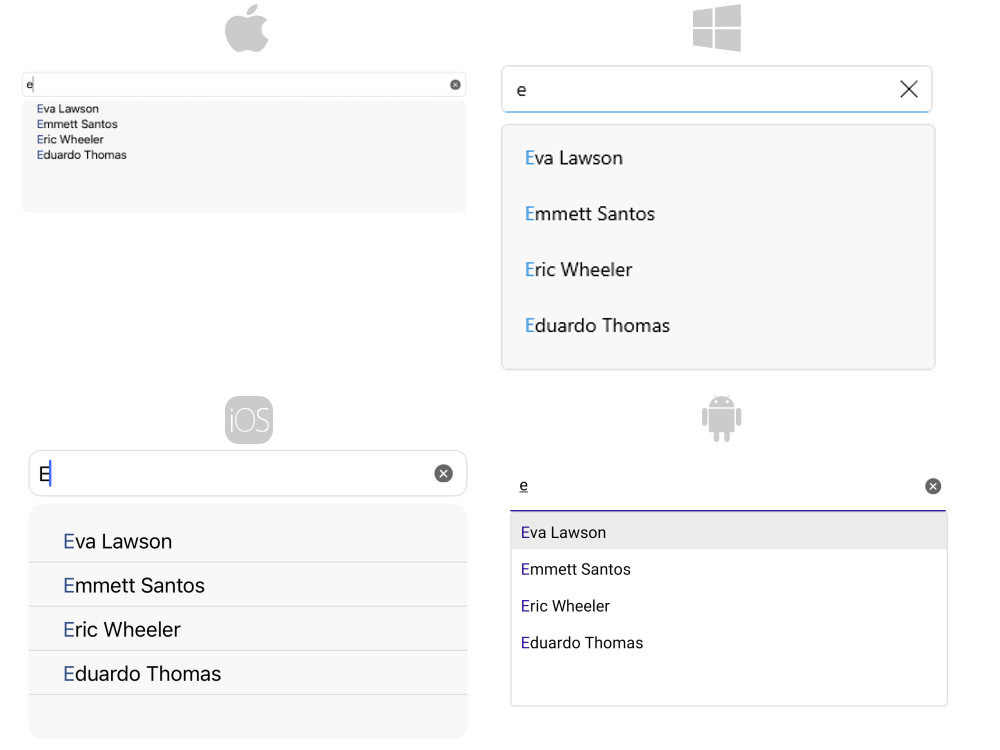
Key Features of the .NET MAUI AutoComplete
- Tokens Support—With AutoComplete you can enable users to search for and pick items in one control.
- Filtering Options—You can define the filtering behavior to display all the matches that either
StartsWithorContainsthe typed symbols. - Different Suggest Modes Support—RadAutoComplete exposes three different modes (Suggest, Append, SuggestAppend) for providing suggestions.
- Placeholder—Used to give guidance to the end user on what can be entered in the text input.
- No results message—No results message appears in the popup used for the list of suggestions whenever the control cannot find any matching items.
- Visualized text formatting—You can control how the text is visualized when choosing an item from the suggestion view.
- Custom Templates—If any of the default templates do not fit in a particular scenario, you can define a custom template.
- Remote Search—Allows you to take the user input, trigger a custom searching algorithm and assign the results to the ItemSource of the AutoComplete.
- Suggestion view visibility—AutoComplete provides the ability to hide the view with the suggestions.
- Suggestion view position—AutoComplete gives you the option to specify whether the
SuggestionViewwill be displayed—above or under the control. - Highlight item behavior—You can define whether the first item in the suggestion view will be highlighted automatically or not.
- Highlight item styling—You can customize the highlight color of the suggestion items.
- Keyboard navigation support—Use keyboard keys for navigation in the .NET MAUI AutoComplete suggestion view. This feature is available on WinUI and Mac Catalyst.
- Nested properties support—This allows binding of a complex object to the
TextSearchPathproperty. - Styling options—For changing the control's border brush and thickness, font options, suggestion item highlight text color and more.