

Latest
For the latest product updates, please visit Release.
-
Web jQuery
How to Use a jQuery Window UI Component in Your Web App
 We continue our training on layout components by learning how to use the Window component. Windows bring attention to some content without interrupting or obstructing the normal operation of the app.
 -
Web jQuery
Getting to Know the New Kendo UI DropDownTree Component
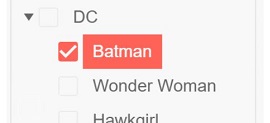 Nothing beats a dropdown component to plug data into a form. In some cases we want the dropdown list to represent our underlying data, which could be in hierarchical form. This is where the DropDownTree comes into play, and it allows you to display hierarchical data rendered as a tree structure within a dropdown element.
 -
Web jQuery
How to Use a jQuery Tooltip UI Component in Your Web App
 Learn how to use a Toolip UI component to add text labels that appear when a user hovers over, focuses on, of clicks on an element. Use in forms too.
 -
Web jQuery
How to Use a jQuery TreeView UI Component in Your Web App (Part 2)
 Take the hierarchical TreeView component further by learning how to programmatically add and delete items and associated actions from a TreeView instance.
 -
Web jQuery
How to Use a jQuery TreeView UI Component in Your Web App (Part 1)
 To display items in a hierarchical, tree-like structure with expandable parent and child nodes, you need a treeview. See how you can easily create and style a custom treeview in Kendo UI.
 by
by  by
by All articles
Topics
Web MobileMobile
Desktop
Design
Productivity
People
Latest Stories
in Your Inbox
Subscribe to be the first to get our expert-written articles and tutorials for developers!
All fields are required