Nuxt 4 Notes with AppWrite

Summarize with AI:
Build a basic to-do app using Nuxt 4 and Appwrite for hands-on setup and TablesDB experience.
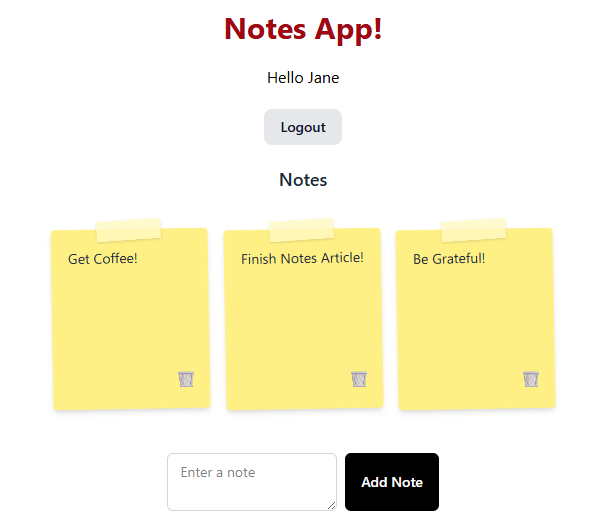
Nuxt has gone through a few updates since Nuxt 4, and Appwrite has some new ways of handling data with TableDB. Let’s build a TODO app!
⚠️ This app assumes you have basic Nuxt knowledge and can create an Appwrite database.
TL;DR
We are building Nuxt Notes, a basic to-do app using Nuxt 4 and Appwrite. I could not find any good documentation on setting up Appwrite correctly with Nuxt 4, nor on handling the new TablesDB class. This will cover both.
Appwrite
- Create a new Appwrite project. This project is called
notes-app. - For this example, we create a new database called
notes. Copy the Database ID for later.
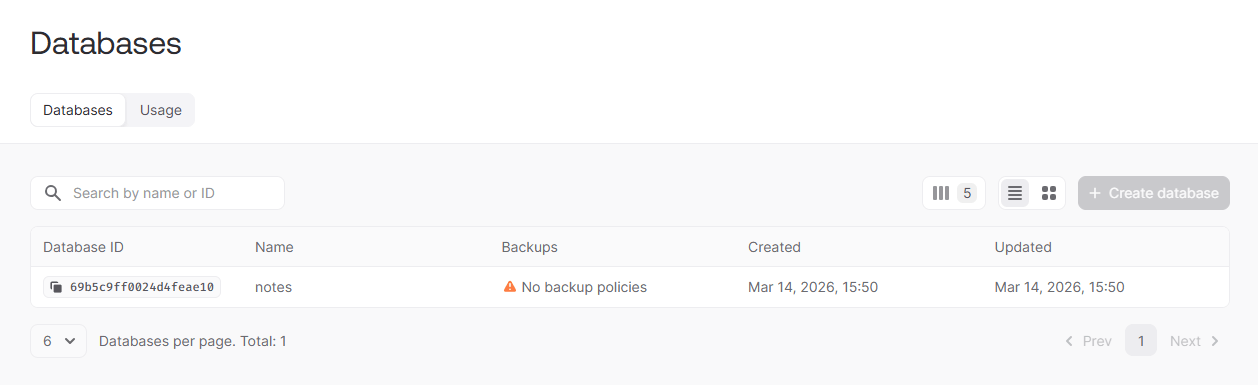
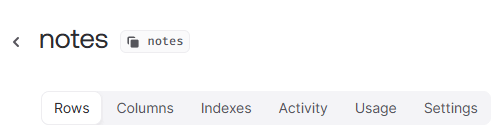
- Since we are not doing anything complex, the table can also be called
notes.
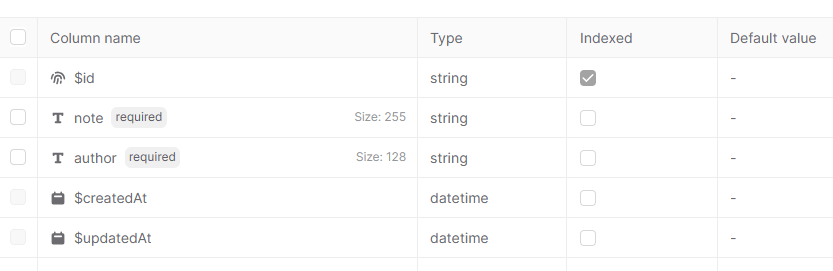
- We need to configure our tables to have a
notestring column and anauthorstring column.
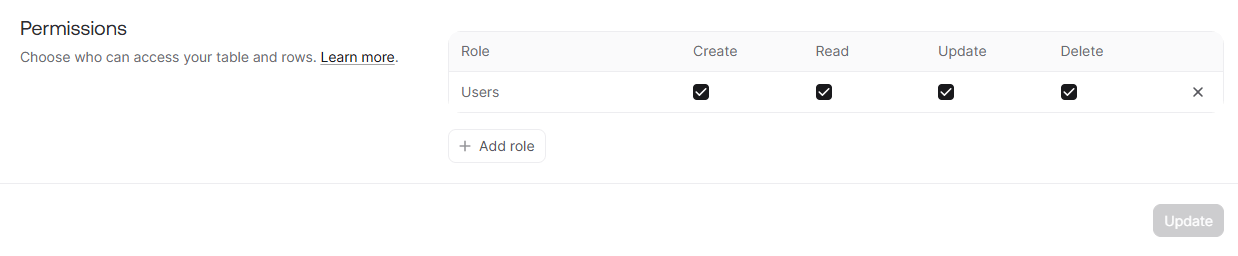
- A user should be able to fully CRUD. You can find this in
Settingsand thenPermissions.
Nuxt 4 Setup
Now we need to configure Nuxt 4 before we handle the notes.
- Create a new Nuxt 4 app.
- Configure Tailwind.
- Install Appwrite with
npm i appwrite.
ENV
First, update nuxt.config.ts to read from .env file.
import tailwindcss from "@tailwindcss/vite";

export default defineNuxtConfig({
  compatibilityDate: "2025-07-15",
  devtools: { enabled: true },
  css: ['./app/assets/css/main.css'],
  vite: {
    plugins: [
      tailwindcss(),
    ],
  },
  runtimeConfig: {
    public: {
      appwriteEndpoint: '',
      appwriteProjectId: '',
      appwriteDatabaseId: '',
    },
  },
});
- Yes, the variables will be empty strings! They automatically get replaced by the ENV data. We use
NUXT_PUBLIC_as the public prefix to allow it to be available on the client. - New words will be capitalized in the config file.
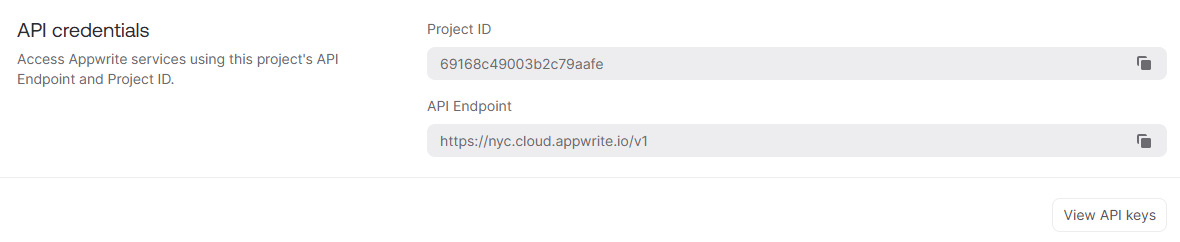
We need to copy our environmental variables into .env from our Appwrite application.
NUXT_PUBLIC_APPWRITE_PROJECT_ID=69168c49003b2c79aafe
NUXT_PUBLIC_APPWRITE_DATABASE_ID=69b5c9ff0024d4feae10
NUXT_PUBLIC_APPWRITE_ENDPOINT=https://nyc.cloud.appwrite.io/v1
- Your data will be completely different!
You can find this in project Settings.
App File at app/app.vue
<template>
  <main class="flex items-center flex-col gap-5 p-5">
    <h1 class="text-3xl font-bold text-red-800">Notes App!</h1>
    <Auth />
  </main>
</template>
- We need to display our app, the
Authcomponent will be created in a bit!
Loader at app/components/loading.vue
We can create a simple loading spinner.
<template>
  <div
    class="animate-spin rounded-full h-10 w-10 border-4 border-b-current border-gray-200"
  ></div>
</template>
Configure Appwrite at app/plugins/appwrite.ts
I believe it is bad practice to export data directly and import it in components. Nuxt has plugins for loading data the correct way.
import { ID, TablesDB } from 'appwrite'
import { Client, Account, Permission, Role, Query } from 'appwrite'

export default defineNuxtPlugin(() => {

    const config = useRuntimeConfig()

    const client = new Client()

    const tables = new TablesDB(client)

    client
        .setEndpoint(config.public.appwriteEndpoint)
        .setProject(config.public.appwriteProjectId)

    const account = new Account(client)

    const databaseId = config.public.appwriteDatabaseId

    return {
        provide: {
            ID,
            Permission,
            Role,
            Query,
            client,
            account,
            tables,
            databaseId
        }
    }
})
- Load the config data with
useRuntimeConfig() - Set the
client,tablesandaccountclasses to be reusable - Initialize the project with our ENV files with
client.setEndpoint().setProject(), and export thedatabaseId
Authentication Composables
Appwrite does not have an observable like Firebase or Supabase. You must manually grab the user when you need it with account.get().
User Composable at app/composables/use-user.ts
import type { Models } from "appwrite"

type User = Models.User<Models.Preferences>

export const useUser = () => {

    const { $account } = useNuxtApp()

    const user = useState<{
        data: User | null,
        loading: boolean
    }>('user', () => ({
        data: null,
        loading: true
    }))

    const getUser = async () => {
        try {
            user.value.loading = true
            user.value.data = await $account.get()
        } catch (error) {
            user.value.data = null
        } finally {
            user.value.loading = false
        }
        return user
    }

    return {
        user,
        getUser
    }
}
- Create a reusable
uservariable, and set it to be sharable from many components withuseStateinstead ofrefwith the current user state. - We need to show a loading state while loading.
getUserwill have to be called on component mounting.
Auth Composable at app/composable/use-auth.ts
import { AppwriteException } from "appwrite"

export const useAuth = () => {

    const { $account, $ID } = useNuxtApp()

    const { getUser } = useUser()

    const authError = ref<string | null>(null)

    const authForm = ref({
        email: "",
        password: "",
        name: ""
    })

    const login = async () => {

        const { email, password } = authForm.value

        try {
            await $account.createEmailPasswordSession({
                email,
                password
            })

            await getUser()

        } catch (error) {
            if (error instanceof AppwriteException) {
                authError.value = error.message
            }
            if (error instanceof Error) {
                authError.value = error.message
            }
            throw error
        }
    }

    const register = async () => {

        const { email, password, name } = authForm.value

        try {
            await $account.create({
                userId: $ID.unique(),
                email,
                password,
                name
            })

            await login()

        } catch (error) {
            if (error instanceof AppwriteException) {
                authError.value = error.message
            }
            if (error instanceof Error) {
                authError.value = error.message
            }
            throw error
        }

    }

    const logout = async () => {
        try {
            await $account.deleteSession({
                sessionId: "current"
            })

            await getUser()

        } catch (error) {
            if (error instanceof AppwriteException) {
                authError.value = error.message
            }
            if (error instanceof Error) {
                authError.value = error.message
            }
            throw error
        }
    }

    return {
        register,
        login,
        logout,
        authError,
        authForm
    }
}
- We must handle
login,registerandlogout. We can also create a shared variable forauthErrorandauthFormcontaining theemail,passwordandnamedata. - Most examples don’t handle errors. We do here by sending a message to the
authErrorsignal. - We need to check for the correct error types, if there is an error.
- Creating an account does not automatically log in the user.
await $account.create({
    userId: $ID.unique(),
    email,
    password,
    name
})
You must manually call login afterward.
await $account.createEmailPasswordSession({
    email,
    password
})

await getUser()
And we call getUser so that our user state signal gets updated reactively.
Auth Component at app/components/auth.vue
<script setup lang="ts">
const { user, getUser } = useUser()
onMounted(getUser)
</script>

<template>
  <template v-if="user.loading">
    <Loading />
  </template>
  <template v-else-if="user.data">
    <Logout />
    <Notes />
  </template>
  <template v-else>
    <LoginForm />
  </template>
</template>
- We call
getUseron mount to load the user state. - We display loading if necessary.
- We show login form if not logged in; otherwise we show logout with our notes component.
Logout Component at app/components/logout.vue
<script setup lang="ts">
const { logout } = useAuth()
const { user } = useUser()
</script>

<template>
  <h1>Hello {{ user.data?.name }}</h1>
  <button
    type="button"
    @click="logout"
    class="rounded-lg bg-gray-200 px-4 py-2 text-sm font-medium text-gray-900 transition hover:bg-gray-300"
  >
    Logout
  </button>
</template>
- We display the
nameusinguseUser, and create a link tologoutusinguseAuth.
Login Form
Let’s handle registering and logging in!
<script setup lang="ts">
const { login, register, authError, authForm } = useAuth()

const isLogin = ref(true)
</script>

<template>
  <div
    class="mx-auto max-w-md rounded-xl border border-gray-200 bg-white p-6 shadow-sm"
  >
    <form class="space-y-3">
      <input
        autocomplete="email"
        type="email"
        placeholder="Email"
        v-model="authForm.email"
        class="w-full rounded-lg border border-gray-300 px-3 py-2 text-sm outline-none transition focus:border-gray-500"
      />

      <input
        autocomplete="current-password"
        type="password"
        placeholder="Password"
        v-model="authForm.password"
        class="w-full rounded-lg border border-gray-300 px-3 py-2 text-sm outline-none transition focus:border-gray-500"
      />

      <template v-if="isLogin">
        <p class="text-sm text-gray-600">
          Don't have an account?
          <button
            type="button"
            @click="isLogin = false"
            class="text-blue-600 hover:underline"
          >
            Register
          </button>
        </p>
      </template>
      <template v-else>
        <input
          autocomplete="name"
          type="text"
          placeholder="Name"
          v-model="authForm.name"
          class="w-full rounded-lg border border-gray-300 px-3 py-2 text-sm outline-none transition focus:border-gray-500"
        />
        <p class="text-sm text-gray-600">
          Already have an account?
          <button
            type="button"
            @click="isLogin = true"
            class="text-blue-600 hover:underline"
          >
            Login
          </button>
        </p>
      </template>

      <template v-if="isLogin">
        <button
          type="button"
          @click="login"
          class="rounded-lg bg-gray-900 px-4 py-2 text-sm font-medium text-white transition hover:bg-gray-800"
        >
          Login
        </button>
      </template>
      <template v-else>
        <button
          type="button"
          @click="register"
          class="rounded-lg bg-gray-200 px-4 py-2 text-sm font-medium text-gray-900 transition hover:bg-gray-300"
        >
          Register
        </button>
      </template>
      <template v-if="authError">
        <p class="mt-2 text-sm text-red-600">{{ authError }}</p>
      </template>
    </form>
  </div>
</template>
isLoginwill toggle login versus registering.- We don’t need to program any functions in our component, as this is all beautifully handled in our
useAuthcomposable! - We could have created our reactive data directly in this component, but in this case it is automatically synced with the composable.
Notes
We need to add and remove notes.
Notes Composable at app/composables/use-notes.ts
import { AppwriteException } from "appwrite"

type Note = {
    note: string,
    id: string
}

export const useNotes = () => {

    const notes = useState<{
        data: Note[],
        loading: boolean
    }>('notes', () => ({
        data: [],
        loading: false
    }))

    const newNote = ref('')

    const noteError = ref<string | null>(null)

    const { user } = useUser()

    const {
        $tables,
        $ID,
        $databaseId,
        $Permission,
        $Role,
        $Query
    } = useNuxtApp()

    const getNotes = async () => {

        if (!user.value.data) {
            throw new Error('User not authenticated')
        }

        const userId = user.value.data.$id

        try {
            notes.value.loading = true
            const { rows } = await $tables.listRows({
                databaseId: $databaseId,
                tableId: 'notes',
                queries: [
                    $Query.equal('author', userId)
                ]
            })

            notes.value.data = rows.map(row => ({
                note: row.note,
                id: row.$id
            }))
        } catch (error) {
            if (error instanceof AppwriteException) {
                noteError.value = error.message
            }
            if (error instanceof Error) {
                noteError.value = error.message
            }
            throw error
        } finally {
            notes.value.loading = false
        }
    }

    const addNote = async () => {

        const note = newNote.value.trim()

        const userData = user.value?.data

        if (!userData) {
            throw new Error('User not authenticated')
        }

        const userId = userData.$id

        // optimistically add note

        const rowId = $ID.unique()

        notes.value.data.push({
            note,
            id: rowId
        })

        newNote.value = ''

        try {
            await $tables.createRow({
                databaseId: $databaseId,
                tableId: 'notes',
                rowId,
                data: {
                    note,
                    author: userId
                },
                permissions: [
                    $Permission.read($Role.user(userId)),
                    $Permission.update($Role.user(userId)),
                    $Permission.delete($Role.user(userId))
                ]
            })

        } catch (error) {

            // remove optimistically added note
            notes.value.data = notes.value.data.filter(n => n.note !== note)

            newNote.value = note

            if (error instanceof AppwriteException) {
                noteError.value = error.message
            }
            if (error instanceof Error) {
                noteError.value = error.message
            }
            throw error
        }
    }

    const removeNote = async (id: string) => {

        // optimistically remove note
        const index = notes.value.data.findIndex(n => n.id === id)

        if (index === -1) {
            noteError.value = 'Note not found'
            return
        }

        const note = notes.value.data[index]!

        notes.value.data.splice(index, 1)

        try {
            await $tables.deleteRow({
                databaseId: $databaseId,
                tableId: 'notes',
                rowId: id
            })
        } catch (error: unknown) {
            // re-add optimistically removed note
            notes.value.data.splice(index, 0, note)
            if (error instanceof AppwriteException) {
                noteError.value = error.message
            }
            if (error instanceof Error) {
                noteError.value = error.message
            }
            throw error
        }
    }

    const resetNotes = () => {
        notes.value = {
            data: [],
            loading: false
        }
    }

    return {
        addNote,
        removeNote,
        notes,
        noteError,
        getNotes,
        resetNotes,
        newNote
    }
}
- We
getNotesto display them,addNotesfrom the form, andremoveNotesfrom the button. - There should be no case where a user can see notes without being logged in, but we handle that anyway.
const getNotes = async () => {

    if (!user.value.data) {
        throw new Error('User not authenticated')
    }
    ...
- We optimistically add notes to our
notessignal, and if it fails, we remove them. This is what Firebase does automatically. We also optimistically remove them, and if it fails, add them back. This will create an extremely fast UI!
notes.value.data.push({
    note,
    id: rowId
})

...

// optimistically remove note
const index = notes.value.data.findIndex(n => n.id === id)

if (index === -1) {
    noteError.value = 'Note not found'
    return
}

const note = notes.value.data[index]!
- Appwrite handles permissions on create by the user that created them.
await $tables.createRow({
    databaseId: $databaseId,
    tableId: 'notes',
    rowId,
    data: {
        note,
        author: userId
    },
    permissions: [
        $Permission.read($Role.user(userId)),
        $Permission.update($Role.user(userId)),
        $Permission.delete($Role.user(userId))
    ]
})
- We also need the
database idwhen we add a newnote, and we want to match it with the userauthorit belongs to. - The
Role.user(userId)gets created by the logged inuserId. - Removing is simple:
await $tables.deleteRow({
    databaseId: $databaseId,
    tableId: 'notes',
    rowId: id
})
- Fetching requires a filter of the
userId:
const { rows } = await $tables.listRows({
    databaseId: $databaseId,
    tableId: 'notes',
    queries: [
        $Query.equal('author', userId)
    ]
})
Query.equalcovers ourauthorcolumn filter.
Add a Note at app/components/add-note.vue
<script lang="ts" setup>
const { addNote, noteError, newNote } = useNotes()
</script>

<template>
  <form class="mx-auto flex max-w-md gap-2">
    <textarea
      autocomplete="note"
      type="text"
      name="note"
      v-model="newNote"
      placeholder="Enter a note"
      class="flex-1 rounded-md border border-gray-300 px-3 py-2 text-sm outline-none focus:border-gray-500"
    />
    <button
      type="submit"
      @click.prevent="addNote"
      class="rounded-md bg-black px-4 py-2 text-sm font-medium text-white hover:bg-gray-800"
    >
      Add Note
    </button>
  </form>

  <p v-if="noteError" class="mx-auto mt-2 max-w-md text-sm text-red-600">
    {{ noteError }}
  </p>
</template>
- Putting things in our composables makes our templates extremely clean. Again, we handle our errors with
noteError.
Notes Component at app/components/notes.vue
And we display our notes to each user.
<script lang="ts" setup>
const { notes, removeNote, resetNotes, getNotes } = useNotes()

onMounted(getNotes)
onUnmounted(resetNotes)
</script>

<template>
  <p class="mb-4 text-center text-lg font-semibold text-gray-800">Notes</p>
  <template v-if="notes.loading">
    <Loading />
  </template>
  <template v-else-if="notes.data.length">
    <ul
      class="mx-auto mb-6 grid max-w-4xl grid-cols-1 gap-4 sm:grid-cols-2 lg:grid-cols-3"
    >
      <li
        v-for="note in notes.data"
        :key="note.id"
        class="relative min-h-45 -rotate-1 rounded-sm border border-yellow-200 bg-yellow-200 p-4 shadow-md"
      >
        <div
          class="absolute left-1/2 top-0 h-5 w-16 -translate-x-1/2 -translate-y-1/2 -rotate-3 bg-yellow-100/80 shadow-sm"
        />

        <p class="pb-12 text-sm leading-6 text-gray-800">
          {{ note.note }}
        </p>

        <button
          type="button"
          class="absolute bottom-3 right-3 not-[]:px-3 py-1 hover:opacity-50"
          @click="removeNote(note.id)"
        >
          🗑️
        </button>
      </li>
    </ul>
  </template>
  <template v-else>
    <p class="mb-6 text-center text-gray-500">No notes yet. Add one below!</p>
  </template>
  <AddNote />
</template>
- Notice we retrieve our notes on mounting, and we reset our notes signal on unmounting.
- Notes also need a loading state since they are a separate async function.
App Flow
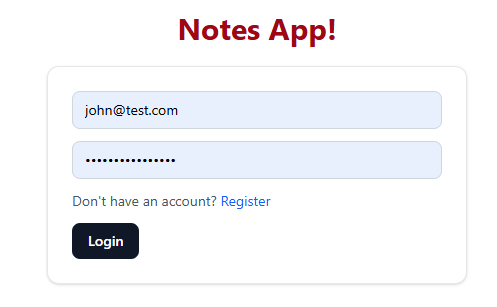
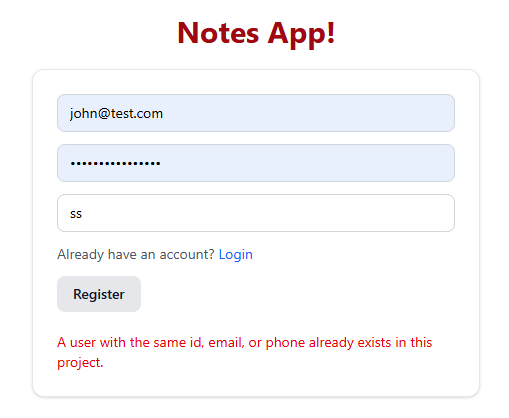
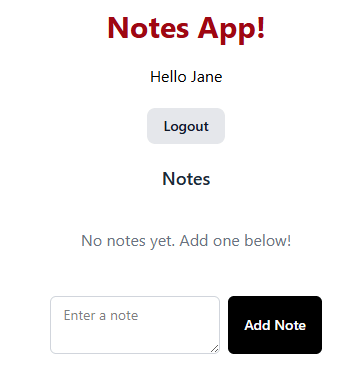
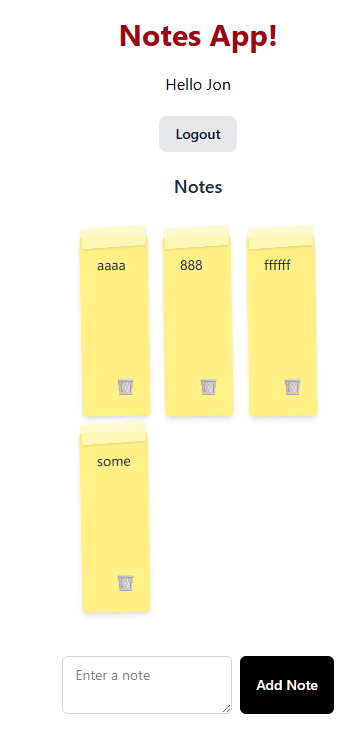
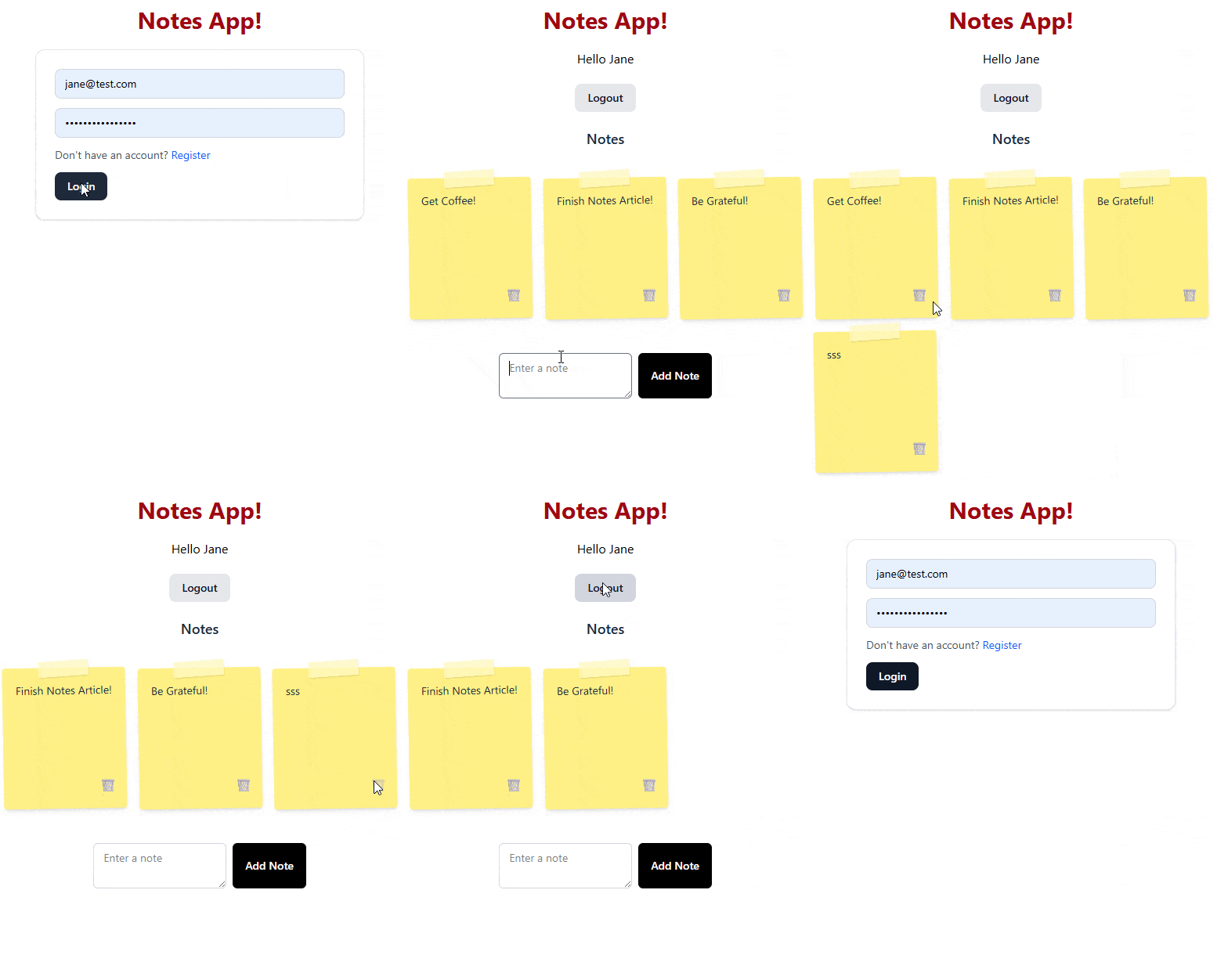
We can login or register, and each user has their own todos!
Repo: GitHub
📝 I don’t have a demo because the free Appwrite project will pause after a certain time, but this demo should be pretty easy to clone.
Happy coding!

Jonathan Gamble
Jonathan Gamble has been an avid web programmer for more than 20 years. He has been building web applications as a hobby since he was 16 years old, and he received a post-bachelor’s in Computer Science from Oregon State. His real passions are language learning and playing rock piano, but he never gets away from coding. Read more from him at https://code.build/.
Related Posts
Comments
All articles
Topics
Web MobileMobile
Desktop
Design
Productivity
People