New to Telerik UI for ASP.NET AJAX? Start a free 30-day trial
Resizing and Reordering
Updated on Oct 7, 2026
This article explains how to resize and reorder columns when RadGrid uses Mobile RenderMode.
Resizing
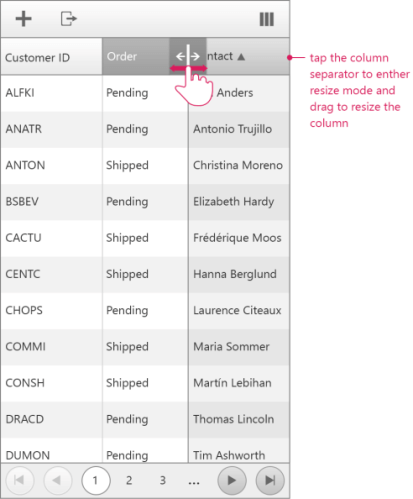
The functionality is similar to the desktop experience. Tap the column separator instead of clicking it to enter resize mode.
Figure 1: Resizing a RadGrid column in Mobile render mode
Reordering
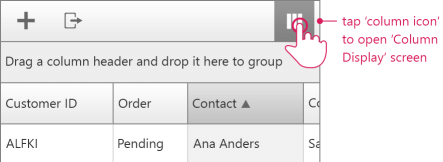
Reordering columns in Mobile render mode differs from the desktop experience. Open the column display form by tapping the column view button.
Figure 2: Opening the RadGrid mobile column display form
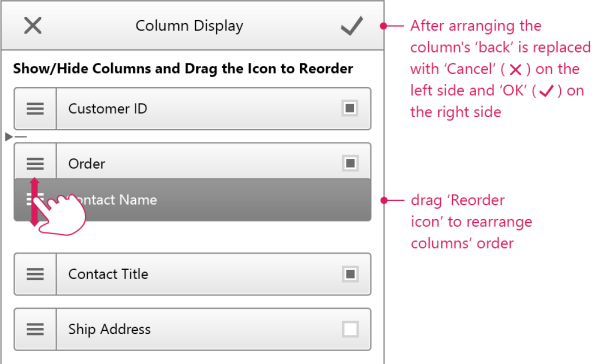
Drag and drop the columns into the desired order, then tap OK to apply the changes.
Figure 3: Applying the reordered RadGrid columns