Mobile Support Overview
RadGrid supports mobile devices through its Mobile and Auto render modes. The grid retains its core functionality while adapting touch interactions and layout for smaller screens.
Scrolling and row drag-and-drop
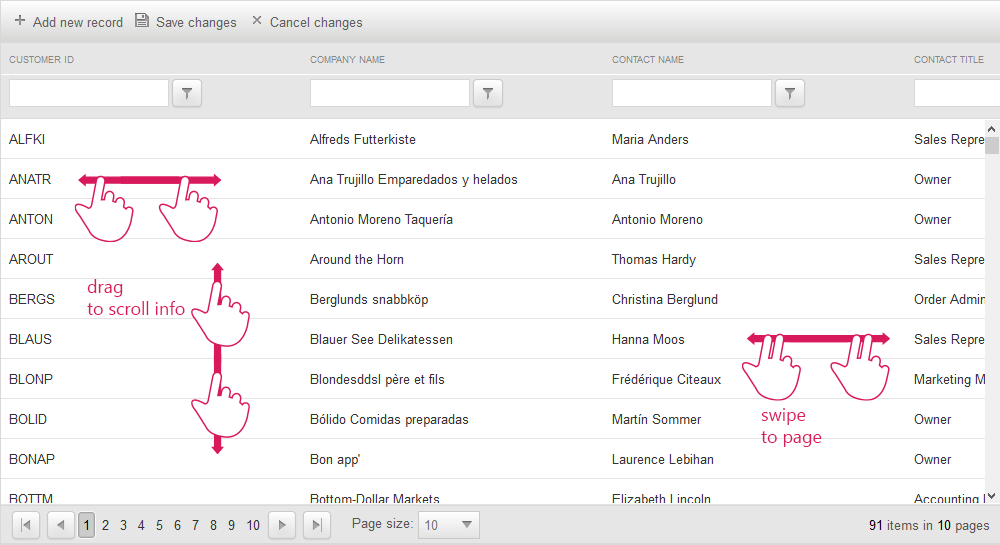
On mobile devices, scrolling and row drag-and-drop use the same touch gesture: dragging the grid content with one touch point. When both features are enabled, RadGrid cannot determine which action the user intends to perform.
To separate the gestures, add a GridDragDropColumn. RadGrid then starts row drag-and-drop only when the user drags the row by the icon in that column; dragging elsewhere scrolls the grid.
Swipe paging
Since Q2 2014, RadGrid has supported a custom swipe gesture for paging on mobile devices. A swipe gesture must meet the following requirements:
-
Two or more touch points remain in contact with the touch surface.
-
All touch points move in the same direction.
-
All touch points maintain that direction throughout the gesture. For example, moving left, then up, and then left again is not valid.
-
If one or more touch points deviates from the others, RadGrid considers the gesture invalid.
-
All touch points pass the required distance threshold from their initial positions.
Figure 1: RadGrid touch gestures for scrolling and paging