.NET MAUI Carousel Highlighted Item
The Carousel highlighted item is the item displayed at the center of the viewport. Use it to read which item the user is viewing or to bring a specific item to the center from code.
Configure the Highlighted Item
To get or set the highlighted item, use the following properties:
HighlightedItem(object)—Specifies the item displayed in the highlighted position.HighlightedIndex(int)—Specifies the zero-based index of the highlighted item. The value is-1when the Carousel has no items. An index outside the item range does not replace the current index.
Both properties update when the user scrolls the Carousel, so you can bind them to your view model to track the current item. To react to the change in code, handle the HighlightedItemChanged event.
Display the Highlighted Item and Define the HighlightedIndex
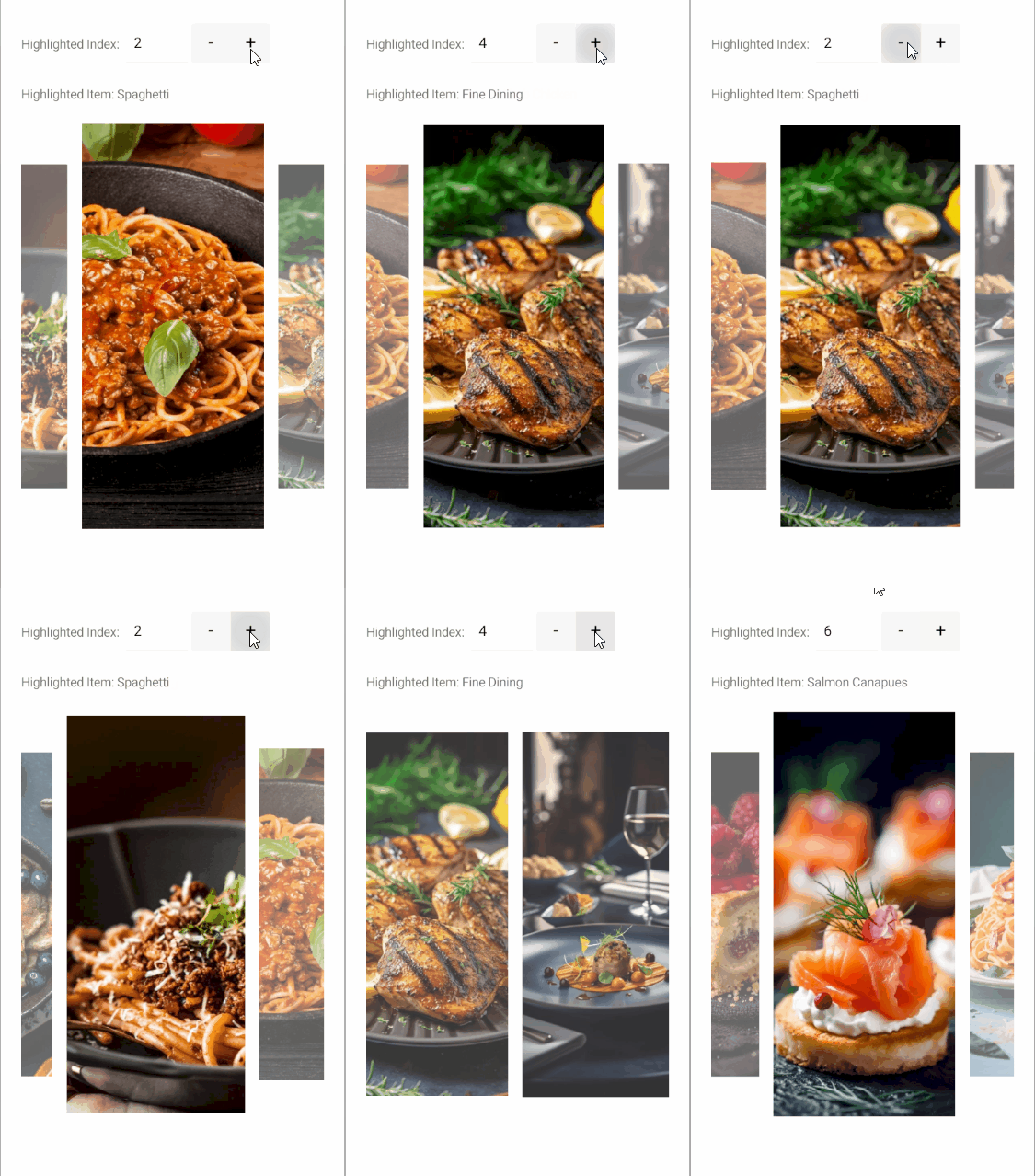
The following example binds a label to the HighlightedItem of the Carousel to display the title of the current item and set the HighlightedIndex to 2 to bring the third item to the center when the page loads.
-
Define the Carousel in XAML:
XAML<Label Grid.Row="1" Text="{Binding HighlightedItem.Title, Source={x:Reference carousel}, StringFormat='Highlighted Item: {0}', x:DataType={x:Null}}" /> -
Add the
teleriknamespace:XAMLxmlns:telerik="http://schemas.telerik.com/2022/xaml/maui" -
Add the business object:
C#public class CarouselItem { public string Title { get; set; } public string Description { get; set; } public string Image { get; set; } public bool IsNewDish { get; set; } } -
Define the
ViewModel:C#public class CarouselViewModel { public ObservableCollection<CarouselItem> Items { get; } = new() { new CarouselItem { Title = "Blueberry Pancakes", Description = "Dutch baby pancake with fresh blueberries, orange zest, and a drizzle of maple syrup.", Image = "carousel_firstlook_1.jpg", IsNewDish = true }, new CarouselItem { Title = "Bolognese", Description = "Slow-simmered ragù with hand-pulled spaghetti, topped with micro herbs.", Image = "carousel_firstlook_2.jpg", IsNewDish = false }, new CarouselItem { Title = "Spaghetti", Description = "Fresh spaghetti with San Marzano tomato sauce and garden basil.", Image = "carousel_firstlook_3.jpg", IsNewDish = false }, new CarouselItem { Title = "Lemon Herb Chicken", Description = "Herb-crusted chicken with lemon butter sauce and roasted vegetables.", Image = "carousel_firstlook_4.jpg", IsNewDish = true }, new CarouselItem { Title = "Fine Dining", Description = "Delicate tartare with edible flowers, micro greens, and golden carrot purée.", Image = "carousel_firstlook_5.jpg", IsNewDish = false }, new CarouselItem { Title = "Raspberry Cake", Description = "Raspberry coulis over a rich cheesecake with fresh berries.", Image = "carousel_firstlook_6.jpg", IsNewDish = true }, new CarouselItem { Title = "Salmon Canapues", Description = "Smoked salmon on crispy toasts with cream cheese and dill.", Image = "carousel_firstlook_7.jpg", IsNewDish = false }, new CarouselItem { Title = "Shrimp Fettuccine", Description = "Tiger prawns tossed with fettuccine in a light garlic cream sauce.", Image = "carousel_firstlook_8.jpg", IsNewDish = true } }; }
When the user scrolls to another item, the label text updates with the title of the new highlighted item.
This is the result:
For a runnable example with the Carousel Highlighted Item scenario, see the SDKBrowser Demo Application and go to the Carousel > Features category.