Singleton or Not? Understanding Angular Services the Right Way

Summarize with AI:
Angular services are singleton and tree-shakeable by default, but there are some important catches to these states. Let’s understand what those are.
Angular services are a core feature of the framework, used to share data and functionality across components. Their primary purposes include:
- Angular services are classes used to organize and share reusable logic across components.
- They help keep components clean by handling data, business rules and API interactions.
- Services use Angular’s dependency injection system, making them easy to share and test.
- They can also act as lightweight state stores using signals, computed values and effects.
You create an Angular service by running a CLI command:
ng g s log
This command should scaffold the LogService as shown below:
import { Injectable } from '@angular/core';

@Injectable({
  providedIn: 'root',
})
export class Log {

}
When you create a service in Angular, you encounter two key characteristics:
- Services are tree-shakeable
- Services are singletons
In this article, we will explore the truthfulness of these two behaviors in depth. Read on.
Are Angular Services Tree-Shakeable?
By default, Angular services are tree-shakeable. Tree-shaking is a dead code elimination technique that removes unused code from the final bundle, reducing application size and improving performance.
Angular tree-shakes a service and excludes it from the final bundle:
- If it is provided with
providedInoption - If it is not re-provided anywhere in the application using
providersarray - If it is not used anywhere in the application
Let’s consider the service below. We are just logging a message in the service file.
import { Injectable } from '@angular/core';

console.log('service is part of the bundle');

@Injectable({
  providedIn: 'root',
})
export class Log {

}
Let’s assume that this service is not used anywhere in the application, and you run the Angular application. In the browser console, you won’t find the message logged.
Next, in the AppComponent (the root component of the application) or any other component, add the LogService to the providers array, as shown below.
@Component({
  selector: 'app-root',
  imports: [],
  templateUrl: './app.html',
  providers:[Log],
  styleUrl: './app.css'
})
export class App {

}
Even in this case, the service isn’t being used anywhere in the application. However, you can still see its messages logged in the browser. This happens because when a service is added to the providers array of any component, it is no longer tree-shakeable. As a result, Angular includes it in the final output bundle, even if it’s never actually used in the application.
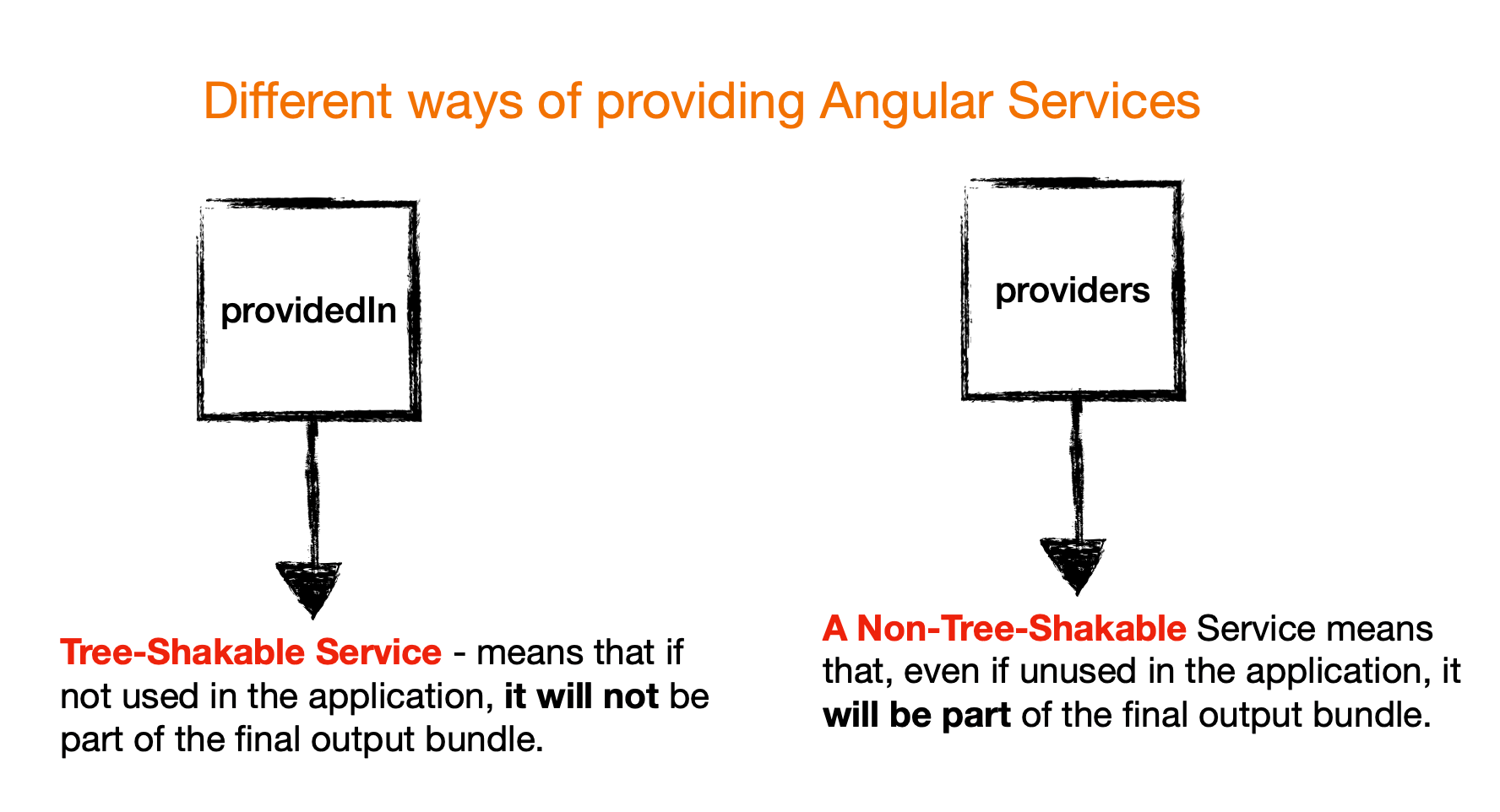
The takeaway is that a service provided with providedIn is tree-shakeable, but a service provided in a component’s providers array is not tree-shakeable.
Are Services Singletons?
By default, Angular Services are singletons. This means that if you do not re-provide them, Angular creates only one object of the service. To understand this, let’s modify the service as shown below:
@Injectable({
  providedIn: 'root',
})
export class Log {

  private static instanceCount = 0;

  constructor() {
    Log.instanceCount++;
    console.log(`Log service instance count: ${Log.instanceCount}`);
  }

}
We add a static variable to count the number of instances Angular creates for this service. And, in the constructor, we increment it to track the number of objects.
Next, we use the LogService in two or more different components. To do that, we simply inject the service as shown below.
@Component({
  selector: 'app-child2',
  imports: [],
  templateUrl: './child2.html',
  styleUrl: './child2.css',
})
export class Child2 {

  logService  = inject(Log);

}
And in other components as shown below:
@Component({
  selector: 'app-child1',
  imports: [],
  templateUrl: './child1.html',
  styleUrl: './child1.css',
})
export class Child1 {

  logService = inject(Log);

}
So, even though the LogService is injected into two components, Angular still creates only one instance of it. In the browser console, you should see the following output.
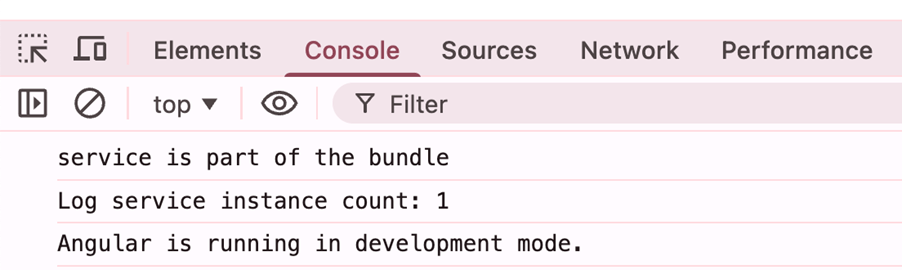
Now, let’s go ahead and re-provide the service again in the Child2Component.
@Component({
  selector: 'app-child2',
  imports: [],
  templateUrl: './child2.html',
  styleUrl: './child2.css',
  providers:[Log]
})
export class Child2 {

  log = inject(Log);

}
You will observe that two objects have been created in the service.
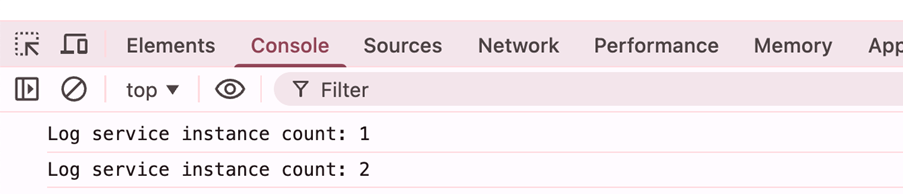
By default, an Angular service is a singleton, but if it is provided again in a component’s providers array, Angular creates additional instances.
Please be informed that even if a service is provided in five different components, Angular does not necessarily create five separate instances. The actual number of instances depends on the provider hierarchy.
Let’s understand the above statement with an example. We have created a service as shown below:
@Injectable({
  providedIn: 'root',
})
export class Log {

  private static count = 0;

  constructor() {
    Log.count = Log.count + 1;
    console.log(`Log service instance count: ${Log.count}`);
  }

  counter = 0;

  setCount() {
    this.counter = this.counter + 1;
  }

  getCount() {
    return this.counter;
  }
}
The LogService is used on the child1 component:
import { Component, inject } from '@angular/core';
import { Log } from '../log';

const template = `
<p>Child 1 Count = {{log.getCount()}}</p>
<button (click)="update()">Update Count </button>
`

@Component({
  selector: 'app-child1',
  imports: [],
  template: template,
  providers: []
})
export class Child1 {

  log = inject(Log);

  update() {
    this.log.setCount();
  }

}
Next, it is used on the Child2 component:
import { Component, inject } from '@angular/core';
import { Log } from '../log';

const template = `
<p>Child 2 Count = {{log.getCount()}}</p>
<button (click)="update()">Update Count </button>
`

@Component({
  selector: 'app-child2',
  template: template,
  providers: []
})
export class Child2 {

  log = inject(Log);

  update() {
    this.log.setCount();
  }
}
Both of these components are used in the App Component:
import { Component } from '@angular/core';
import { Child1 } from './child1/child1';
import { Child2 } from './child2/child2';

const template =` <h1>App Component</h1>
<app-child1></app-child1>
<app-child2></app-child2>
`

@Component({
  selector: 'app-root',
  imports: [Child1,Child2],
  template: template,
  providers:[]
})
export class App {

}
Now, when you run the application, you can see that data is passed between the Child1 and Child2 components, and Angular creates only one instance of the LogService.
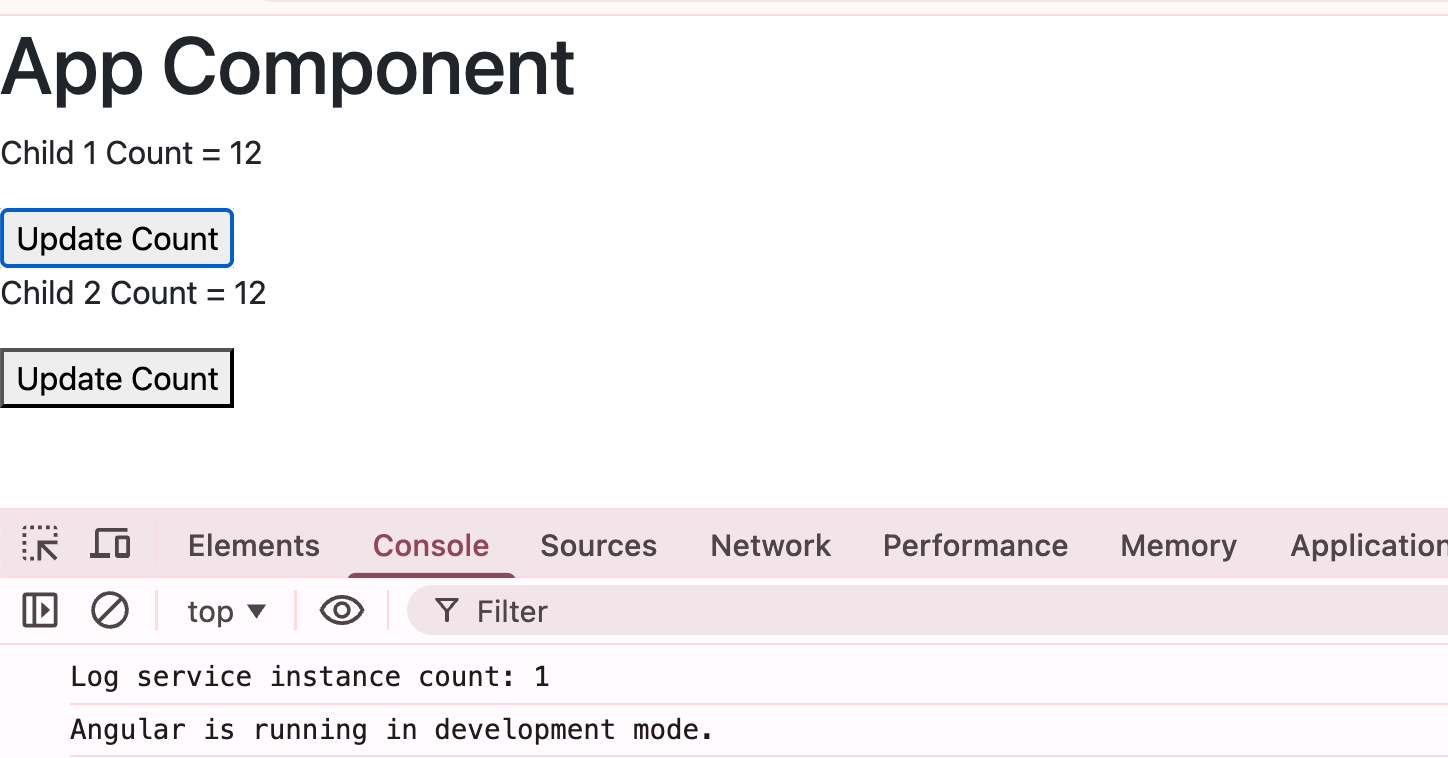
Next, let’s make a small change and add LogService to the providers array of the Child2 component.
@Component({
  selector: 'app-child2',
  template: template,
  providers: [Log]
})
export class Child2 {

  log = inject(Log);

  update() {
    this.log.setCount();
  }
}
Now, what do you notice in the output? You should see the following:
- Two separate instances of
LogServiceare created. - Data is no longer shared between the Child1 and Child2 components.

Next, let’s make another small change and add LogService to the providers array of the App Component.
import { Component } from '@angular/core';
import { Child1 } from './child1/child1';
import { Child2 } from './child2/child2';
import { Log } from './log';

const template = ` <h1>App Component</h1>
<app-child1></app-child1>
<app-child2></app-child2>
`

@Component({
  selector: 'app-root',
  imports: [Child1, Child2],
  template: template,
  providers: [Log]
})
export class App {

}
Now, what do you observe in the output? Data is still not shared between the Child1 and Child2 components, and only two instances of LogService are created.
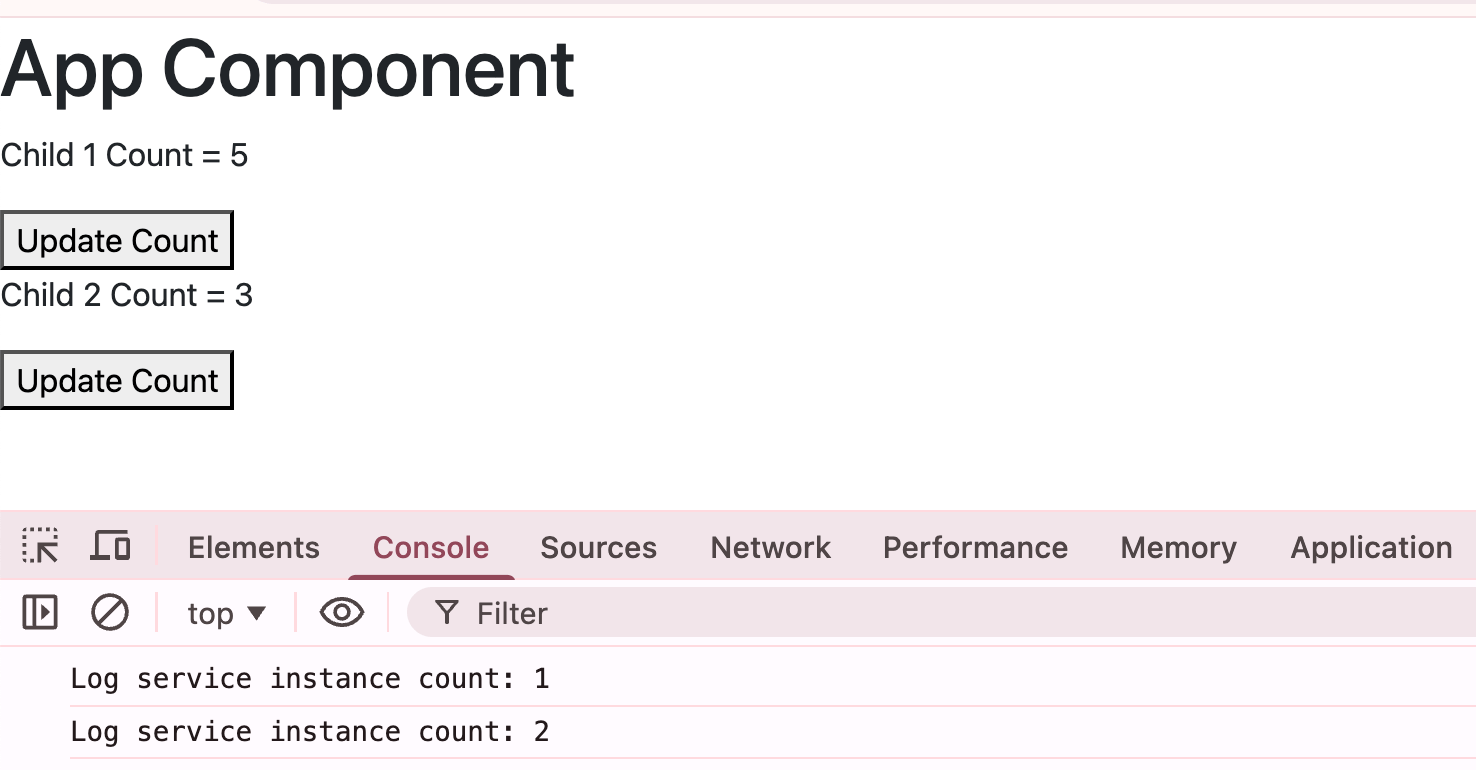
Two instances of LogService are created, not three. You might wonder why it is not three, even though LogService is provided in multiple places:
- The Child1 Component
- The App Component
- And using the providedIn option in the service itself
Let’s understand the above behavior. Angular works with a service in the following steps:
- Step 1 – Is the service used?
- Step 2 – Is the service injected?
- Step 3 – Is the service provided?
So, from the above steps, if a service is used but not injected, Step 2 fails. And for that, Angular gives a compilation error. It searches for the injection in the same component.
However, whether a service is actually provided is determined by Angular at runtime. So, if a service is used and injected but not provided, Angular throws a runtime error, which looks something like this:
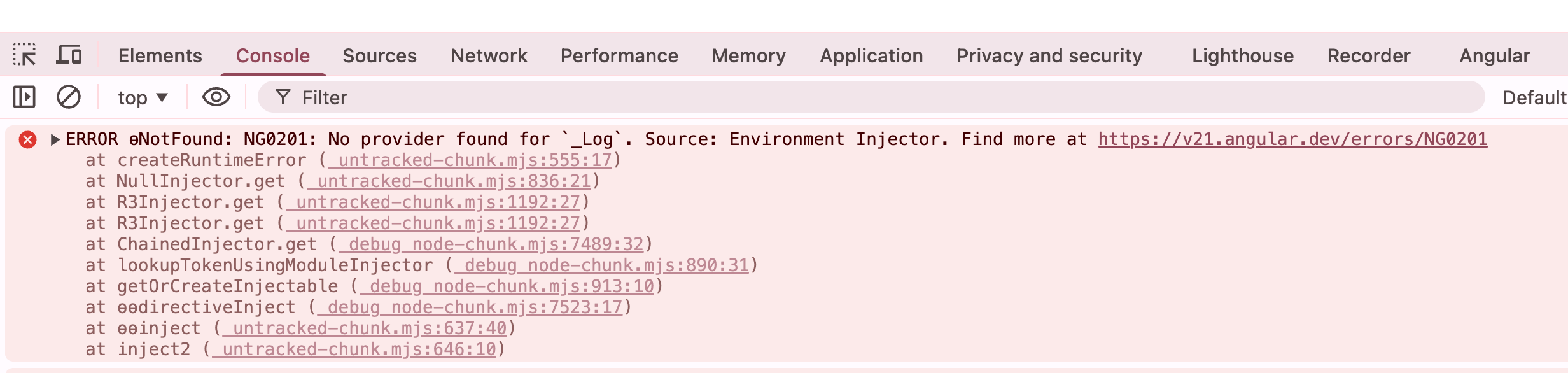
Angular searches for a service provider in the component tree hierarchy. It first looks in the current component; if it finds a provider there, it uses that instance. If not, it moves up to the parent component and continues searching.
If no provider is found in the hierarchy, Angular finally uses the provider configuration defined in the service itself. If it still doesn’t find a provider configuration in the service, Angular throws a runtime error like the one shown above.
Let’s apply the above explanation to the Child2 component.
![Step 1 at this.log.setCount. Step 2 above, at log = inject(Log). Step 3 above, at providers: [Log].](/sfimages/default-source/blogs/2026/2026-02/log-service-hierarchy-1.png?sfvrsn=6f375482_2)
For the Child2 component, since Angular finds the LogService provided directly in the component, it uses the instance created there and does not continue searching in parent components or in the service’s own provider configuration.
However, for the Child1 component, Angular does not find LogService provided within the component itself, so it moves up to the parent AppComponent and finds it there. It then uses that instance and does not continue searching in the service’s own provider configuration.
![Step 1 at this.log.setCount. Step 2 above, at log = inject(Log). Step 3 above, at providers: [Log].](/sfimages/default-source/blogs/2026/2026-02/log-service-hierarchy-2.png?sfvrsn=11117e6b_2)
Now you can see that the Child1 and Child2 components use different instances of LogService, which is why they cannot share data between them.
Also, because LogService is used in only two places, Angular creates one instance for the Child2 component (since it is provided there) and another instance for the Child1 component (from the AppComponent). Angular never reaches the service’s own provider configuration to create an additional instance.
This is why only two instances of LogService are created, not three.
Summary
We learned in this article that Angular services are singleton by default, but when a service is re-provided, Angular creates additional instances.
We also saw that, when using services to share data in a large application, we must be careful. If a service is accidentally re-provided, it may behave unexpectedly and fail to share data as intended.
Additionally, a service is tree-shakeable by default, but once it is added to a providers array, it is no longer tree-shakeable.
I hope you found this article useful. Thanks for reading!

Dhananjay Kumar
Dhananjay Kumar is the founder of nomadcoder, an AI-driven developer community and training platform in India. Through nomadcoder, he organizes leading tech conferences such as ng-India and AI-India. He partners with startups to rapidly build MVPs and ship production-ready applications. His expertise spans Angular, modern web architecture and AI agents, and he is available for training, consulting or product acceleration from Angular to API to agents.
Related Posts
Comments
All articles
Topics
Web MobileMobile
Desktop
Design
Productivity
People