Create a Kendo UI for Angular Dinner Picker

Summarize with AI:
Sick of picking where to go for dinner? Build this little Angular app to help you choose!
Do you ever argue about where to eat? If you’re like me, you can’t think of places half the time, and you just wish someone would pick for you. Well, here you go!
TL;DR
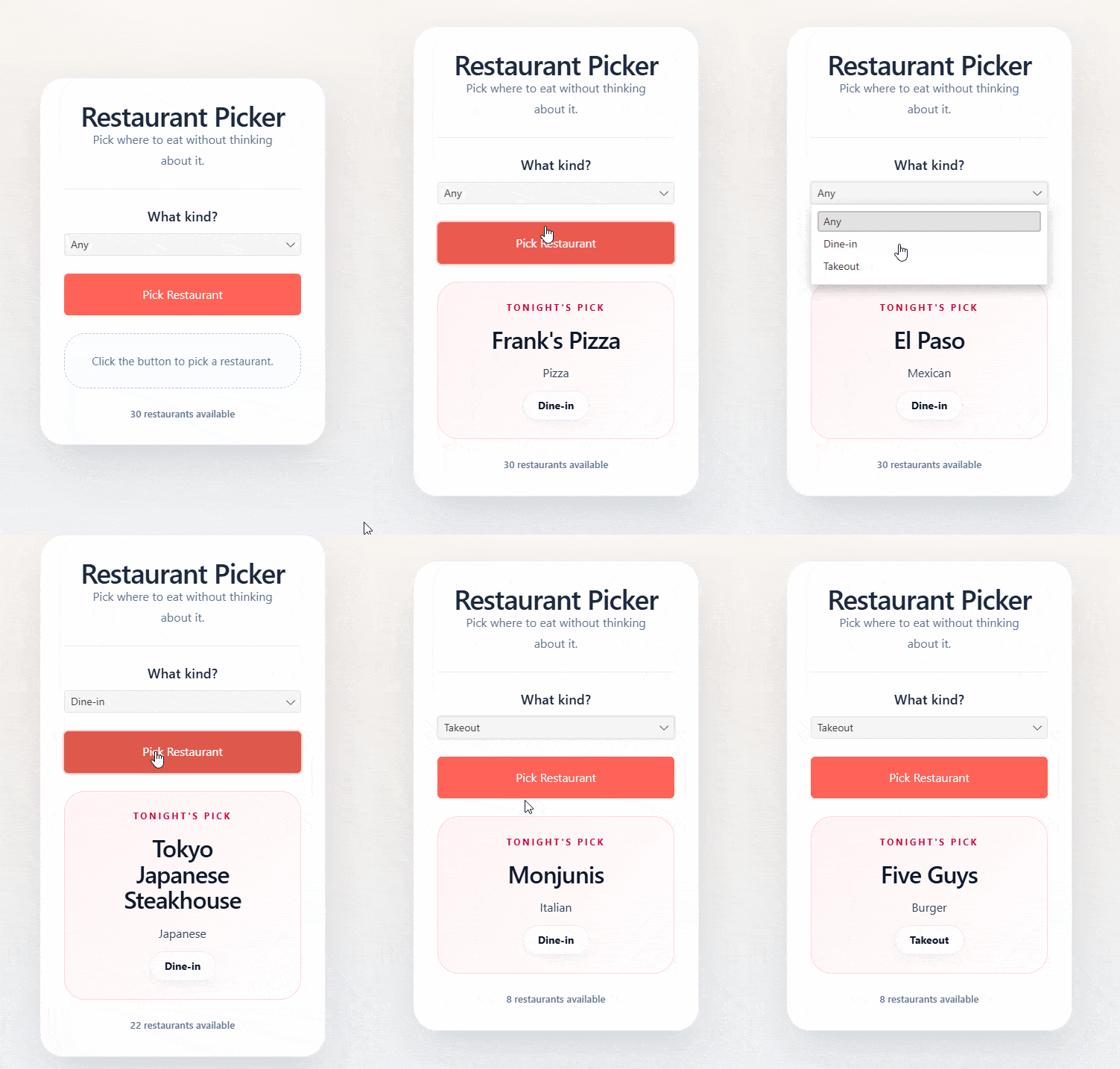
This app will create a random dinner picker from JSON data in Angular using Progress Kendo UI. You can choose from Takeout or Dine-in.
Setup
Create a new Angular app:
ng new angular-dinner-picker
Get a Kendo UI License
Log in to Progress and purchase a Kendo UI for Angular license, or try it for free.
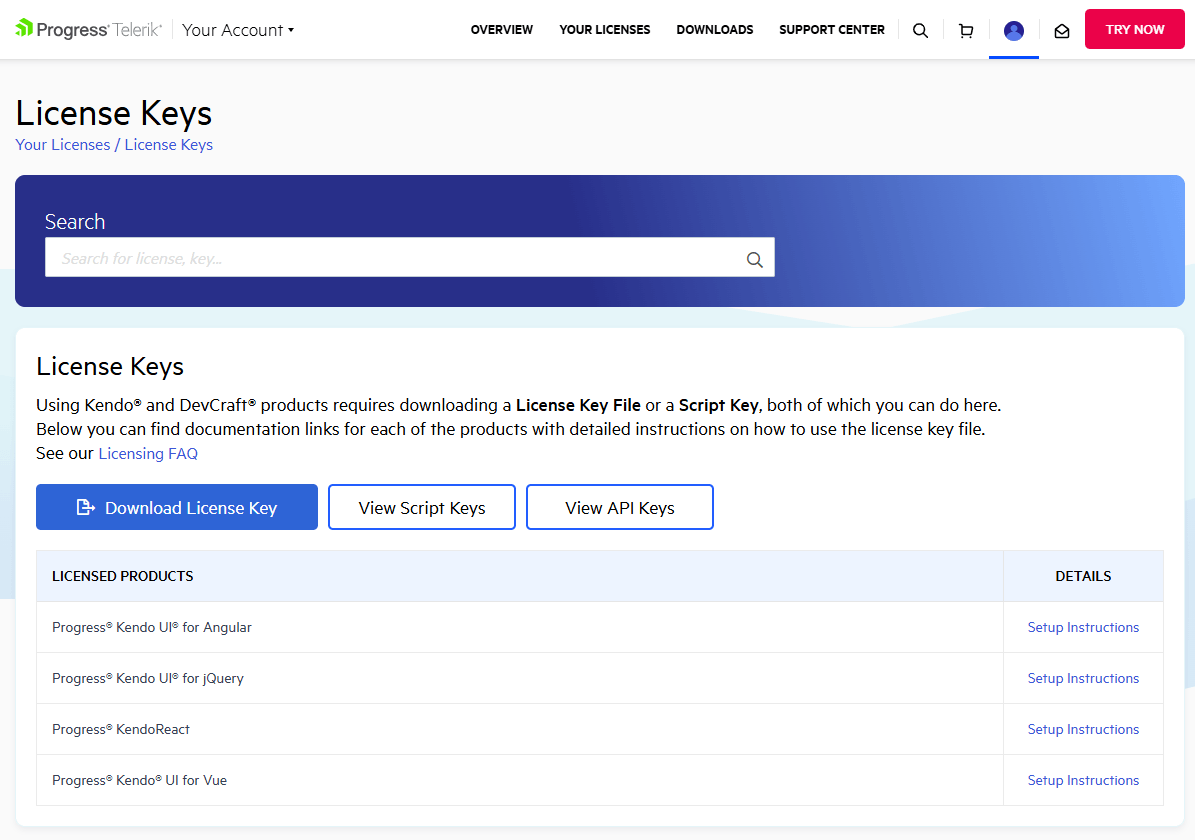
Download the actual key, as you will need it later for deployment.
Install Kendo UI Licensing
npm i -S @progress/kendo-licensing
Then run:
npx kendo-ui-license activate
This will set up Kendo UI on your local machine for this project. Make sure you have a working license at this point, and to follow the correct setup.
Install Packages
ng add @progress/kendo-angular-buttons
ng add @progress/kendo-angular-dropdowns
ng add @progress/kendo-angular-layout
npm i -S npm install @angular/forms @progress/kendo-svg-icons @progress/kendo-theme-default
📝 You may need to also install @angular/localize.
Install Tailwind
Make sure Angular is configured for Tailwind. Follow the Tailwind Guide.
Configure Styles
Make sure your styles are shown in styles.css correctly.
@import '@progress/kendo-theme-default/dist/default-main.css';
@import 'tailwindcss';
Picker Component
Generate a new picker component.
ng g c picker
Model
Create a model at picker.model.ts.
export type RestaurantMode = 'dine-in' | 'takeout';

export type Restaurant = {
  id: number;
  name: string;
  cuisine: string;
  mode: RestaurantMode;
};

export type RestaurantModeFilter = 'all' | RestaurantMode;
Data
You can declare your data in the restaurants.ts. You could obviously get more sophisticated and import data from a database if you like.
import { Restaurant } from "./picker.model";

export const restaurants: Restaurant[] = [
  {
    "id": 1,
    "name": "Monjunis",
    "cuisine": "Italian",
    "mode": "dine-in"
  },
  {
    "id": 2,
    "name": "Strawn's Eat Shop",
    "cuisine": "Southern Diner",
    "mode": "dine-in"
  },
  {
    "id": 3,
    "name": "Country Tavern",
    "cuisine": "BBQ",
    "mode": "dine-in"
  },

  ...

];
🏢 I used my city’s info so I can actually use the app! You can customize this and deploy it separately for different situations or cities!
Picker Class
Create the picker classes at picker.ts.
import { ChangeDetectionStrategy, Component } from '@angular/core';
import { FormsModule } from '@angular/forms';

import { ButtonsModule } from '@progress/kendo-angular-buttons';
import { DropDownsModule } from '@progress/kendo-angular-dropdowns';

import { restaurants } from './restaurants';
import { Restaurant, RestaurantModeFilter } from './picker.model';

type ModeOption = {
  label: string;
  value: RestaurantModeFilter;
};

@Component({
  selector: 'app-picker',
  standalone: true,
  imports: [
    FormsModule,
    ButtonsModule,
    DropDownsModule
  ],
  templateUrl: './picker.html',
  changeDetection: ChangeDetectionStrategy.OnPush
})
export class Picker {
  readonly restaurants = restaurants;

  readonly modeOptions: ModeOption[] = [
    {
      label: 'Any',
      value: 'all'
    },
    {
      label: 'Dine-in',
      value: 'dine-in'
    },
    {
      label: 'Takeout',
      value: 'takeout'
    }
  ];

  selectedMode: RestaurantModeFilter = 'all';
  selectedRestaurant: Restaurant | null = null;

  get filteredRestaurants(): Restaurant[] {
    if (this.selectedMode === 'all') {
      return this.restaurants;
    }

    return this.restaurants.filter((restaurant) => restaurant.mode === this.selectedMode);
  }

  pickRestaurant(): void {
    const choices = this.filteredRestaurants;

    if (choices.length === 0) {
      this.selectedRestaurant = null;
      return;
    }

    const pickableChoices =
      this.selectedRestaurant && choices.length > 1
        ? choices.filter((restaurant) => restaurant.id !== this.selectedRestaurant?.id)
        : choices;

    const index = Math.floor(Math.random() * pickableChoices.length);

    this.selectedRestaurant = pickableChoices[index];
  }
}
- Pick the restaurant with
pickResaturant()function choosing a random JSON entry from the filtered results. - We have
any,dine-inandtakeout. - We will use the filtered results in the html template from
filteredResautrants().
Picker Template
<main
  class="grid min-h-screen place-items-center bg-[radial-gradient(circle_at_top,rgba(255,255,255,0.95),rgba(255,255,255,0)_28%),linear-gradient(180deg,#f7efe7_0%,#eef2f7_100%)] p-4 sm:p-6">
  <section
    class="w-full max-w-sm rounded-4xl border border-slate-300/40 bg-white/92 px-6 py-7 shadow-[0_24px_60px_rgba(15,23,42,0.12)] backdrop-blur-[14px] sm:px-8 sm:py-8">
    <header class="space-y-3 text-center">
      <h1 class="m-0 text-[2.05rem] font-semibold leading-[0.98] tracking-tight text-slate-800 sm:text-[2.3rem]">
        Restaurant Picker
      </h1>

      <p class="mx-auto max-w-64 text-[1rem] leading-7 text-slate-500">
        Pick where to eat without thinking about it.
      </p>
    </header>

    <div class="my-6 h-px bg-slate-200/80"></div>

    <div class="space-y-6">
      <div class="space-y-3 text-center">
        <label for="mode" class="block text-[1.15rem] font-semibold leading-tight text-slate-800">
          What kind?
        </label>

        <kendo-dropdownlist id="mode" class="w-full text-left" [data]="modeOptions" textField="label" valueField="value"
          [valuePrimitive]="true" [(ngModel)]="selectedMode" />
      </div>

      <button kendoButton class="min-h-14 w-full text-base font-semibold" themeColor="primary" size="large"
        rounded="large" [disabled]="filteredRestaurants.length === 0" (click)="pickRestaurant()">
        Pick Restaurant
      </button>

      @if (selectedRestaurant) {
      <section
        class="rounded-[1.75rem] border border-rose-200/80 bg-[linear-gradient(135deg,rgba(255,241,242,0.92),rgba(255,255,255,0.98))] px-6 py-6 shadow-[inset_0_1px_0_rgba(255,255,255,0.7)]"
        aria-live="polite">
        <div class="grid justify-items-center gap-4 text-center">
          <p class="m-0 text-[0.78rem] font-bold uppercase tracking-[0.2em] text-rose-700">Tonight's pick</p>

          <h2
            class="m-0 max-w-[11ch] text-[clamp(1.7rem,4vw,2rem)] font-semibold leading-[1.08] tracking-tight text-slate-900 text-balance">
            {{ selectedRestaurant.name }}
          </h2>

          <div class="grid justify-items-center gap-3">
            <p class="m-0 text-[1rem] leading-6 text-slate-700">
              {{ selectedRestaurant.cuisine }}
            </p>

            <span
              class="inline-flex min-h-10 items-center justify-center rounded-full border border-slate-300/40 bg-white/90 px-5 text-sm font-bold text-slate-900 shadow-[0_6px_18px_rgba(15,23,42,0.06)]">
              {{ selectedRestaurant.mode === 'dine-in' ? 'Dine-in' : 'Takeout' }}
            </span>
          </div>
        </div>
      </section>
      } @else {
      <div
        class="rounded-[1.75rem] border border-dashed border-slate-400/60 bg-slate-50/75 px-5 py-6 text-center text-[0.95rem] leading-6 text-slate-500">
        @if (filteredRestaurants.length === 0) {
        No restaurants found for this option.
        } @else {
        Click the button to pick a restaurant.
        }
      </div>
      }

      <p class="text-center text-[0.82rem] font-semibold text-slate-500">
        {{ filteredRestaurants.length }}
        restaurant{{ filteredRestaurants.length === 1 ? '' : 's' }} available
      </p>
    </div>
  </section>
</main>
Here’s what’s going on above:
- When we run
pickRestaurant(), the app displays the filtered items as a signal. - The
kendo-dropdownlistcomponent usesdatafield for options withlabelandvaluematching the drop down. - We just add
kendoButtonto ourbuttoncomponent to get the look we want. We can use Tailwind with the look!
And it’s that simple!
Repo: GitHub
Demo: Vercel Serverless
You can try all of this yourself with the Kendo UI for Angular trial, free for 30 days.

Jonathan Gamble
Jonathan Gamble has been an avid web programmer for more than 20 years. He has been building web applications as a hobby since he was 16 years old, and he received a post-bachelor’s in Computer Science from Oregon State. His real passions are language learning and playing rock piano, but he never gets away from coding. Read more from him at https://code.build/.
Related Posts
Comments
All articles
Topics
Web MobileMobile
Desktop
Design
Productivity
People