What Enterprise Teams Actually Look for in an Angular UI Library

Summarize with AI:
See what mattered when a real enterprise team was exploring which Angular component library to use, and what keeps them using Kendo UI.
Editor’s note: To respect our customer’s privacy, some identifying details have been generalized while preserving technical insights and direct quotes from our conversation.
TL;DR What Enterprises Need in an Angular Library
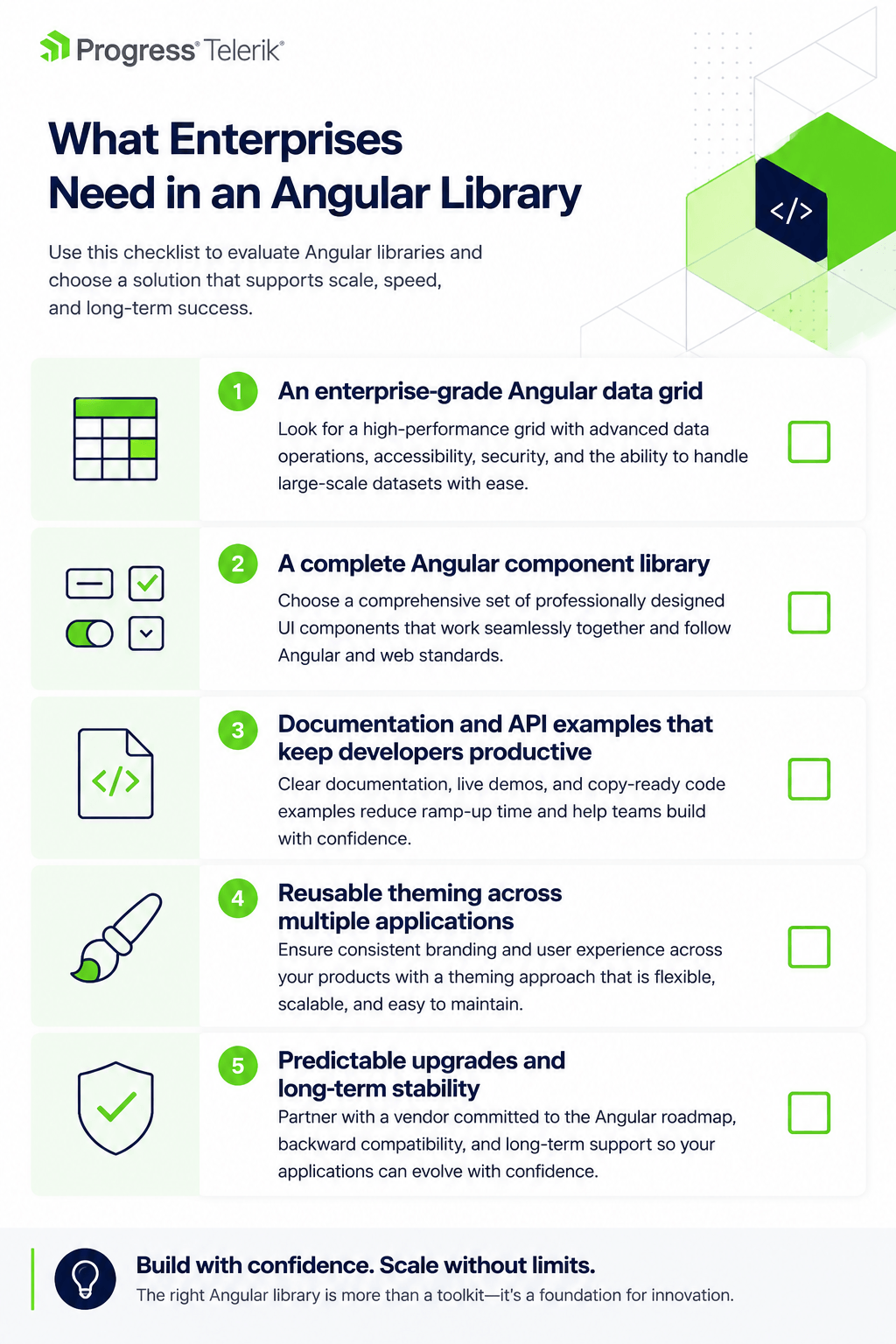
Based on a conversation with an IT System Developer at an enterprise financial organization, five factors consistently influenced the team’s evaluation of an Angular UI library:
- An enterprise-grade Angular data grid
- A complete Angular component library
- Documentation and API examples that keep developers productive
- Reusable theming across multiple applications
- Predictable upgrades and long-term stability
While this conversation focused on Progress Kendo UI for Angular, these evaluation principles apply broadly to enterprise Angular applications.
Intro
When Angular UI libraries are compared, the conversation usually starts with feature lists, demos and the latest capabilities. But that’s rarely where enterprise teams stop.
During a recent conversation with an IT System Developer at an enterprise financial organization, we noticed something interesting. The discussion kept returning to the same themes: an enterprise-grade grid, a complete Angular component library, documentation developers can rely on, reusable theming and predictable upgrades.
None of those topics are particularly flashy. Together, they reveal what experienced engineering teams often optimize for: not just what an Angular UI library can do today, but how it supports development over the years that follow.
The Grid Is Key, But the Whole Ecosystem Matters
For this team, the Angular DataGrid wasn’t simply another component. It was at the center of many of their internal business applications and the first thing they evaluated.
“The demand is to have a very good and advanced grid, because we use grids all over in our web applications, so that’s the primary choice.”
Their applications depend on complex data workflows, including master-detail views, grouping, sorting, and cell and row editing. Having those capabilities available out of the box saved the team from building and maintaining them themselves.
At first glance, it would be easy to conclude that this was simply a grid decision. But it wasn’t.
“We chose Kendo UI because of the Grid, but also because we use a wide variety of components.”
Those components include buttons, text inputs, checkboxes, labels, dropdowns, combo boxes, forms, dialogs, charts and more. Rather than combining multiple libraries, the team chose a single Angular component library that covered the majority of their application needs.
Cost was part of the conversation, too.
“We had to weigh the subscription cost, of course, but I think it’s very professional, a portfolio of components, and it fits our needs very, very well.”
The Grid may have started the evaluation, but the broader ecosystem is what kept coming up throughout the conversation.
Learn more: Explore the Kendo UI for Angular Data Grid.
Documentation Goes Beyond Support to Productivity
Documentation turned out to be just as important as the components themselves.
“I almost never need to write to you [Progress]. Your support site and your specification site are doing it for me. Usually, I find my answers in the API documentation and by looking at your examples.”
Good documentation doesn’t replace support. It means developers rarely need support.
For this team, comprehensive API references and practical examples meant fewer interruptions, fewer support requests and less time searching for answers. Documentation wasn’t something separate from the product. It was part of the development experience.
Explore the documentation: Browse the Kendo UI for Angular docs & demos.
Consistency Matters More as Your Application Portfolio Grows
The value of theming changes when you’re maintaining multiple applications instead of just one. Rather than creating a new theme for every project, this team maintains a single reusable theme across its Angular applications.
“We do the same theme for all our web applications. So when we have done one, we can just copy the files to the next. And that’s to eliminate work.”
That approach keeps branding consistent while eliminating repetitive work.
The team also shared a practical example from their upgrade experience.
“Earlier, trying to cope with the changes in the style sheets could take some time. We are using the new theme editor for that, so it’s OK now.”
That’s a subtle but important distinction. Progress ThemeBuilder isn’t only about creating themes. It’s about making those themes easier to maintain over time.
Explore ThemeBuilder: Learn how to create and maintain reusable themes across Angular applications.
For Enterprise Teams, Predictability Is a Must-Have
Business-critical applications need to keep working through framework upgrades, dependency updates and ongoing maintenance. When we asked about upgrades, the discussion wasn’t about the newest features. It was about confidence.
“In relation to major release updates, it’s very well tested.”
“There can be some minor changes we have to do, but most backwards compatibility is good.”
No software upgrade is completely frictionless. For this team, predictable releases and good backward compatibility mattered because they made upgrades easier to manage. Sometimes the best release isn’t the one with the longest list of new features. It’s the one that lets developers keep moving.
Enterprise Teams Evaluate Platforms, Not Features
Feature lists are easy to compare, but long-term developer experience isn’t. One thing became clear as the conversation unfolded: it never stayed on a single capability for very long.
- The Angular Data Grid solved one set of challenges.
- Documentation kept developers productive.
- Reusable theming reduced repetitive work across applications.
- Stable releases made upgrades easier to manage.
None of those capabilities tells the whole story on its own.
Together, they suggest a different way of evaluating an Angular UI library: it’s easy to compare individual components, but it’s much harder, and often much more valuable, to evaluate how an ecosystem supports a team over the lifetime of an application.
That isn’t a phrase the developer used during our conversation. It’s the conclusion we came away with after listening to what mattered most.
If there’s one lesson other engineering teams can take from this conversation, it’s this:
Don’t just compare features. Compare how much engineering work a platform helps your team avoid tomorrow, next year and several years from now.

Petra Lazarova
Petra Lazarova is a Product Marketing Manager for Progress Software Agent and Developer Tools. She works at the intersection of product strategy, developer experience, adoption and go-to-market, helping technical products become easier to discover, understand and use.
With a background spanning enterprise software, healthcare and precision diagnostics, Petra is passionate about translating complex ideas into clear, human-centered stories. Her interests include AI-powered developer productivity, buyer journeys, onboarding, LLM discoverability and the ways AI is reshaping how people learn, work and evaluate products.
Related Posts
Comments
All articles
Topics
Web MobileMobile
Desktop
Design
Productivity
People