AI UX Patterns for User Transparency

Summarize with AI:
Many users won’t allow AI to integrate into their workflow if they don’t know what that access really means. To get user buy-in, we need to provide transparency.
AI tools are strongest when they integrate into the rest of a user’s workflow—referencing internal documents, sending emails, making calendar appointments, drafting and sharing content with coworkers, so on and so forth.
However, most users won’t integrate what they can’t see and understand. If the AI applications we build are going to become part of their daily lives, users need transparency into exactly what they do, what data they have access to and what it will cost them (in both time and money).
The more transparent we can make these features, the less hesitation our users will have adopting them.
UX Pattern: Permissions
The concept of asking for user permissions is certainly not AI-specific, but the stakes can feel a lot higher when you’re asking users for permission to allow AI to act on their behalf.
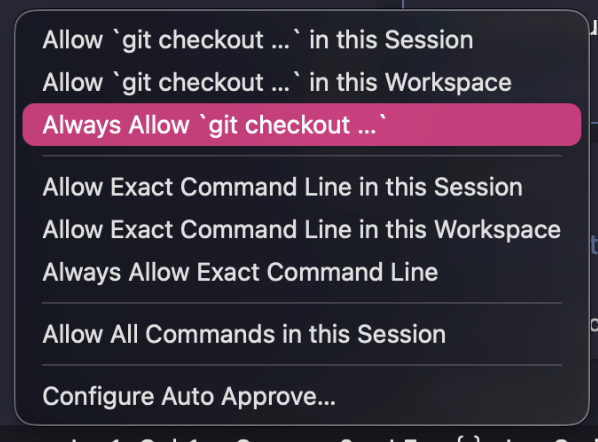
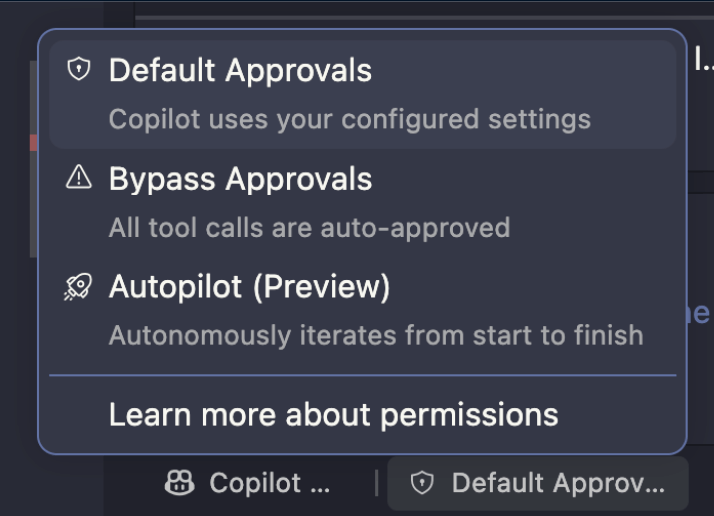
We need to make it easy for users to see which applications we’ve allowed our tool to access and in what ways, keeping in mind that permissions are often more than just “yes” or “no.”
Can your agent just reference data from this database, or is it allowed to delete tables? Can it only read a user’s emails, or is it allowed to send from their address as well? Can it run scripts? Search local files? Each one of these actions requires direct user sign-off.
Permissions are also not a one-and-done situation. A user might feel comfortable allowing an action to happen once under their direct supervision, but don’t want to allow it permanently. They might give access to a specific folder, but not every folder. They might approve an action, but want to be notified each time it’s taken. Consider what gray zones might exist in your permission structure, and try to accommodate as many options as you can.
Another common sticking point with AI is data collection. Often, it can be helpful to save information from past interactions, but storing this kind of data requires real attention to user permission and data management.
If you want to create a system that can “remember” things, you also need to make sure it can “forget” as well—and that the user can not only see but has final say in what exactly what gets remembered. An ideal permissions flow will not only ask for a user’s approval in the moment, but also create a space where they can see the history of what they’ve given access to and when—and allow them to revoke that access or permission at any time.
UX Pattern: Estimates and Confirmation
This one is pretty simple, so we won’t spend too much time on it, but another crucial aspect of transparency is making sure users know exactly what they’re committing to when they approve an action request. In addition to approving the actual steps and plan (as we discussed earlier in the Trust post), they also need to know how much time it’s going to take and what it will cost them in money or tokens.
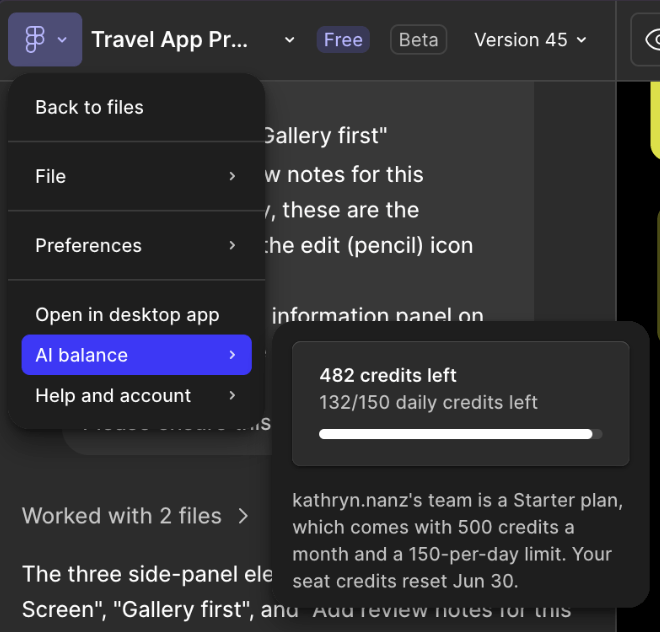

Even if we can’t specify an exact amount, providing rough estimates generally gives users enough information to work with—and to potentially revise their request if it’s going to exceed what they’re comfortable with.
UX Pattern: Solo Execution Indicator
Similarly to the marking that denotes which content was AI-generated, it’s also a good idea to have some kind of visual signal for when an AI tool is acting independently. If, for example, you’re going to allow an agent to take control of the user’s browser, then there needs to be a banner, sidebar, outline or some other kind of indication that the user is no longer driving the interaction.
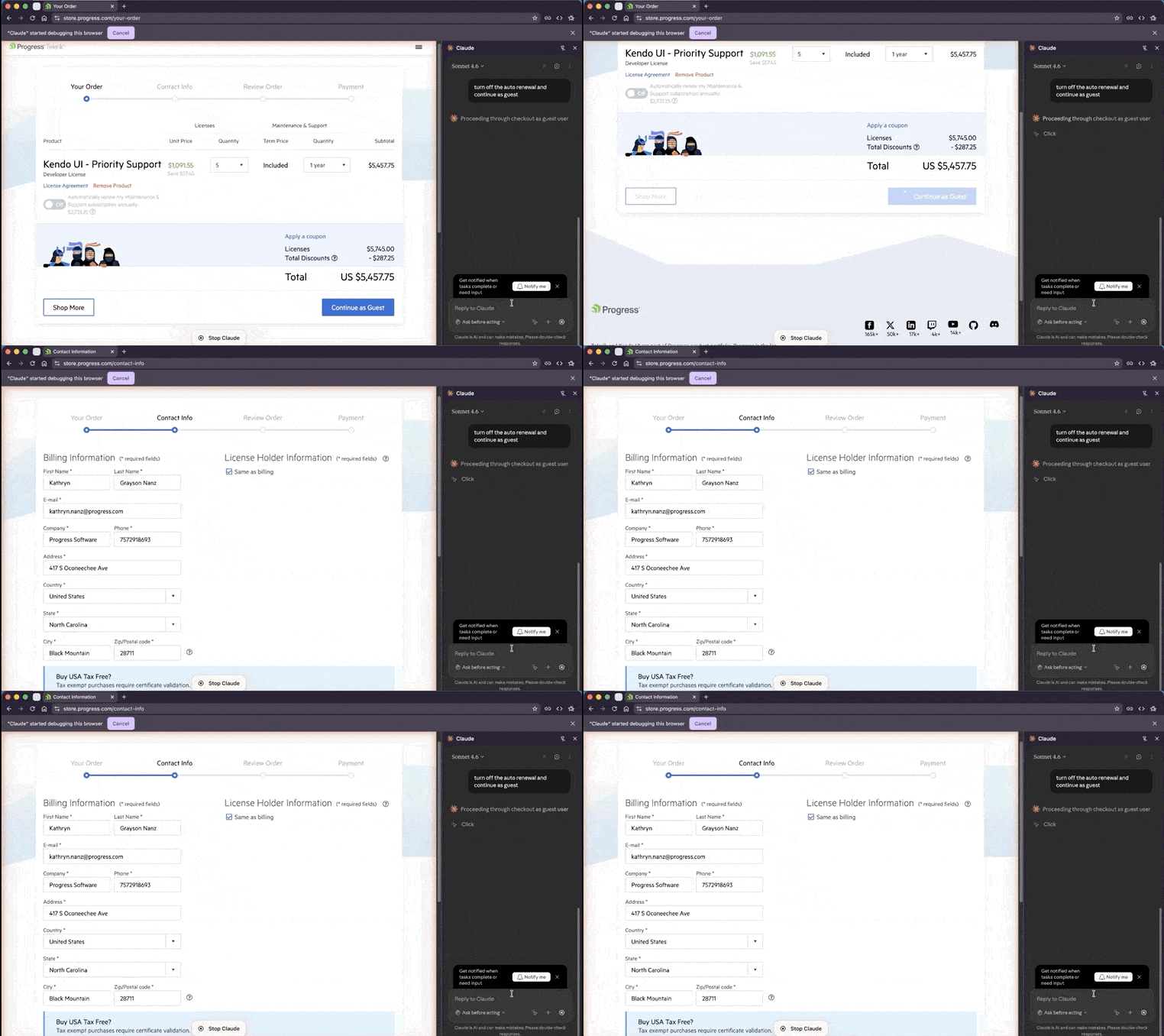
Not only is this a good thing to do just for transparency—so the user understands the current state of the system—but also so they don’t unintentionally interrupt or confuse an ongoing process. It’s an especially important consideration for processes that you know will take an extended period of time, where the user may step away and come back without keeping track of everything that’s happened while they were gone.

Kathryn Grayson Nanz
Kathryn Grayson Nanz is a developer advocate at Progress with a passion for React, UI and design and sharing with the community. She started her career as a graphic designer and was told by her Creative Director to never let anyone find out she could code because she’d be stuck doing it forever. She ignored his warning and has never been happier. You can find her writing, blogging, streaming and tweeting about React, design, UI and more. You can find her at @kathryngrayson on Twitter.
Related Posts
Comments
All articles
Topics
Web MobileMobile
Desktop
Design
Productivity
People