
Telerik UI for WPF
What's New 2026 Q2
What's New HistoryArchived release. This page is no longer updated. Check the Latest Release
What's New 2026 Q2
Telerik UI for WPF: Suite Improvements
The licensing notification banners and dialogs for WPF desktop applications have been refreshed with a new visual design. Updates include an improved call-to-action button, consistent layout across banner states, ensuring a polished and transparent licensing experience.
A set of high-impact, community-requested improvements are delivered in the last release. We strive to address recently submitted customer feedback directly, demonstrating a fast response to developer needs
- PivotGrid - Add an option for the GenerateExport method to copy the raw data rather than the formatted one.
- RichTextBox - Introduced support for the HyperlinkClicked event to be raised when clicking on a hyperlink that points to a bookmark in the document.
- ScheduleView - New ActiveViewDefinitionChanged event
- Spreadsheet: Add support for Strikethrough, Superscript and Subscript formatting options.
Telerik UI for WPF: Smart DataGrid AI improvements
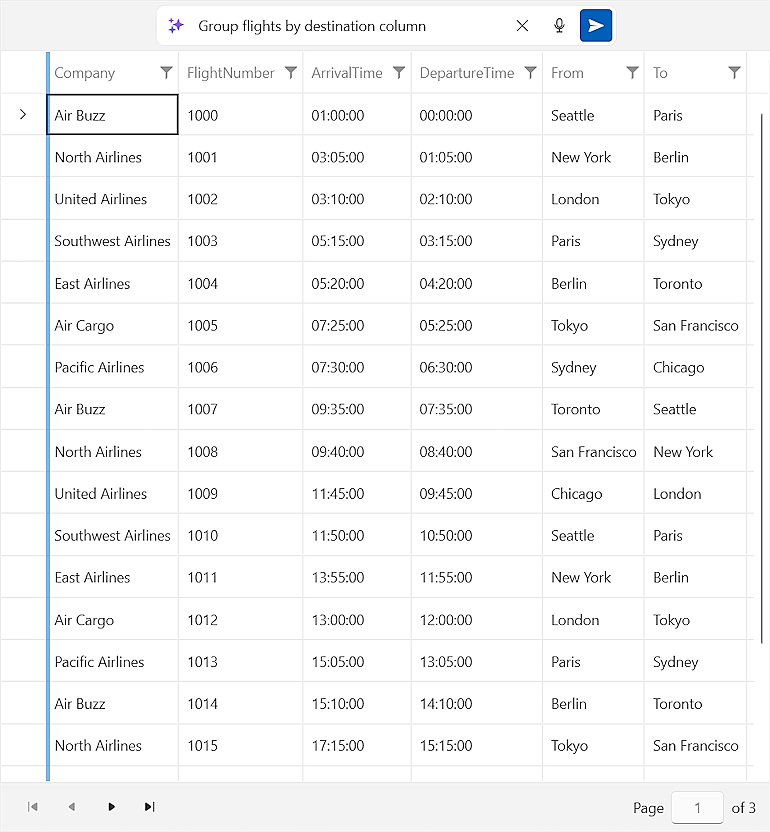
The WPF DataGrid gains AI-powered enhancements that make working with dense, data-heavy interfaces more intuitive. An AI prompt bar placed above the grid lets users interact with their data through natural-language commands - enabling filtering, sorting, and insight discovery without navigating complex UI controls manually.
See the WPF Smart DataGrid Documentation
Telerik UI for WPF: RadChat (Conversational UI) Revamp
The RadChat control for WPF is fully redesigned to meet modern chat UI expectations. The update brings a refined message layout, multiline input support, upload and download progress indicators, and a customizable header toolbar - supporting both human conversation and AI assistant interaction patterns with a smooth, polished experience.
See the Telerik UI for WPF: RadChat (Conversational UI) Documentation
.png?sfvrsn=360470fa_1 "Chat (1)")
Telerik UI for WPF: AI Coding Assistant Improvements
This update enhances the Telerik AI Coding Assistant for WPF with improved code-snippet accuracy, broader control coverage, and tighter integration with AI tooling available in Visual Studio - including MCP support. Developers receive faster, more reliable code guidance directly within their IDE, accelerating development with Telerik WPF controls.
See the Telerik UI for WPF: AI Coding Assistant Documentation
Integrated AI Chat in Telerik and Kendo UI Documentation
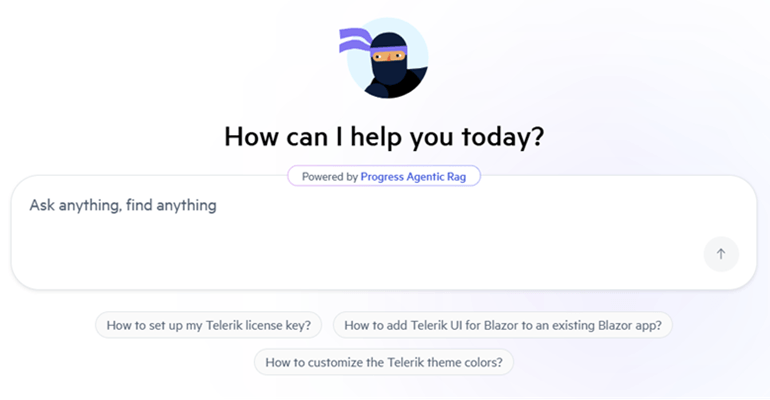
Telerik and Kendo UI documentation pages now support an integrated AI Chat, allowing you to easily ask questions and receive instant, context-aware answers directly within the page. The assistant helps you quickly locate relevant information, understand features, and explore related topics without interrupting your workflow. By combining search and conversational guidance, it streamlines navigation and improves productivity when working with components and APIs.
What's New 2026 Q1
Capture Text Faster with Hands-Free Speech Input with the Speech-to-Text Button
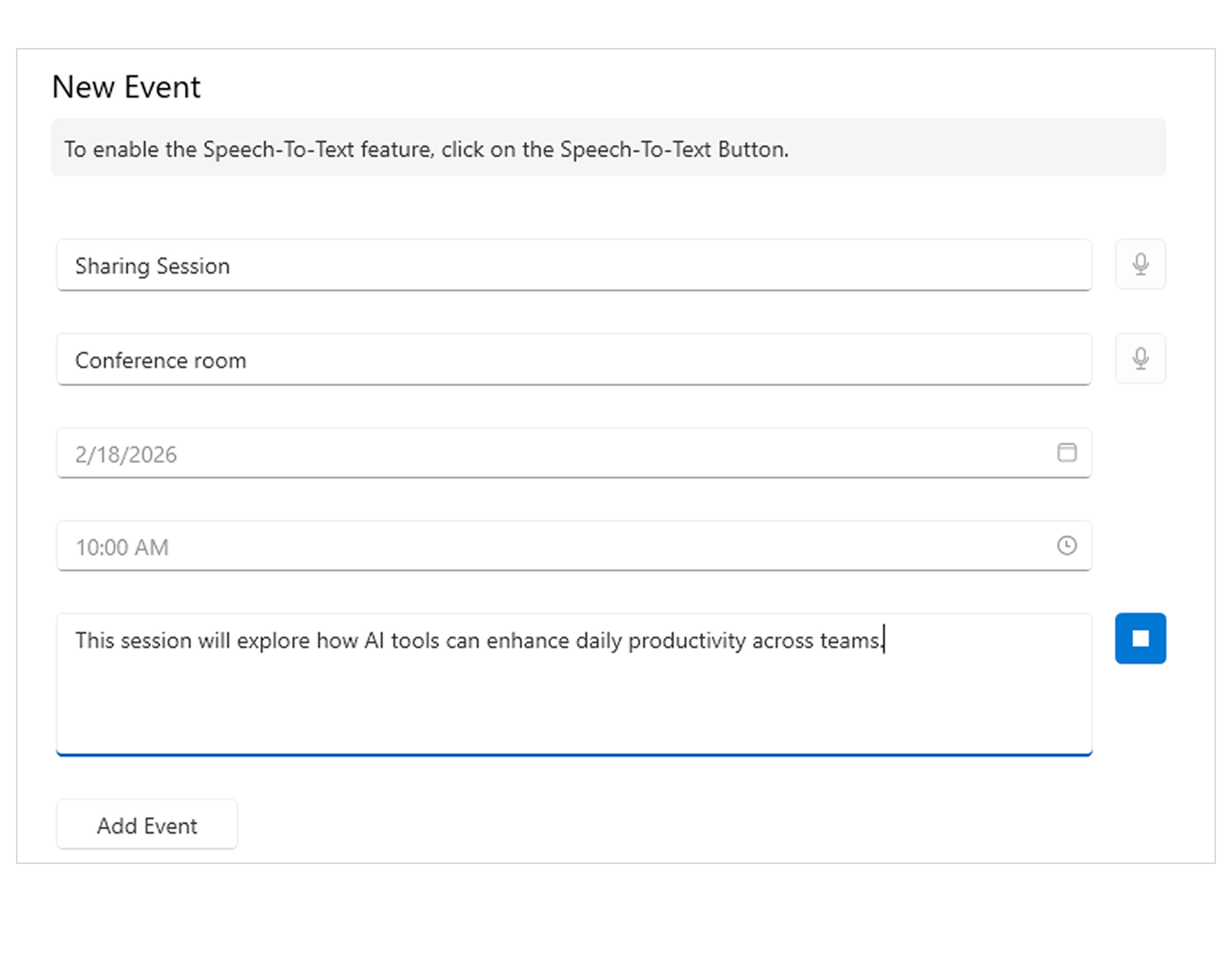
Introducing the Speech-to-Text Button - a drop-in WPF control that enables voice input with live transcription, polished visuals and flexible listening modes, all seamlessly integrated into your application. Ideal for accessibility scenarios, productivity tools and hands-free data entry.
- The Speech-to-Text Button offers powerful customization options to fit your UX and branding needs:
- Theming – Ensure the control looks right in any application.
- Live Transcription - Display real-time feedback so users can see what the app hears.
- Animation – Animated micro-interactions build confidence and trust.
- Continuous vs. One-time Recognition - Choose the listening mode that best fits your scenario.
- Implementing Custom Speech Recognizer - Integrate custom or preferred speech-to-text services or libraries.
See the WPF Speech-to-Text Button Documentation
RichTextBox Enhancement: Support for Customizing Hyperlink Tooltips
Developers can now fully customize hyperlink tooltip text and appearance in the RichTextBox, enabling context-specific messaging, improved accessibility or brand-aligned UI experiences.
See the WPF RichTextBox Documentation
RichTextBox Enhancement: Improved Keyboard Selection Behavior in Tables
Keyboard navigation and selection inside tables now mirror Microsoft Word behavior, delivering more predictable, familiar editing interactions when moving with arrow keys across table cells.
See the WPF RichTextBox Documentation
Full Support for Dynamic Localization
A strong new enhancement - dynamic localization is now available across all WPF controls, enabling runtime UI language changes without restarting the application and ensuring consistent localization behavior throughout the suite, making it even easier when developing globalized applications.
More Enhancements: GridView, Spreadsheet, SyntaxEditor and more
This release introduces even more improvements across key WPF components, enhancing flexibility, usability and performance.
- GridView – Adjustable Frozen Column Threshold
Control when columns become frozen during horizontal scrolling, allowing finer control over wide data layouts and large datasets. - Spreadsheet – Multiple Row Selection in Find All
The Find All results grid (Ctrl+F) now supports selecting multiple rows at once, enabling faster bulk actions and easier navigation through search results. - SyntaxEditor – Improved Built-in JSONTagger
The built-in JSONTagger now delivers more accurate tokenization and improved performance, providing better JSON editing support out of the box.
These updates help streamline everyday workflows and fine-tune behavior in areas developers interact with most.



Next Steps
See Telerik UI for WPF in action.
Purchase individual products or any of the bundles.
With dedicated technical support.