
Telerik UI for WPF
What's New 2026 Q1
What's New HistoryCapture Text Faster with Hands-Free Speech Input with the Speech-to-Text Button
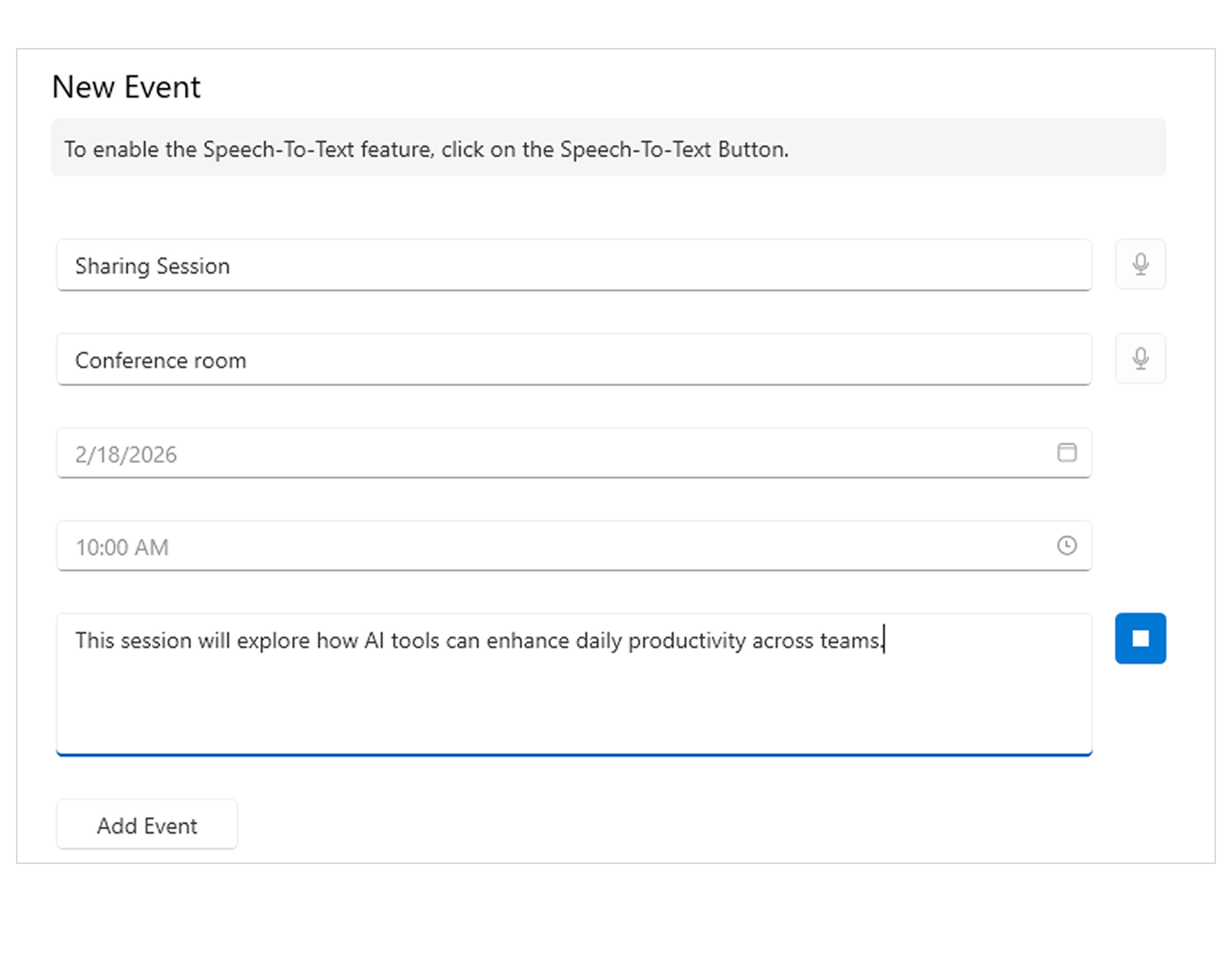
Introducing the Speech-to-Text Button - a drop-in WPF control that enables voice input with live transcription, polished visuals and flexible listening modes, all seamlessly integrated into your application. Ideal for accessibility scenarios, productivity tools and hands-free data entry.
- The Speech-to-Text Button offers powerful customization options to fit your UX and branding needs:
- Theming – Ensure the control looks right in any application.
- Live Transcription - Display real-time feedback so users can see what the app hears.
- Animation – Animated micro-interactions build confidence and trust.
- Continuous vs. One-time Recognition - Choose the listening mode that best fits your scenario.
- Implementing Custom Speech Recognizer - Integrate custom or preferred speech-to-text services or libraries.
See the WPF Speech-to-Text Button Documentation
RichTextBox Enhancement: Support for Customizing Hyperlink Tooltips
Developers can now fully customize hyperlink tooltip text and appearance in the RichTextBox, enabling context-specific messaging, improved accessibility or brand-aligned UI experiences.
See the WPF RichTextBox Documentation
RichTextBox Enhancement: Improved Keyboard Selection Behavior in Tables
Keyboard navigation and selection inside tables now mirror Microsoft Word behavior, delivering more predictable, familiar editing interactions when moving with arrow keys across table cells.
See the WPF RichTextBox Documentation
Full Support for Dynamic Localization
A strong new enhancement - dynamic localization is now available across all WPF controls, enabling runtime UI language changes without restarting the application and ensuring consistent localization behavior throughout the suite, making it even easier when developing globalized applications.
More Enhancements: GridView, Spreadsheet, SyntaxEditor and more
This release introduces even more improvements across key WPF components, enhancing flexibility, usability and performance.
- GridView – Adjustable Frozen Column Threshold
Control when columns become frozen during horizontal scrolling, allowing finer control over wide data layouts and large datasets. - Spreadsheet – Multiple Row Selection in Find All
The Find All results grid (Ctrl+F) now supports selecting multiple rows at once, enabling faster bulk actions and easier navigation through search results. - SyntaxEditor – Improved Built-in JSONTagger
The built-in JSONTagger now delivers more accurate tokenization and improved performance, providing better JSON editing support out of the box.
These updates help streamline everyday workflows and fine-tune behavior in areas developers interact with most.



Next Steps
See Telerik UI for WPF in action.
Purchase individual products or any of the bundles.
With dedicated technical support.