ImageShape
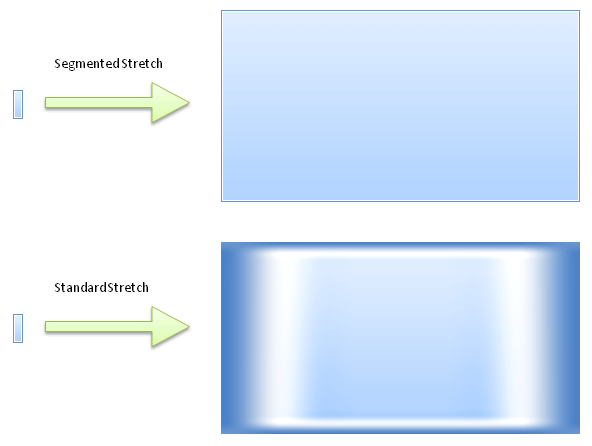
RadImageShape implements the so called "Segmented Image" semantic, which in general allows a small image (pattern) to be stretched to larger bounds without quality loss. This effect is achieved by dividing the image into 9 logical parts (segments) and providing advanced paint logic for each part.
RadImageShape.Margins
RadImageShape

Using the Margins property, an image is divided into 9 segments. Following is a brief overview of each segment and how it is stretched:
-
TopLeft – not stretched
-
Top – stretched horizontally
-
TopRight – not stretched
-
Right – stretched vertically
-
BottomRight – not stretched
-
Bottom – stretched horizontally
-
BottomLeft – not stretched
-
Left – stretched vertically
-
Inner – stretched horizontally and vertically
Advanced Settings
RadImageShape exposes some advanced settings that allow any complex rendering logic to be easily described. Such settings are:
-
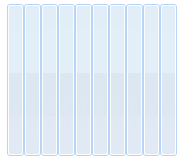
PaintMode – available are 14 different modes, where each one defines custom paint logic of the 9 segments.
PaintMode.StretchYTileX
-
InterpolationMode – defines the interpolation passed to the underlying GDI+ Graphics used to paint the each image part.
-
RotateFlip – additional option, which allows the source image to be rotated/flipped before segmentation.
-
BackgroundShapePaintMode - determines when the BackgroundShape will be painted. The following options are available:
-
PrePaint: The BackgroundShape will be painted in the PrePaintElement method(before fill, border, text, image etc.). Suitable when you use the BackgroundShape instead of Fill and/or Border.
-
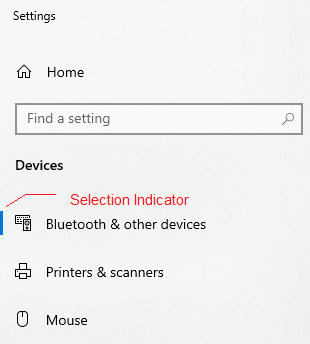
PostPaint: The BackgroundShape will be painted on top of all other elements(fill, border, text, image). Here it is not suitable to use a big BackgroundShape, because it will cover everything else painted before. But it is suitable to add some minor indications, for example, the little selection indicator in Windows 10:
-
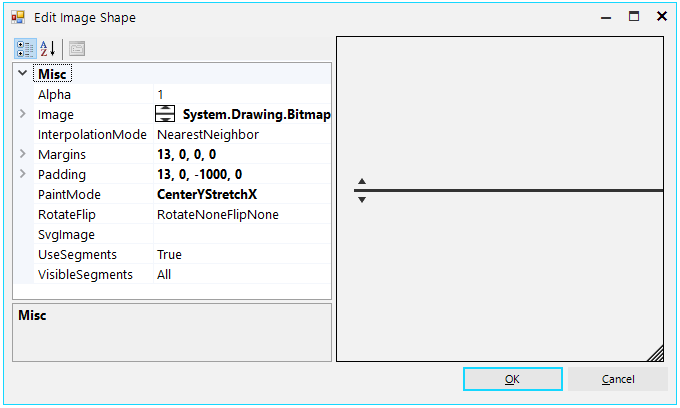
Editing RadImageShape in Visual Style Builder
Each RadElement exposes a property named BackgroundShape which is of type RadImageShape. Complete Visual Style Builder support is provided and you can either create a RadImageShape repository item or edit the BackgroundShape property directly in the advanced view of each element.