New to Telerik UI for WinForms? Start a free 30-day trial
GripPrimitive
Updated on Aug 27, 2026
GripPrimitive displays a vertical row of dots as a visual cue to users that this is an area that can be gripped and dragged. Grip dots are displayed using BackColor and BackColor2 colors. BackColor2 represents a shadow to set the dots off the background, particularly when the dots and the background contain some of the same colors.
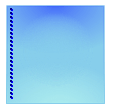
Creating a GripPrimitive
C#
public class MyGripPrimitiveElement : RadElement
{
    protected override void CreateChildElements()
    {
        FillPrimitive fillPrimitive = new FillPrimitive();
        fillPrimitive.GradientStyle = GradientStyles.OfficeGlassRect;
        fillPrimitive.NumberOfColors = 4;
        fillPrimitive.BackColor = Color.Blue;
        fillPrimitive.BackColor2 = Color.LightBlue;
        fillPrimitive.BackColor3 = Color.SkyBlue;
        fillPrimitive.BackColor4 = Color.PaleTurquoise;
        GripPrimitive gripPrimitive = new GripPrimitive();
        gripPrimitive.MinSize = new Size(100, 100);
        gripPrimitive.PositionOffset = new SizeF(5, 0);
        gripPrimitive.BackColor = Color.DarkBlue;
        gripPrimitive.BackColor2 = Color.Blue;
        this.Children.Add(fillPrimitive);
        this.Children.Add(gripPrimitive);
        base.CreateChildElements();
    }
}