Setting grouping from Design-Time
Grouping
The Grouping section of the Telerik RadGrid Properties lets you specify whether your grid will use grouping and the specific group options.
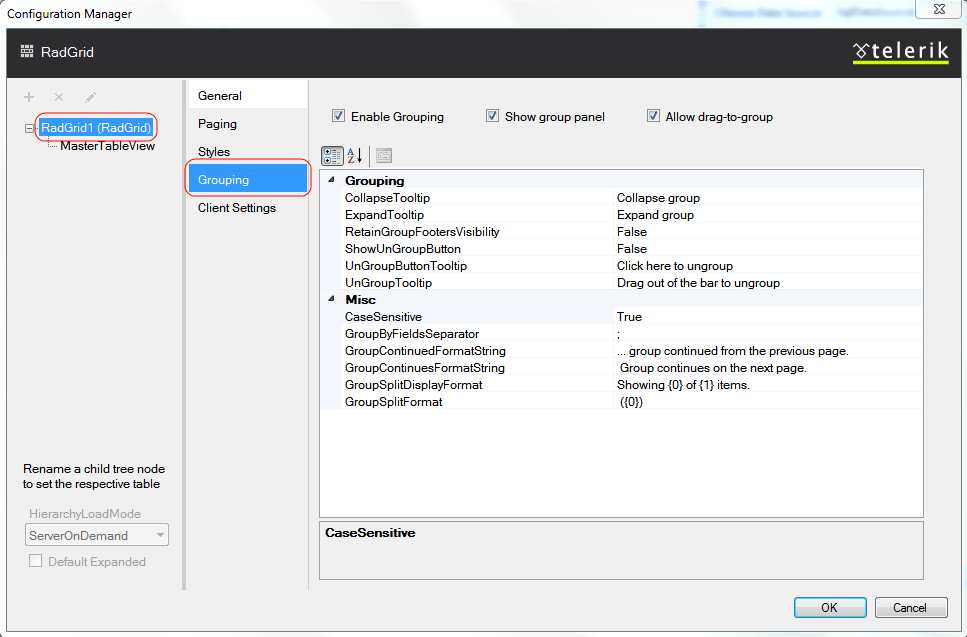
In order to enable grouping you must check the [Enable Grouping] box on the top of the Editor. This will enable the default grouping mechanism of Telerik RadGrid. To be able to show grouping options, a special area called the GridGroupPanel can be displayed at the top of the grid. You should check the [Show group panel] box on the top to display the grid group panel. To allow users to change the grouping by dragging column headers, check the [Allow drag-to-group] box.
MasterTableView Grouping
The following screenshot demonstrates how you can set group-by expressions declaratively at design time:
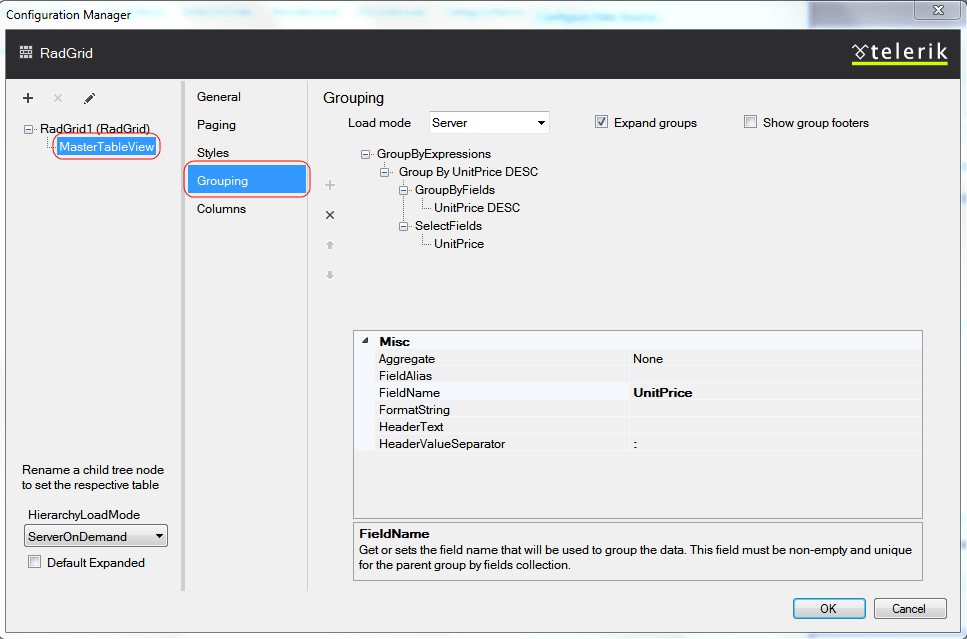
From the combo box at the top of the editor, you can control whether grouping is handled on the client or server by using the GroupLoadMode property of the GridTableView instance. Each GridTableView object has a GroupByExpressions property. GroupByExpressions is a collection of group expressions (GridGroupByExpression objects). A GridGroupByExpression object contains two collections:
-
The SelectFields collection determines the information that is displayed in the group header.
-
The GroupByFields collection determines the field values that are used to group the data.
To expand all groups on grid load, check the Expand groups box. To display a footer under each group, check the Show group footers box at the top of the editor.