.NET MAUI CircularSlider Value Thumb
The CircularSlider's value thumb is drawn based on its Value property. End users can modify the Value by dragging the thumb along the backtrack or touching anywhere on the slider (the thumb, the range track, or the backtrack) depending on the drag mode (configured with the DragMode property).
Value(double)—Specifies the value of the slider, corresponds to the thumb position across the backtrack.
Here is a quick example on how to define the Value property:
<telerik:RadCircularSlider Grid.Row="0"
                           Minimum="0"
                           Maximum="100"
                           Value="{Binding MyValue, Mode=TwoWay}"
                           HorizontalOptions="Fill"
                           VerticalOptions="Start"
                           MinimumHeightRequest="300" />
This is the result:

Drag Mode
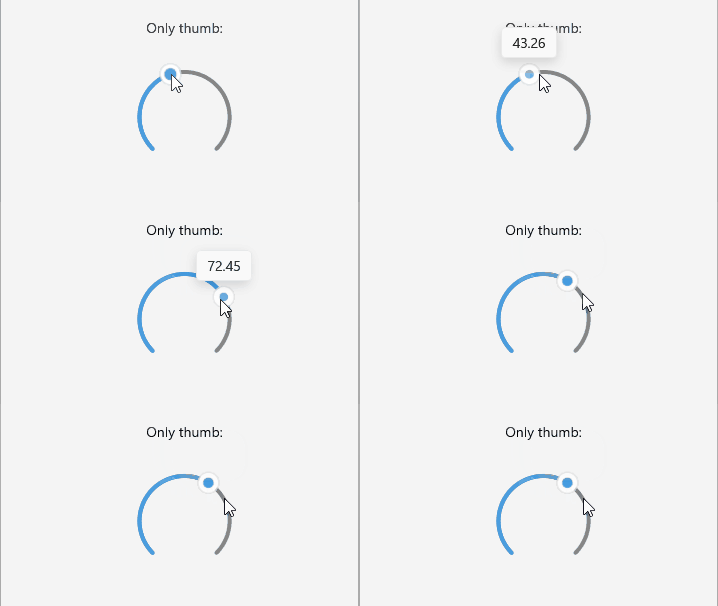
The CircularSlider's DragMode (Telerik.Maui.Controls.Sliders.SliderDragMode) property lets you configure one of three dragging options (only the thumb, free, or disabled) to interact with the CircularSlider and change its Value. You can choose from:
* Thumb—The thumb moves along the backtrack only by dragging.
* Free—The thumb's position (and the Value property) changes via dragging or touching anywhere on the range track or backtrack.
* Disabled—The thumb's position is fixed on the backtrack and dragging is disabled.
Check below some quick examples:
Example with DragMode set to Only Thumb
<telerik:RadCircularSlider Grid.Row="1"
                           DragMode="Thumb"
                           HorizontalOptions="Fill"
                           VerticalOptions="Start"
                           MinimumHeightRequest="{OnPlatform iOS=230}" />
This is the result:
Example with DragMode set to Free
<telerik:RadCircularSlider Grid.Row="1"
                           DragMode="Free"
                           HorizontalOptions="Fill"
                           VerticalOptions="Start"
                           MinimumHeightRequest="{OnPlatform iOS=230}" />
This is the result:

Example with DragMode set to Disabled
<telerik:RadCircularSlider Grid.Row="1"
                           DragMode="Disabled"
                           HorizontalOptions="Fill"
                           VerticalOptions="Start"
                           MinimumHeightRequest="{OnPlatform iOS=230}" />
This is the result: