React for Vue Developers, Part 3: Server Components, use and Actions
 by Marina Mosti

Summarize with AI:
React 19 for Vue 3 Developers, Part 3: Server Components vs. the Vue SSR you know (the least Vue-like part of React 19).
In Part 2 of this series, we dug into state and effects, and the big takeaway was that React reruns your component function to render, where Vue tracks dependencies and updates in place. That was all about what happens in the browser. Today we cross a bigger line, the one between the server and the client.
This is the part of React 19 that has the least clean mapping onto Vue, so I want to set expectations up front. Some of what we cover here (Server Components especially) is not something you wire up by hand the way you do a ref. It lives at the framework level, which in practice means Next.js and its App Router. So think of this article as the mental model you need so that when you open a Next.js codebase, the "use client" at the top of some files and the async on some components stop looking like typos. Let’s translate.
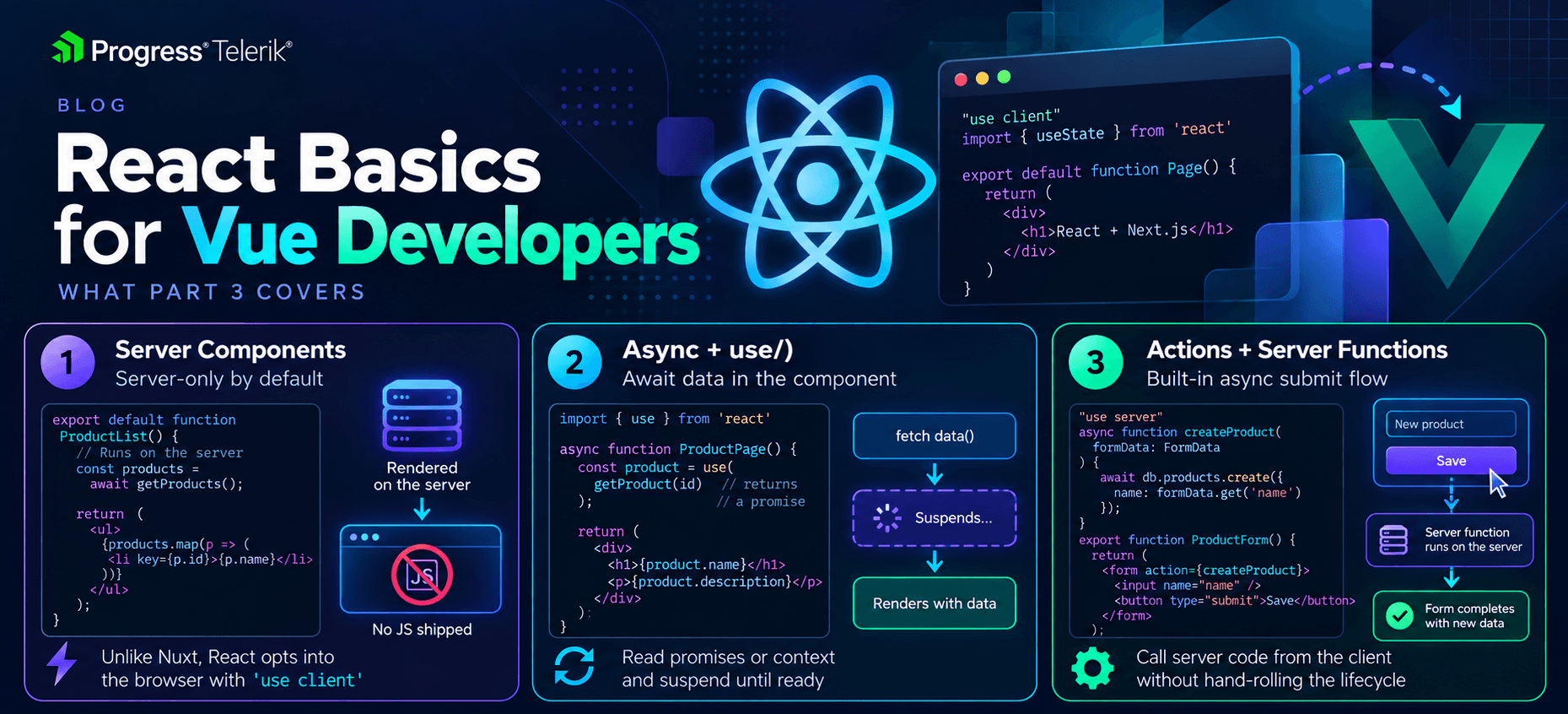
Image generated with AI
Server Components vs. the Vue SSR You Know
If you have shipped a Nuxt app, you already have the foundation for this. You know that a component can render on the server to produce HTML, get sent to the browser, and then “hydrate,” meaning React (or Vue) attaches event listeners and takes over so the page becomes interactive. The whole component tree renders in both places.
React Server Components change that deal in one important way. A Server Component renders only on the server, and it ships zero JavaScript to the browser for itself. Mind you, not less JavaScript. None. What lands in the browser is the finished HTML the component produced, never the component itself.
That means a Server Component can do things you would normally keep well away from the client: read from a database directly, use server-only secrets, hit the filesystem, all without exposing any of it.
The catch is the flip side. Because a Server Component never runs in the browser, it cannot use any of the things that only make sense there. No useState, no useEffect, no event handlers like onClick, no window. The moment you need interactivity, you cross back over to a regular component, now called a Client Component, and you mark that boundary with a directive.
LikeButton.jsx
'use client'

import { useState } from 'react'

function LikeButton() {
  const [liked, setLiked] = useState(false)

  return (
    <button onClick={() => setLiked((prev) => !prev)}>
      {liked ? 'Liked' : 'Like'}
    </button>
  )
}
Let’s break it down. That 'use client' string at the very top of the file is the boundary marker. It tells the bundler “everything in this file, and the client components it pulls in, ships to the browser and runs there.” Without it, in a framework that defaults to Server Components, this file would be treated as server-only, and the useState and onClick would not make sense.
Quick heads-up before we go on, because this is the bit that trips people up. You will see both kinds of component in the examples below, server and client. The way to tell them apart is one line. If a file starts with 'use client', it runs in the browser. If it does not, it runs only on the server. That is the whole tell.
Here is the mental flip for a Vue developer. In Nuxt, you occasionally opt out of running on the server (think <ClientOnly> or a browser-only guard). In the React Server Components world, everything is server-only by default and you opt in to the client with 'use client'. The default is flipped around, and it’s very easy to miss.
Notice that this means your interactive, stateful components become the leaves of the tree, and the static data-fetching shell around them stays on the server.
Big disclaimer though. This only works inside a framework that implements Server Components, and that in practice means Next.js with the App Router. (React Router v7 and others are catching up, but Next is where most jobs will put you.) You cannot sprinkle Server Components into a plain Vite single-page app. If your React job is a classic client-rendered SPA, you may never touch this, and that is fine.
Async Components and the use API
Here is something that is not immediately obvious at first glance. A Server Component can be async, and you can await right inside it.
UserProfile.jsx
async function UserProfile({ id }) {
  const response = await fetch(`https://myapp.com/users/${id}`)
  if (!response.ok) {
    throw new Error('Failed to fetch user')
  }
  const user = await response.json()

  return <h1>{user.name}</h1>
}
No useEffect, no loading ref, no onMounted. The component awaits its data and returns the markup. This is the closest React gets to Vue’s async setup, and if you have used a top-level await inside <script setup> behind a <Suspense>, this will feel familiar (Vue’s <Suspense> is still officially experimental, but the mental model is the same). The data fetching moves into the component itself instead of into a lifecycle hook.
Warning! async/await in the component body only works in Server Components. In a Client Component, you cannot make the function async, because rendering has to stay synchronous there. That is where the new use API comes in. use lets you read the value of a promise during render, and it tells React to suspend (show a fallback) until that promise resolves.
Comments.jsx
'use client'

import { use } from 'react'

function Comments({ commentsPromise }) {
  const comments = use(commentsPromise)

  return (
    <ul>
      {comments.map((comment) => (
        <li key={comment.id}>{comment.text}</li>
      ))}
    </ul>
  )
}
The component receives a promise as a prop (typically created up in a Server Component and passed down). use(commentsPromise) unwraps it. If the promise is still pending, the component suspends and the nearest <Suspense> boundary shows its fallback. When it resolves, use hands back the value and the component renders with it. This is where React’s <Suspense> and Vue’s <Suspense> overlap. They both let a child announce “I am not ready yet” and let a parent boundary show something in the meantime.
There is one more trick worth knowing, because it breaks a rule you learned in Part 2. Every other hook has to run unconditionally at the top of your component. use does not. You are allowed to call it inside an if or after an early return. That makes it handy for conditionally reading context:
UserMenu.jsx
function UserMenu({ isLoggedIn }) {
  if (isLoggedIn) {
    const session = use(SessionContext)
    return <nav>Signed in as {session.name}</nav>
  }
  return <nav>Sign in</nav>
}
Reading context with use is the same idea as Vue’s inject, grabbing a value some ancestor provided, and here you can do it conditionally.
Big disclaimer. Do not create the promise inside the component you pass it to and expect it to be stable. Because the component reruns on every render (Part 2, again), a promise created inline would be a brand-new promise each time, and use would never settle. Create the promise where it is stable, usually in a Server Component or a cached data layer, and pass it down.
Actions: When Vue Would Reach for a Manual Handler
The last piece for today is Actions. In Vue, when the user submits something, you write a handler. Set a loading ref to true, await your fetch or mutation, handle the error, set loading back to false, maybe show a toast. I’m sure you’ve written this a hundred times before.
React 19 gives that dance a name. An Action is just an async function you hand to React (through a form or a transition) and in return React manages the pending state, errors and sequencing for you. You stop hand-rolling the isLoading flag.
The most common way you will meet Actions is passing one straight to a form’s action prop. Here is the contrast.
NewsletterForm.vue
<script setup>
import { ref } from 'vue'

const email = ref('')
const isSubmitting = ref(false)

const subscribe = async () => {
  isSubmitting.value = true
  try {
    const response = await fetch('https://myapp.com/subscribe', {
      method: 'POST',
      body: JSON.stringify({ email: email.value }),
    })
    if (!response.ok) {
      throw new Error('Subscription failed')
    }
  } finally {
    isSubmitting.value = false
  }
}
</script>

<template>
  <form @submit.prevent="subscribe">
    <input v-model="email" type="email" />
    <button :disabled="isSubmitting">Subscribe</button>
  </form>
</template>
NewsletterForm.jsx
'use client'

import { useActionState } from 'react'

function NewsletterForm() {
  const [error, subscribeAction, isPending] = useActionState(
    async (previousState, formData) => {
      const response = await fetch('https://myapp.com/subscribe', {
        method: 'POST',
        body: JSON.stringify({ email: formData.get('email') }),
      })
      if (!response.ok) {
        return 'Subscription failed'
      }
      return null
    },
    null
  )

  return (
    <form action={subscribeAction}>
      <input name="email" type="email" />
      <button disabled={isPending}>Subscribe</button>
      {error && <p>{error}</p>}
    </form>
  )
}
Let’s break it down, because a lot is being handled for you. useActionState takes your async action and an initial state, and hands back three things:
- The current state: Here I am using it to hold an error message, or
nullwhen the submission went fine (it’s the return value which we decide to name error for convenience). - A wrapped action: The function you actually hand to the form’s
actionprop. isPending: A boolean React flips totruewhile the action runs and back tofalseonce it settles.
Did you notice what is missing compared to the Vue version? There is no isSubmitting ref that you flip true and false by hand, and there is no try/finally. React owns that bookkeeping now. The action also receives the FormData directly, so you do not even wire up a ref per input. You read from formData.get('email') where email is the input’s name.
We will go much deeper on forms, useFormStatus and optimistic updates in the next article, so treat this as the introduction. The point for now is the shift in thinking. Vue has you orchestrate the async lifecycle manually. React 19 wants you to hand it an async function and let it own the pending and error bookkeeping.
Server Functions: Actions That Run on the Server
Stack the two ideas together and you get the piece with genuinely no Vue equivalent. An Action can be a Server Function, an async function that runs on the server but that you can call directly from your client code, marked with the "use server" directive. React handles the network request for you, so there is no fetch, no API route you write by hand, no endpoint to name.
actions.js
'use server'

export async function subscribe(previousState, formData) {
  const email = formData.get('email')
  await db.subscribers.create({ email })
  return null
}
Then a Client Component imports that function and feeds it through useActionState, exactly like the local action above:
const [error, subscribeAction, isPending] = useActionState(subscribe, null)
It then passes the returned subscribeAction to the form’s action. When the form submits, React serializes the form data, calls subscribe on the server and hands back its result.
You wrote what looks like a normal function call, and the network hop happened invisibly. (If you instead passed the raw subscribe straight to action={subscribe}, React would call it with the FormData as the first argument, so the two-parameter shape above is really the useActionState signature.)
Do not confuse the two directives, because they are near opposites. 'use client' marks a boundary where code starts running in the browser. "use server" marks functions that run on the server but are callable from the client. One pushes code toward the browser, the other exposes server code to it.
Here is where the analogy fully breaks, and I would rather be honest than force it. Vue has no built-in equivalent to Server Functions. The closest thing in spirit is the pattern you get from Nuxt’s server routes plus a composable like useFetch, but that is you assembling an endpoint and a client call, not the framework erasing the boundary. If this feels like new territory, that is because it genuinely is. It is worth learning on its own terms rather than reaching for a Vue analogy that does not quite exist.
Wrapping Up
We covered a lot of ground that sits above the component API you are used to.
- Server Components render only on the server and ship no JavaScript, which inverts the Nuxt default that everything is server-only until you opt into the browser with
'use client'. - Async Server Components let you
awaitdata right in the component, and theuseAPI brings a piece of that to Client Components by reading a promise (or context, even conditionally) and suspending until it resolves. - Actions give a name and a set of built-in guarantees to the async submit lifecycle you used to hand-roll in Vue, and Server Functions marked with
"use server"let you call server code from the client with no endpoint in between.
Don’t worry, this layer is the least Vue-like part of React 19, and most of it only comes alive inside a framework like Next.js. If your day job is a client-rendered SPA, file it away as context.
For the details, the React docs on Server Components and use are the best references, and they assume exactly the framework setup we described.
Next time, we will zoom back into the browser and go deep on forms, useFormStatus and useOptimistic, which is where a lot of this finally pays off in everyday code.
Happy server rendering!
Marina Mosti
Marina Mosti is a frontend web developer with over 18 years of experience in the field. She enjoys mentoring other women on JavaScript and her favorite framework, Vue, as well as writing articles and tutorials for the community. In her spare time, she enjoys playing bass, drums and video games.
Related Posts
Comments
All articles
Topics
Web MobileMobile
Desktop
Design
Productivity
People