DataGrids Are For... Managers and Administrators

Summarize with AI:
For administrators, the DataGrid provides tools for exploring data to develop strategy and assess results. Managers can both report on team progress and analyze that data.
While the terms “manager” and “administrator” are often used interchangeably, when used as job descriptions, those terms describe different responsibilities. “Administrator” job roles focus on “what is to be done”: setting goals, defining strategy to achieve those goals, establishing policies to control how strategy is executed and allocating resources. “Manager” job roles focus on “how to achieve those goals”: implementing plans, supervising staff and managing resources.
In real life, of course, that overlap is reflected in those two job roles. Because the Progress Telerik and Kendo UI DataGrid provides the support that people in both of those roles need, it also supports the overlap between those two roles.
Administrators
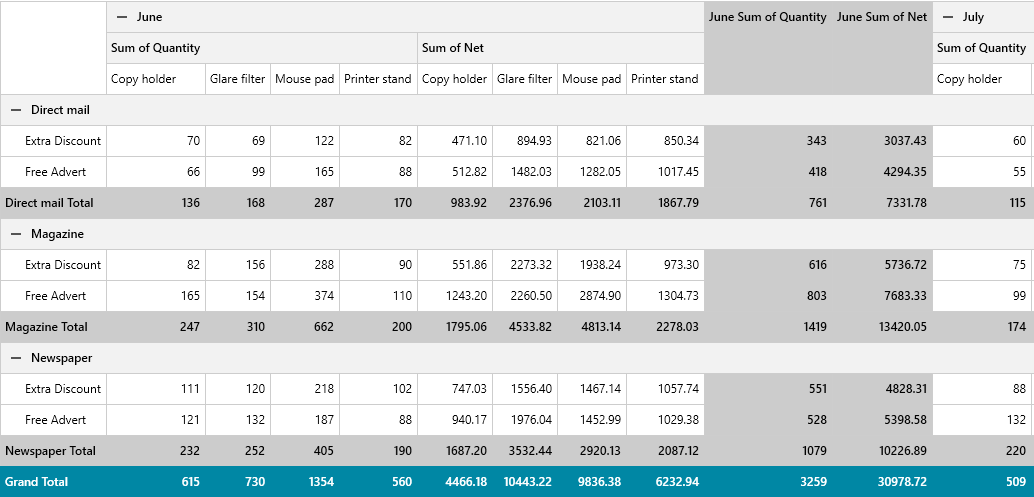
Initially, it might seem that “strategy designers” and “policy makers” wouldn’t have much use for the DataGrid inside applications targeted toward “administrators.” That’s probably true … except that both strategy and policy are (or should be) driven by data. And, as strategies are implemented and policies applied, administrators also need data that helps determine how successful those strategies and policies have been in meeting the organization’s goals.
To support that, administrators do need applications that let them pull together and review key metrics, assess the impact of those metrics on the organization and then use that information to develop strategy. The Telerik DataGrid supports that kind of data analysis because the DataGrid allows users to:
- Pull from a wide variety of data sources (everything from Excel spreadsheets to databases and web services) and remains responsive even when working with large amounts of data
- Highlight key issues through responsive formatting
- Explore data by filtering on multiple criteria across multiple columns to get to the critical data
- Define meaningful groups of data on the fly and generate key metrics
- Organize data into high-level and detail-level displays to both review key data and then drive into the detail
- Export data to be used in other tools (including all the data in the grid, or just data in a single page, and even selected data found in the grid)
The DataGrid user interface is also supports multiple industry standards, so that the grid “works the way users expect.” In addition, the AI-enabled Assistants and Semantic Search capabilities allow administrators, by entering natural language requests, to both find key data and configure the grid to display that data without having to manipulate the grid controls (though, thanks to DataGrid shortcuts and navigation features, experienced users can move quickly through the grid).
Managers
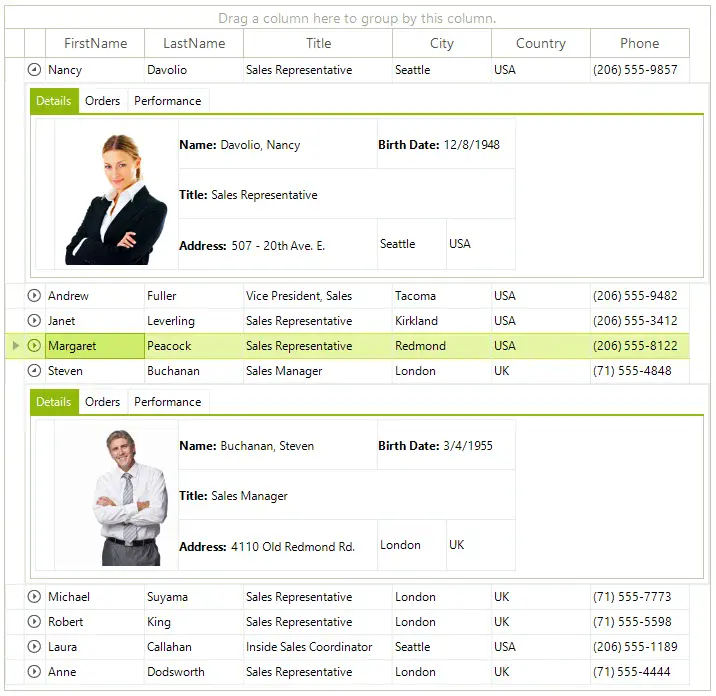
As part of tracking activities and monitoring performance, managers require all of the data analysis tools that administrators need. However, unlike administrators, managers also need to be able to update that data, create new tasks, assign resources and report on their team’s progress toward goals. For managers, the DataGrid update capabilities are equally as important as the grid’s data analysis tools.
Managers can update data directly within the DataGrid either on a row-by-row basis or in a bulk update mode that allows managers to update multiple rows before saving their data. Where updating is more complex, the DataGrid supports opening customized popup forms for updating individual rows (or navigating to other screens for more complex data entry). The Grid shortcut keys and navigation features let experienced users enter data quickly without having to take their hands off the keyboard.
The DataGrid validation tools only allow valid changes to be made (including locking out columns so that no changes are made). Where the DataGrid’s built-in validation doesn’t handle special business cases, custom validation can be integrated into the grid, tied to the organization’s specific needs.
For administrators, the DataGrid provides the tools needed to explore data to develop strategy and assess results. For managers, the ability to both explore and update data in the DataGrid is a powerful combination: Managers can both report on their team’s progress and then switch to analyzing that data. Regardless of the job role—administrator or manager—the DataGrid supports what the person in the role needs.
Check out the Telerik DevCraft suite of products to learn about the DataGrid in your favorite .NET or JavaScript flavor, like the Blazor Grid, the KendoReact DataGrid or the Angular Grid.
Get your hands on the whole suite free for 30 days:

Peter Vogel
Peter Vogel is both the author of the Coding Azure series and the instructor for Coding Azure in the Classroom. Peter’s company provides full-stack development from UX design through object modeling to database design. Peter holds multiple certifications in Azure administration, architecture, development and security and is a Microsoft Certified Trainer.
Related Posts
Comments
All articles
Topics
Web MobileMobile
Desktop
Design
Productivity
People