
Kendo UI for jQuery
What's New 2026 Q1
What's New HistoryjQuery PromptBox: Enhanced Prompt Input Experience
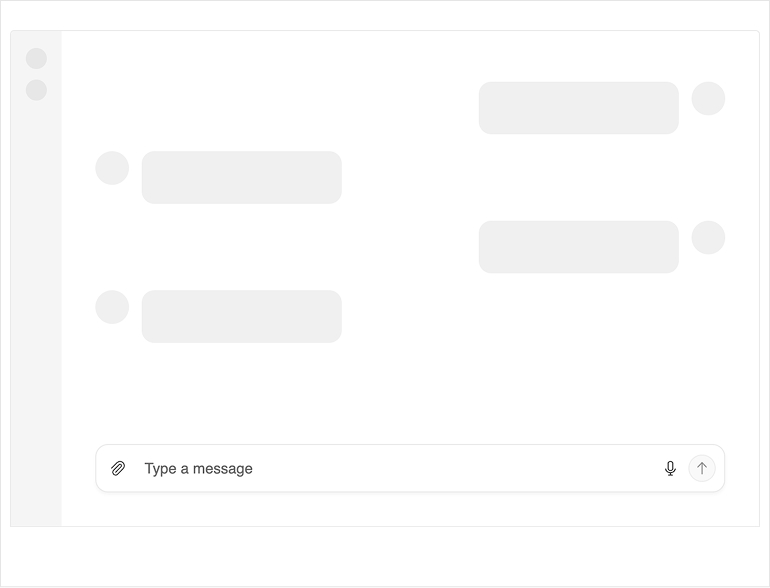
The new Kendo UI for jQuery PromptBox component provides a dedicated input area for composing and sending prompts to AI models. It adapts to different prompt lengths with flexible sizing options and supports file attachments, speech-to-text button and input adornments, making it easy to build rich, conversational AI experiences.
See the Kendo UI for jQuery PromptBox demo
jQuery SmartPasteButton: Effortless Input Filling
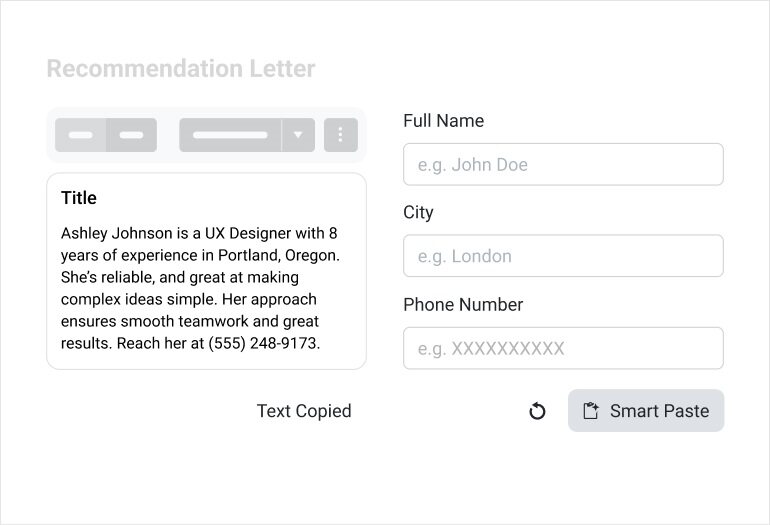
The new Kendo UI for jQuery SmartPasteButton lets users paste unstructured text, e.g. an email signature, message, or snippet, and convert it into structured data. The component sends the pasted content to an AI service, interprets the information, and automatically fills in the matching input fields. This eliminates repetitive copy‑and‑paste steps and makes data entry faster, cleaner, and more intuitive.
See the Kendo UI for jQuery SmartPasteButton demo
jQuery Smart Grid: Semantic Search Built into a SmartBox
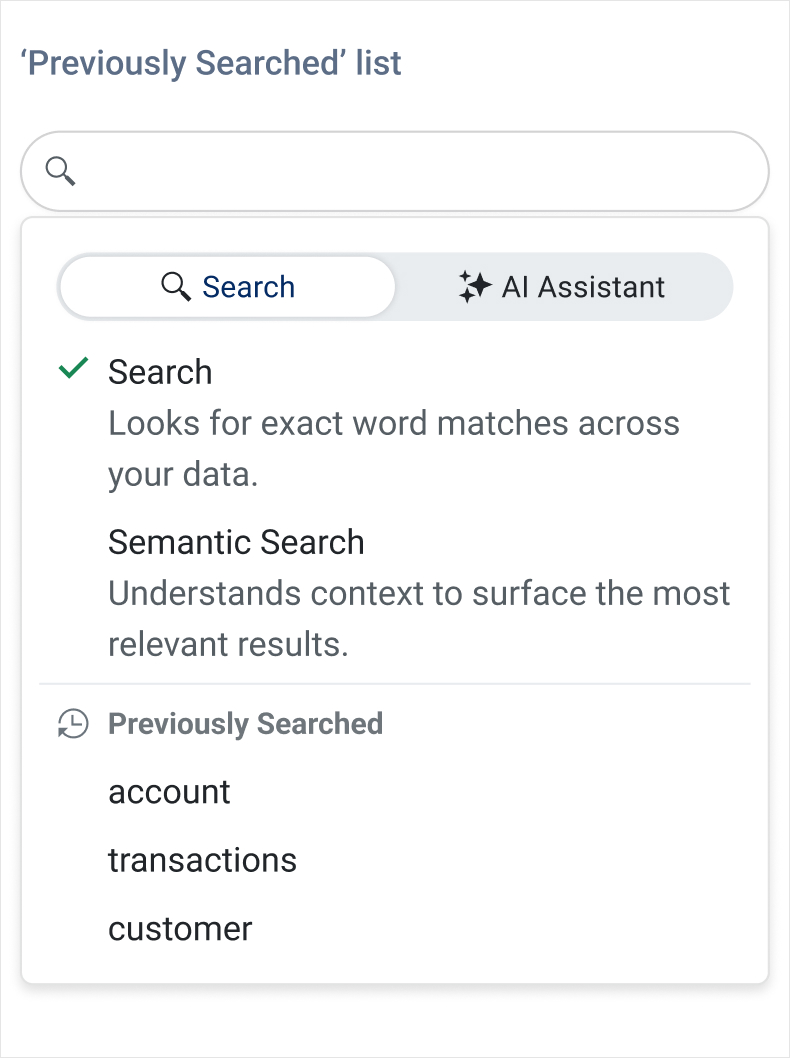
The Kendo UI for jQuery DataGrid introduces AI Semantic Search – a meaning‑based way to find what you need, even when keywords don’t match exactly. Instead of relying on exact text, Semantic Search understands intent and context, surfacing the most relevant rows across columns and related fields. It’s ideal for large datasets where users might not know the precise terms or spelling.
Complementing this, the new AI Smart Box provides a single, streamlined place to run Semantic Search and ask AI‑assisted questions. Users can search by meaning, then immediately refine, filter, or ask follow‑up questions within the same interface.
jQuery Smart Grid – AI Chat Integration
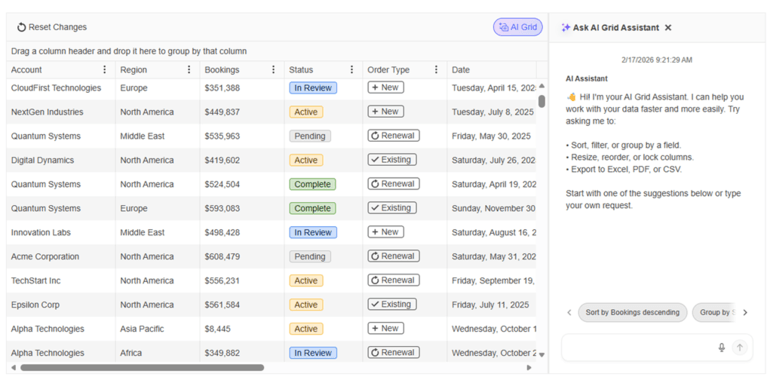
The Kendo UI for jQuery Grid now integrates seamlessly with the jQuery AI Chat capabilities, giving users a conversational way to explore and interact with Grid data. Instead of relying on manual filtering and navigation only, users can ask natural‑language questions that the Chat Assistant interprets using the Grid’s schema, context, and current view. This makes data discovery faster, more intuitive, and accessible even to users who are unfamiliar with the underlying structure of the dataset.
See the Kendo UI for jQuery Grid-Chat integration demo
Refined jQuery Chat for a Cleaner, More Intuitive UI
The Kendo UI for jQuery Chat component receives a series of visual and usability enhancements that make chat conversations clearer, more polished, and easier to follow. Message metadata now aligns cleanly on a single line with status indicators, and the header has been modernized by replacing the AppBar with the Toolbar component for a more consistent look and feel. The Chat also adopts the new PromptBox control for a richer prompt‑input experience, while attachment menus and download buttons have been refined with a smaller visual footprint. Pinned messages now stay sticky for better visibility, and suggestion lists introduce new scroll buttons with gradient styling for smoother browsing.
See the Kendo UI for jQuery Chat revamped demo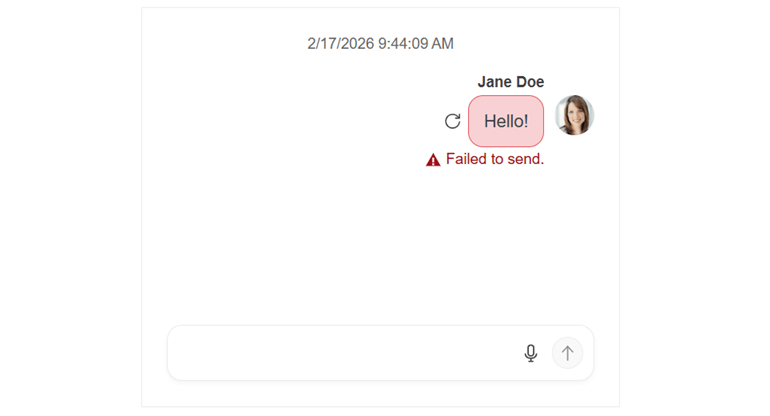
More Precise Diagramming in Kendo UI for jQuery
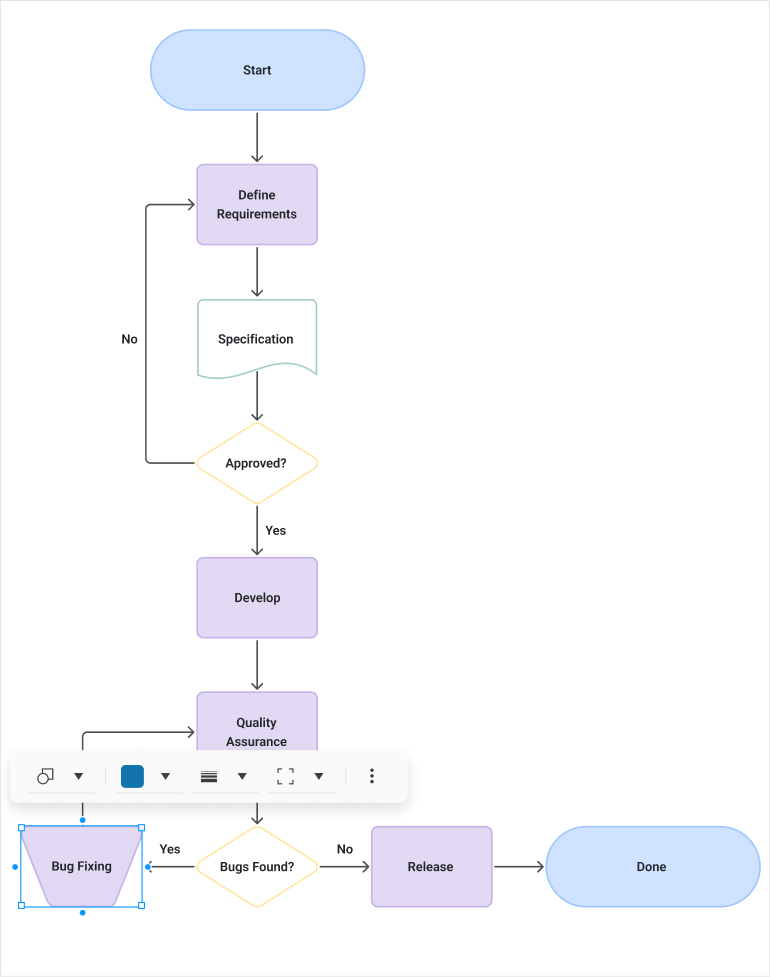
The Diagram now offers more interactive editing experience with connector text, tooltips, and improved connection handling through larger grab points, resizable segments, and better snapping. Users also benefit from dynamic scrollbars, full keyboard navigation, and resizable shapes, making diagram creation smoother and more flexible than ever.
See the Kendo UI for jQuery Diagram revamped demo
Kendo UI for jQuery: 4.0.0 Support
After almost a decade, jQuery 4.0.0 has arrived, removing legacy browser support, dropping deprecated APIs, aligning event behavior with modern standards and overall modernizing the codebase. Kendo UI for jQuery is fully compatible and ready for jQuery 4.