WPF RadInlineAIAssistant Overview
Updated on Aug 24, 2026
The RadInlineAIAssistant is a floating, popup-based control that attaches to a text control, such as a TextBox or a RadRichTextBox, and provides inline AI-powered text editing capabilities. It displays a prompt input together with a customizable dropdown of predefined commands (for example, rewrite, adjust tone, or translate), sends the request to your AI model, and shows the generated response with actions to insert or replace the affected text.
 Start Free Trial
RadInlineAIAssistant Overview
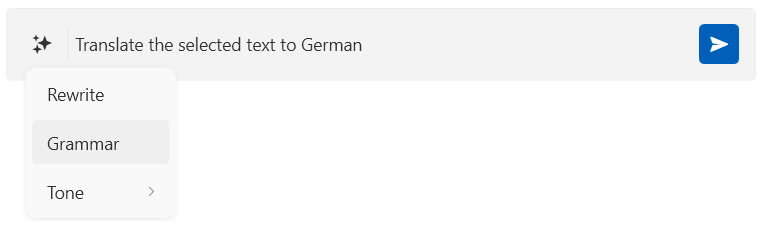
Get started with the control with its Getting Started help article that shows how to use it in a basic scenario.
Key Features
- Attaching to a target element—
RadInlineAIAssistantattaches to aFrameworkElement(for example, aTextBox) through an attached property and opens as a floating popup positioned next to the caret or selection. Read more in the Getting Started article. - Interaction providers—The control talks to the target element through an
IInlineAssistantInteractionProviderimplementation. Built-in providers are available forTextBoxandRadRichTextBox, and you can implement your own for other controls. Read more in the Configuring Interaction Providers article. - Commands—A
Commandscollection lets you populate a dropdown of predefined or custom AI actions, optionally grouped into sub-menus. Read more in the Configuring Commands article. - Responses—The control can display either an immediate or a streamed AI response, with built-in actions for inserting, replacing, or discarding it. Read more in the Handling Responses article.
- Appearance customization—The input area border, padding, and watermark content can be customized. Read more in the Customizing Appearance article.
Check out the demos application at demos.telerik.com.